Supro WordPress Theme
by drfuri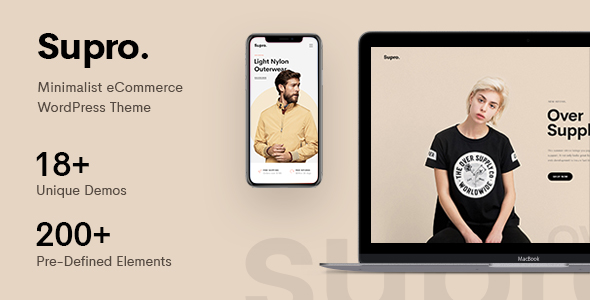
Stuck on your Supro WordPress theme? Let's fix it.
No endless back-and-forth. Just send us the details and we'll get it done.
No obligation · Replies within 1 hour · Quote within 1 day
Setup · Customization · Bug fixes · WooCommerce integration
About Supro WP Theme
Supro is a minimal WooCommerce theme by drfuri, built for online stores that want a clean, fast shopping experience without unnecessary overhead. It ships with a drag-and-drop page builder, multiple header layouts, and product page styles suited to fashion, electronics, and lifestyle brands.
The theme integrates tightly with WooCommerce core features and adds its own ajax cart, wishlist, and quick-view functionality. It also supports Elementor, giving store owners a visual way to build custom layouts without touching code.
Supro is a solid choice if you want a polished storefront out of the box. But like most feature-heavy WooCommerce themes, getting it to behave exactly how you want often takes more than theme settings alone.
Get matched with a Supro developer in under one day
Tell us about your Supro project. Small fixes, Supro theme customization, or a full website build, whatever you need, we've got it covered.
We'll connect you to the right Supro developers, define the scope, and get everything 100% clear.
You'll get one estimate, hire your preferred developer, and start collaborating.
Supro has enough moving parts that small misconfigurations cause real problems in production stores. A developer who has worked inside the theme knows where the edge cases are before they become support tickets.
Through Codeable, you get matched with a vetted WordPress developer who has handled themes like Supro before. You post your project, get a fixed estimate, and only proceed if it works for you. No risk, no retainer required. If you need ongoing store work, custom functionality, or a one-time fix, our development services cover all of it.
Pros
- Clean minimal design that suits modern WooCommerce stores without heavy styling overhead
- Built-in ajax cart, quick-view, and wishlist reduce the need for extra plugins
- Elementor compatibility gives non-developers a visual way to build custom pages
- Multiple header and product layout options without needing custom code
- Regular updates from drfuri maintain WooCommerce core compatibility
Cons
- Demo import does not handle real product data, so setup still takes significant time
- Ajax features can conflict with popular caching plugins and require manual configuration
- Deep customization beyond the Customizer requires child theme or PHP knowledge
- Documentation is limited for advanced use cases and hooks
- Theme options panel can feel cluttered when managing multiple layout variations
Who is Supro for?
Fashion and Apparel Stores
Supro’s clean grid layouts and quick-view functionality work well for clothing stores where customers browse multiple products before deciding. The built-in wishlist and size guide compatibility with YITH plugins makes it practical for apparel without heavy plugin stacking.
Electronics and Tech Retail
Product pages in Supro support multiple image galleries and variation swatches, which suits electronics listings with color or spec variations. The minimal design keeps focus on product details rather than decorative elements that distract from purchase decisions.
Home Decor and Furniture
Supro’s wide layout options and Elementor support let home decor stores build editorial-style pages alongside standard shop listings. Large image support and flexible grid structures make it a good fit for stores where visual presentation drives conversions.
Beauty and Skincare Brands
Beauty brands benefit from Supro’s typography flexibility and minimal aesthetic. The theme supports product ingredient tables and detailed description layouts cleanly. Ajax cart keeps the purchase flow smooth, which matters for stores where customers buy multiple products per session.
Multi-Category General Stores
Supro handles multi-category stores through its filterable shop pages and customizable category headers. Stores selling across several product types can organize listings clearly without needing a custom-built category architecture from scratch.

Customizing Supro
Supro gives you a decent customization starting point through the WordPress Customizer, covering typography, colors, header styles, and footer layouts. The demo importer makes setup faster, though demo content rarely matches what a real store needs.
Beyond the basics, customization gets more technical. Custom product layouts, modified checkout flows, or off-spec header behavior typically require child theme work or PHP hooks. If you want changes that stick through updates and do not break WooCommerce compatibility, working with a Supro expert is the practical route.
A developer who knows Supro can also optimize its built-in ajax features, fix conflicts with third-party plugins, and extend the theme in ways the Customizer simply does not support.
Recommended plugins for Supro
Supro works well with the usual WooCommerce extension stack. YITH plugins for wishlist, compare, and size guides integrate cleanly. Elementor adds custom page building on top of Supro’s native layouts.
For stores focused on speed, pairing Supro with a caching solution and image optimization plugin makes a noticeable difference. The theme’s ajax features can conflict with certain caching setups, so configuration matters. For deeper speed work, see our WordPress performance service. If organic traffic is part of your growth plan, structured data and schema improvements are worth adding via our WordPress SEO service.
Not sure which plugins to use? This WordPress plugins directory covers the most popular options with reviews and setup guides.
Supro common issues
Supro theme ajax cart not working
Ajax cart failures in Supro are usually caused by caching plugin conflicts or a JavaScript error from another plugin. Start by disabling caching, then check the browser console for JS errors. If a third-party plugin is loading conflicting scripts, you may need to dequeue it on shop pages. For persistent issues, a developer can trace the conflict and patch it properly. See our WordPress bug fixing service for help.
Supro header not displaying correctly on mobile
Mobile header issues in Supro are often tied to custom CSS overriding the theme’s responsive breakpoints, or a header layout set for desktop not falling back correctly on smaller screens. Check the Customizer mobile header settings first. If custom CSS is involved, review it for fixed-width values that break at mobile. A child theme is the safer place to manage these overrides without losing them on updates.
Supro quick view not opening products
Quick view failures usually point to a missing or conflicting script. Check if WooCommerce scripts are loading correctly by testing with all plugins disabled except WooCommerce. If quick view returns on a clean install, re-enable plugins one at a time to find the conflict. Plugin conflicts with Elementor widgets or custom product tabs are common culprits. A developer can isolate and resolve the issue without disabling features your store depends on.
Supro theme slow loading on WooCommerce product pages
Supro loads several scripts for its ajax features, which can slow product pages if not configured carefully. Start with a caching plugin set to exclude cart and account pages. Optimize images using a compression plugin. If the theme’s built-in scripts are loading on pages that do not need them, a developer can conditionally dequeue them. For a full audit, our WordPress performance service covers both theme and server-level improvements.
Supro FAQ
Yes. Supro is built specifically for WooCommerce and includes ajax cart, wishlist, quick-view, and variation swatch support out of the box. It stays current with WooCommerce updates, which matters for store stability. It works best for stores with a clear visual direction, since its minimal style suits focused product catalogs better than heavy multi-purpose builds.
Supro supports Elementor for custom page building. You can use Elementor on landing pages, category pages, and static content while Supro handles the WooCommerce-specific templates. Some Elementor widgets may require minor CSS adjustments to match Supro’s styling. A developer can align both tools so the output looks consistent across the store.
Create a new folder in your themes directory named supro-child. Add a style.css file with the correct parent theme header and a functions.php file that enqueues the parent stylesheet. Activate the child theme from the WordPress dashboard. All custom CSS and PHP changes should go in the child theme to survive future Supro updates safely.
Yes, but theme migration is separate from product data migration. Switching to Supro replaces your visual layer, not your WooCommerce database. You will need to rebuild page layouts, header and footer settings, and any custom templates. Product and order data stays intact. For a structured move, our WordPress migration service can manage the process without downtime.
drfuri offers support through ThemeForest for theme-specific bugs. For customization beyond default theme options, including layout changes, plugin integrations, or performance fixes, you need a developer rather than theme support. A Supro specialist through Codeable can handle one-off tasks or ongoing store work. Get a free estimate to start.
Hire a Supro Developer
Whether you need a specific layout built, a WooCommerce conflict resolved, or a full store setup using Supro, a specialist gets it done faster than trial and error. Projects are posted, estimated, and matched within 24 hours through Codeable’s vetted network. Get a free estimate with no obligation to hire. Every project is 100% risk-free.
You'll need a free Codeable account so developers can ask questions and send their quotes.