Swyft WordPress Theme
by codesupplyco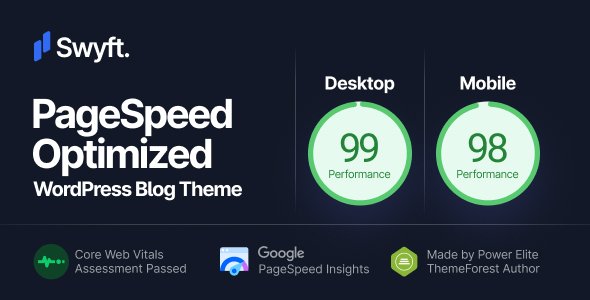
Stuck on your Swyft WordPress theme? Let's fix it.
No endless back-and-forth. Just send us the details and we'll get it done.
No obligation · Replies within 1 hour · Quote within 1 day
Setup · Customization · Bug fixes · WooCommerce integration
About Swyft WP Theme
Swyft is a WordPress theme built by CodeSupply Co., a developer known for clean, typographically focused designs. It targets content-heavy sites, blogs, and online magazines that want a fast, minimal aesthetic without sacrificing structure.
The theme ships with a block-based layout system, making it compatible with the WordPress Site Editor. Pages load quickly because the codebase avoids the bloat common in multipurpose themes. CodeSupply Co. themes consistently score well on Core Web Vitals out of the box.
Swyft suits writers, journalists, and niche publishers who want their content to lead. The design is clean, the typography is strong, and the customization options stay focused rather than overwhelming. If you want a polished editorial site without hiring a designer for every detail, Swyft is a practical starting point.
Get matched with a Swyft developer in under one day
Tell us about your Swyft project. Small fixes, Swyft theme customization, or a full website build, whatever you need, we've got it covered.
We'll connect you to the right Swyft developers, define the scope, and get everything 100% clear.
You'll get one estimate, hire your preferred developer, and start collaborating.
CodeSupply Co. builds clean themes, but even clean themes need customization when your site has specific requirements. A Swyft developer on Codeable can handle child theme builds, custom templates, plugin integrations, and layout work that matches the theme’s design language precisely. Codeable vets every developer on the platform, so you are not rolling the dice on quality. If you have a specific goal for your Swyft site, get matched with someone who has done it before.
Pros
- Lightweight codebase that loads fast without performance tuning
- Strong typographic defaults that work well for content-heavy blogs
- Full Site Editor compatibility with clean block templates
- Well-documented code from CodeSupply Co. makes developer work straightforward
- Minimal design keeps focus on content rather than decorative elements
Cons
- Limited built-in layout variety compared to multipurpose themes
- WooCommerce support is basic and needs developer work for custom shop layouts
- Fewer bundled demo templates than competing editorial themes
- Advanced header customization requires code or a developer
- Not ideal for portfolio or service business sites that need visual complexity
Who is Swyft for?
Personal Blog
Swyft handles personal blogs well. The typography is readable, the single-post layout is clean, and there is no visual noise competing with your writing. It loads fast on shared hosting, which matters for bloggers who are not managing server infrastructure. Categories and tags render neatly, making archive browsing straightforward for regular readers.
Online Magazine
Multi-category editorial sites benefit from Swyft’s structured grid layouts. Featured posts, category sections, and sidebar widgets are easy to configure without custom development. If you publish daily across several topics, Swyft keeps the homepage organized without requiring constant manual curation of the layout.
Newsletter Site
Swyft works well as a front-end for newsletter-driven sites. Pair it with a tool like Mailchimp or ConvertKit for list building. The minimal design keeps the focus on your content and your opt-in form. A developer can add a members-only section if you want to gate some content for paid subscribers.
Niche News Publication
Small niche publications covering specific industries or topics suit Swyft’s editorial feel. The theme handles high article volume without the homepage becoming cluttered. Category-specific pages are clean and scannable, which matters for readers returning daily to check for new coverage in a specific subject area.
Author Website
Authors who need a site to showcase their books, writing samples, and a blog find Swyft a practical choice. The design positions text as the primary element. You can add a simple shop for digital downloads or link to retailer pages without the site feeling like an e-commerce store rather than a writer’s platform.

Customizing Swyft
Swyft customization works through the WordPress Site Editor and the native Customizer, depending on which version you are running. You can adjust typography, color palettes, header layouts, and sidebar configurations without touching code.
For deeper changes, like custom post layouts, unique archive templates, or integrations with third-party plugins, you will need a developer who knows the theme’s structure. A Swyft expert can build child theme modifications that survive updates, add custom Gutenberg blocks that match the theme’s aesthetic, and connect your site to tools like WooCommerce or membership plugins without breaking the design.
CodeSupply Co. themes use clean, well-documented markup, which makes working with a developer straightforward. Custom work does not require reverse-engineering messy code.
Recommended plugins for Swyft
Swyft pairs well with lightweight plugins. WooCommerce can be added for simple digital product sales. For membership or paid newsletter setups, MemberPress or Paid Memberships Pro integrate without major styling conflicts.
SEO plugins like Rank Math and Yoast work without conflict. For performance, combining Swyft with a good caching plugin and a CDN keeps load times competitive. Explore our WordPress performance services or WordPress SEO optimisation if you want those areas handled properly rather than patched together with settings.
Not sure which plugins to use? This WordPress plugins directory covers the most popular options with reviews and setup guides.
Swyft common issues
Swyft theme header not showing correctly after WordPress update
Header display issues after a WordPress update usually point to a conflict between the Site Editor templates and the updated core block markup. First, check if CodeSupply Co. has released a theme update and apply it. If the issue persists, open the Site Editor and reset the header template to the default, then reapply your changes. If the header was customized with code, check your child theme’s template files for deprecated block syntax. A WordPress bug fixing service can diagnose this faster if you are not comfortable in the template editor.
Swyft sidebar disappearing on mobile
Swyft hides the sidebar on mobile by default as part of its responsive layout. This is intentional behavior, not a bug. If you need sidebar content visible on mobile, you will need a CSS override targeting the sidebar’s display property at your chosen breakpoint. Add this in your child theme’s stylesheet or in the Additional CSS section of the Customizer. Test across multiple screen sizes after making changes, as a blanket override can break spacing on tablet views.
Swyft theme slow to load after adding plugins
Plugin-related slowdowns on Swyft are almost always caused by plugins loading scripts and styles site-wide when they are only needed on specific pages. Use a plugin like Asset CleanUp or Perfmatters to limit which scripts load on which pages. Also check for render-blocking scripts added by form plugins, sliders, or social sharing tools. Swyft itself is fast, so if performance has dropped, the theme is rarely the cause. See our WordPress performance services for a full audit.
Swyft custom CSS not applying in Site Editor
Custom CSS added through the Site Editor’s Styles panel applies to the front end but can appear inactive if you are previewing in the editor itself due to specificity conflicts. Make sure your selectors are specific enough to override the theme’s default styles. If you are using the Customizer’s Additional CSS field, note that this may not affect Full Site Editor templates. Use the Site Editor’s own CSS panel for FSE-based themes like Swyft to ensure your styles are applied in the right context.
Swyft FAQ
Swyft is built with clean HTML and loads quickly, both of which help with SEO. It supports structured data through plugins like Rank Math or Yoast without conflicts. The theme does not pad its output with unnecessary markup. For a full SEO setup including schema, internal linking strategy, and technical optimization, check our WordPress SEO optimisation service.
Swyft supports WooCommerce, but the integration is basic. Product pages and cart templates use WooCommerce’s default styling with minimal theme overrides. For a polished shop that matches Swyft’s editorial aesthetic, you will need custom template work. A developer can create product and archive templates that stay consistent with the rest of your site’s design.
Swyft is available as a premium theme from CodeSupply Co. Pricing is typically sold as a single-site or multi-site license. Check the CodeSupply Co. website for current pricing and whether a lifetime license option is available. Premium support from CodeSupply Co. is included with purchase, covering setup questions and bug reports.
Swyft is designed for the WordPress block editor and the Full Site Editor. It is not built for Elementor or Classic Editor workflows. You can technically use Elementor on individual pages, but you will lose the theme’s native design integration and likely see styling conflicts. For Elementor-specific projects, a block-agnostic theme is a better starting point.
Always use a child theme for any code customizations. Changes made directly to a parent theme’s files are overwritten during updates. Settings saved through the Customizer or Site Editor are stored in the database and survive theme updates. Before updating, back up your site. Our WordPress maintenance service handles updates safely if you prefer not to manage this manually.
Hire a Swyft WordPress Developer
Need custom layouts, plugin integrations, or a full Swyft site build? Our developers know CodeSupply Co. themes and can work within Swyft’s structure without creating problems down the line. Work is delivered through Codeable, which means vetted developers, clear estimates, and no obligation to hire. Get a free estimate and describe what you need. You will hear back within 24 hours.
You'll need a free Codeable account so developers can ask questions and send their quotes.