Tax Help WordPress Theme
by AncoraThemes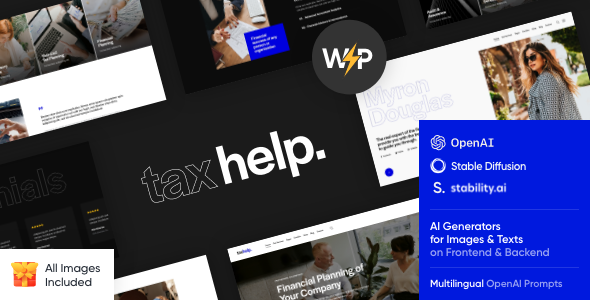
Stuck on your Tax Help WordPress theme? Let's fix it.
No endless back-and-forth. Just send us the details and we'll get it done.
No obligation · Replies within 1 hour · Quote within 1 day
Setup · Customization · Bug fixes · WooCommerce integration
About Tax Help WP Theme
Tax Help is a WordPress theme built by AncoraThemes specifically for tax professionals, accounting firms, and financial consultants. It ships with a clean, professional layout designed to build trust with potential clients before they even pick up the phone.
The theme includes a pre-built homepage, service pages, a contact section with appointment booking support, and a blog area for publishing tax guides and updates. It works well with Elementor and the classic WordPress editor.
AncoraThemes themes are generally well-coded, lightweight, and straightforward to set up. Tax Help follows that pattern. It is not overloaded with features you will never use, and the design is focused on converting visitors into leads rather than winning design awards.
Get matched with a Tax Help developer in under one day
Tell us about your Tax Help project. Small fixes, Tax Help theme customization, or a full website build, whatever you need, we've got it covered.
We'll connect you to the right Tax Help developers, define the scope, and get everything 100% clear.
You'll get one estimate, hire your preferred developer, and start collaborating.
Tax Help is approachable for a DIY setup, but there is a real gap between a working site and a site that actually brings in clients. A developer who has worked with AncoraThemes themes knows where the customization limits are and how to work around them cleanly.
Through Codeable, you get matched with vetted WordPress professionals who can scope your project, give you a fixed estimate, and get started fast. No hourly surprises, no offshore roulette. Just a developer who knows WordPress and gets the work done.
Pros
- Purpose-built layout for tax and accounting firms, so the page structure makes sense without heavy editing
- Lightweight codebase from AncoraThemes means faster load times compared to multipurpose alternatives
- Compatible with Elementor, making visual edits accessible without touching code
- Pre-built sections for services, team bios, testimonials, and contact forms cover most firm needs
- Clean, professional design that works well for both solo practitioners and multi-person firms
Cons
- Design is conservative by default and can look generic without custom colors, fonts, and imagery
- No built-in booking or appointment system, so you need a third-party plugin for scheduling
- Limited demo content means more setup time compared to themes with full one-click demo imports
- Not ideal for firms that want an aggressive marketing funnel or complex landing page layouts
- AncoraThemes support can be slow during peak periods, which is frustrating if you hit a blocker during launch
Who is Tax Help for?
Solo Tax Preparer
Tax Help works well for independent tax preparers who need a professional online presence without a large budget. The service section communicates your offerings clearly, and the contact form handles lead capture. A developer can add a pricing table or consultation booking link to make the site work harder during tax season.
CPA Firm
Multi-person CPA firms can use Tax Help’s team section to introduce staff and build credibility. The blog area supports publishing quarterly tax updates or guides that help with local SEO. Custom service pages for business tax, personal returns, and estate planning can be built on top of the theme’s existing structure.
Tax Resolution Service
For firms handling IRS debt resolution, audit representation, or back taxes, the theme’s trust-focused layout is a good starting point. A Tax Help developer can add urgency-driven call-to-action sections, a case evaluation form, and testimonials from resolved cases to improve conversion rates on this type of site.
Bookkeeping and Tax Combo Practice
Practices offering both bookkeeping and tax services can use Tax Help to clearly separate service categories. Structured service pages prevent visitor confusion and help with SEO. Adding a client portal link and a recurring services page makes the site functional beyond just lead generation.
Enrolled Agent Practice
Enrolled agents often compete with large national chains on a local level. Tax Help gives an EA practice a site that looks credible and professional. Highlighting the EA credential, areas of specialty, and adding a free consultation form helps differentiate the practice from DIY tax software and franchise competitors.

Customizing Tax Help
Out of the box, Tax Help gives you a working site structure. But most tax firms need something more specific: custom service pages, a fee calculator, a client portal link, or intake forms that connect to their CRM.
A Tax Help expert can handle all of that without bloating the theme or breaking updates. Common customization requests include adding a scheduling system like Calendly or Acuity, building a custom FAQ section, styling the contact forms, and adjusting the typography and color scheme to match brand guidelines.
If you need child theme development, custom page templates, or integration with accounting tools, working with a Tax Help developer saves time and avoids the kind of hacks that cause problems six months later. A developer who knows AncoraThemes can move fast and build it properly from the start.
Recommended plugins for Tax Help
Tax Help pairs well with a handful of plugins that extend its core functionality. WPForms or Gravity Forms handles client intake and contact forms. WooCommerce can be added if you sell tax prep packages or consultations online.
For booking, Simply Schedule Appointments or Bookly both work without conflicting with the theme. Yoast or Rank Math handles on-page SEO.
If site speed is a concern, combining Tax Help with a caching plugin and a CDN makes a measurable difference. You can read more about WordPress performance and WordPress SEO optimisation if either is a priority for your firm’s site.
Not sure which plugins to use? This WordPress plugins directory covers the most popular options with reviews and setup guides.
Tax Help common issues
Tax Help theme contact form not sending emails
This is almost always an SMTP issue, not a theme problem. WordPress’s default mail function fails on many hosts. Install WP Mail SMTP and connect it to a transactional email service like Mailgun, SendGrid, or even Gmail via OAuth. Once configured, test with the plugin’s built-in tool. If forms are still not delivering, check your spam folder and confirm the form plugin itself is not throwing errors. Need help setting this up? Our WordPress bug fixing service can resolve this quickly.
Tax Help theme layout broken after plugin update
Plugin updates, especially for page builders like Elementor, often conflict with theme styles or break saved templates. Start by deactivating recently updated plugins one at a time to identify the conflict. Clear your cache after each test. If the layout uses Elementor, regenerate the CSS from Elementor’s Tools panel. A child theme helps prevent theme update conflicts going forward. If the issue persists, a developer can trace the conflict and apply a targeted fix without reverting updates.
How to add a booking system to Tax Help WordPress theme
Tax Help does not include booking natively. The cleanest options are Simply Schedule Appointments, Bookly, or embedding a Calendly widget. For simple consultation scheduling, Calendly’s embed is fast to set up and reliable. For more control over the booking flow, Simply Schedule Appointments integrates better with WordPress and lets you style the form to match the theme. A developer can embed the system and make it look native rather than bolted on.
Tax Help theme slow loading on mobile
Slow mobile performance on Tax Help usually comes from unoptimized images, render-blocking scripts, or a lack of caching. Start with image compression using ShortPixel or Imagify. Add a caching plugin like WP Rocket or LiteSpeed Cache. Check Google PageSpeed Insights for specific recommendations. If the theme is loading multiple scripts from third-party plugins, a developer can defer or remove what is not needed. Read more about WordPress performance optimization for a full approach.
Tax Help FAQ
Yes. Tax Help works with Elementor page builder. You can edit sections visually and build custom page layouts without writing code. The theme’s default styles carry through into Elementor, so the design stays consistent. For more advanced customization, a developer can create custom Elementor templates that fit within the theme’s structure cleanly.
It is possible but involves some work. The Tax Help design and terminology is built around tax services. Using it for insurance, financial planning, or general accounting means editing labels, swapping demo content, and possibly restructuring service sections. It is doable, but if the use case is significantly different, starting with a more generic professional services theme might save time.
AncoraThemes provides demo content for Tax Help, but the import process can vary depending on your hosting environment. Some users report issues with the one-click import on certain hosts due to memory limits or timeout settings. If the import fails, a developer can load the demo content manually or replicate the layout from scratch using the demo as a reference.
Migrating to Tax Help means switching your active theme and rebuilding or adapting your existing pages to match the new structure. If your current site uses a different page builder, content may not transfer cleanly. It is worth planning this carefully to avoid losing page structure or SEO data. For a smooth transition, see our WordPress migration service for professional help.
Tax Help is reasonably SEO-friendly. It produces clean HTML, loads without excessive bloat, and works with SEO plugins like Yoast and Rank Math. That said, theme SEO-friendliness only covers technical structure. You still need to handle keyword targeting, page content, schema markup for local businesses, and site speed separately to rank well for tax-related searches in your area.
Hire a Tax Help WordPress Developer
Whether you need a Tax Help site built from scratch, a specific feature added, or something fixed that stopped working, FoxyConcept connects you with a developer who knows the theme. Work is delivered through Codeable, so you get a free estimate before committing to anything.
Get a free estimate and describe your project. You will hear back within 24 hours with a clear scope and price. No obligation to hire.
You'll need a free Codeable account so developers can ask questions and send their quotes.