Total WordPress Theme
by WPExplorer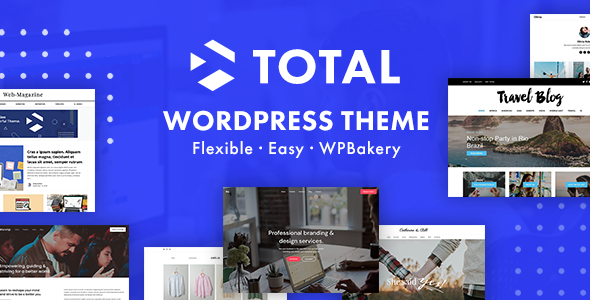
Stuck on your Total WordPress theme? Let's fix it.
No endless back-and-forth. Just send us the details and we'll get it done.
No obligation · Replies within 1 hour · Quote within 1 day
Setup · Customization · Bug fixes · WooCommerce integration
About Total WP Theme
Total is a multipurpose WordPress theme built by WPExplorer. It ships with a drag-and-drop page builder, 40+ demo sites, and hundreds of styling options built directly into the Customizer. Unlike themes that rely entirely on third-party builders, Total has its own modular row and column system, giving you tighter control over layout without adding unnecessary plugin dependencies.
The theme supports WooCommerce, WPML, and most major plugins out of the box. It is regularly updated and has a large user base, which means most common issues are already documented. Whether you are building a portfolio, a business site, or a store, Total covers the basics without forcing you into a rigid structure. The learning curve is moderate, and for anything beyond standard setup, working with a Total developer saves significant time.
Get matched with a Total developer in under one day
Tell us about your Total project. Small fixes, Total theme customization, or a full website build, whatever you need, we've got it covered.
We'll connect you to the right Total developers, define the scope, and get everything 100% clear.
You'll get one estimate, hire your preferred developer, and start collaborating.
Total gives you a lot of options, which also means a lot of ways to configure things incorrectly. A developer who knows the theme well will set up the child theme properly, avoid CSS conflicts, and build custom templates that survive updates. Through Codeable, you get matched with vetted WordPress developers who have hands-on Total experience. Post your project, get a free estimate, and know exactly what the work involves before committing to anything.
Pros
- Hundreds of Customizer options without requiring a separate options plugin
- Built-in page builder reduces reliance on third-party builders like Elementor or Divi
- Per-page meta controls let you override global settings at the post level
- Strong WooCommerce support with dedicated product page layout options
- Active development and regular updates from WPExplorer since 2012
Cons
- The volume of options in the Customizer can overwhelm new users without documentation
- The native page builder is less capable than Gutenberg blocks or Elementor for complex layouts
- Demo content imports can be slow and occasionally fail on shared hosting
- Some styling options require CSS overrides because the Customizer controls do not go deep enough
- Child theme setup is necessary for safe customization but not enforced or guided in-theme
Who is Total for?
Creative Portfolio
Total’s portfolio post type includes filterable grids, masonry layouts, and dedicated single portfolio templates. A Total developer can add custom taxonomy filters, override single portfolio templates in a child theme, and connect project data to custom fields without touching the theme core.
WooCommerce Store
Total includes WooCommerce-specific layout panels for shop pages, product pages, and cart styling. A Total specialist can customize add-to-cart behavior, adjust product grid columns responsively, and integrate payment plugins without breaking the theme’s native WooCommerce styles.
Business or Agency Site
The theme ships with several business-oriented demos covering agencies, consultants, and service companies. A Total expert can build out service pages using the native modules, set up contact form integrations, and configure header variants per section of the site using page-level meta controls.
Blog or Magazine
Total handles standard blog layouts well, with options for list, grid, and masonry post feeds. A Total developer can create custom category templates, add reading time estimates, configure related posts, and optimize archive pagination for performance on high-volume blogs.
Membership or Course Site
When combined with MemberPress or LearnDash, Total can support course and membership workflows. A Total specialist handles the template overrides needed to style member dashboards, lesson pages, and restricted content notices consistently with the rest of the site design.

Customizing Total
Total exposes a large number of options through the WordPress Customizer, covering typography, colors, header layouts, footer widgets, and sidebar positioning. You can also control these settings per page using the built-in meta options, which is useful for landing pages that need a different layout from the rest of the site.
The built-in page builder handles most layout work, but for custom post types, advanced query loops, or integrations with third-party APIs, you will need PHP and WordPress template knowledge. A Total expert can extend the theme cleanly using child themes and action hooks, avoiding direct core edits that break on update. Custom header builders, mega menus, and WooCommerce template overrides are common customization requests that benefit from a Total specialist who knows exactly where the theme hooks into WordPress core.
Recommended plugins for Total
Total integrates with several plugins that extend its default functionality. Visual Composer works alongside the built-in builder, though many developers prefer sticking to Total’s native modules to keep the codebase lighter. For stores, WooCommerce slides in cleanly with dedicated styling panels.
If site speed matters, which it always does, pairing Total with proper caching and image optimization is essential. Check out the WordPress performance service for help getting Core Web Vitals in order. For visibility in search, Total’s clean markup is a solid starting point, but structured data and on-page optimization still need attention. The WordPress SEO service covers that side of things in detail.
Not sure which plugins to use? This WordPress plugins directory covers the most popular options with reviews and setup guides.
Total common issues
Total theme page builder not loading in WordPress editor
This usually happens due to a JavaScript conflict with another plugin. Open your browser console and check for JS errors. Deactivate plugins one by one to isolate the conflict. If the builder was working before a plugin update, that plugin is the likely cause. Also check that your PHP version meets Total’s requirements. If the issue persists after isolation, a WordPress bug fixing service can diagnose it without the guesswork.
Total theme demo import failing or stuck at 0%
Demo imports fail most often on shared hosting due to PHP memory limits, max execution time, or max upload size restrictions. Increase these values in php.ini or wp-config.php before importing. Set memory_limit to at least 256M and max_execution_time to 300. If your host does not allow changes, try importing demos manually using the XML file and importing Customizer settings separately via the backup tool.
Total theme header not showing on mobile
Total uses a separate mobile header configuration. Go to Appearance > Customize > Header and check the mobile header settings. If you have a sticky header enabled, verify it is also configured for mobile breakpoints. CSS media query conflicts from custom code can also override the mobile header display. Check your custom CSS for any header rules targeting small screens.
Total theme WooCommerce product page layout broken
WooCommerce layout issues in Total usually come from the theme’s WooCommerce panel settings being reset after an update, or from a plugin conflict. Go to Total > WooCommerce settings and verify your product page layout selections. If you have a child theme with WooCommerce template overrides, compare your templates against the current WooCommerce version as outdated overrides cause layout breaks. The bug fixing service handles WooCommerce template conflicts regularly.
Total theme custom CSS not applying after update
If you added custom CSS directly to the parent theme’s style.css, it will be overwritten on update. Always place custom CSS in a child theme’s style.css or in the Additional CSS field in the Customizer. After an update, check whether caching plugins are serving stale CSS. Clear all caches including server-side, plugin-level, and browser cache before concluding the CSS is not loading.
Total theme slider not displaying images correctly
Total’s slider module depends on specific image dimensions set in the slider settings. If images appear cropped or misaligned, check the defined height and width in the slider block options. Also regenerate thumbnails after changing image sizes using a plugin like Regenerate Thumbnails. Lazy load plugins can interfere with slider initialization, so test with lazy load disabled to confirm whether that is the conflict source.
Total theme footer widgets not showing
Footer widgets in Total require widget areas to be assigned in Appearance > Customize > Footer. If the footer area shows but the widgets are empty, check that widgets are actually assigned to the correct footer widget region. If footer is not showing at all, verify the footer builder is enabled in Total’s theme options and that the relevant footer row is set to visible. Page-level meta can also disable the footer on specific pages.
Total theme child theme styles not loading
A child theme’s styles fail to load when the enqueue function is missing or incorrect. Your child theme’s functions.php must enqueue the parent stylesheet using wp_enqueue_style with the parent theme’s handle as a dependency. Simply using @import in style.css works but is slower. Double-check the functions.php for syntax errors, as a single error prevents the entire file from executing, which stops stylesheet enqueueing. Use the WordPress bug fixing service if the child theme setup is unclear.
Total theme page title not hiding on specific pages
Total uses a page title section that can be hidden globally or per page. On the specific page, scroll down to the Total meta box below the editor and look for the Page Header toggle. Set it to disabled for that page. If the meta box is not visible, click Screen Options at the top of the editor and enable it. For template-based pages, you may need a PHP template override in your child theme to suppress the title output programmatically.
Total theme fonts not loading or showing fallback
Total uses Google Fonts loaded via the Customizer typography settings. If fonts fail to load, first check whether a Content Security Policy on your server is blocking external font requests. Also test with GDPR font plugins disabled, as some block Google Fonts loading. If you are self-hosting fonts for privacy compliance, ensure the font files are correctly referenced and the CSS @font-face declarations match the font names used in the Customizer settings.
Total FAQ
Total has a manageable learning curve for beginners who are familiar with WordPress basics. The Customizer options are extensive, which can be confusing at first. The built-in demo importer helps new users start with a working layout quickly. That said, anything beyond standard setup benefits from a Total specialist, since the sheer number of options makes it easy to configure things in conflicting ways.
Total has its own built-in page builder, but it also works alongside Elementor and Gutenberg. Running multiple builders on the same site adds load, so most developers pick one and stick with it. Total’s native builder is sufficient for most layouts. Gutenberg compatibility is solid. Elementor works but some styling panels in Total will conflict with Elementor’s own widget styling.
Never edit the parent theme files directly. Use a child theme for all PHP and CSS changes. Customizer settings, custom CSS in Additional CSS, and child theme files are all preserved during theme updates. Before updating, back up your site and test on a staging environment. Updates to Total occasionally reset certain panel settings, so document your configuration before updating.
Total is reasonably fast for a multipurpose theme, but it loads more assets than a minimal theme. Performance depends heavily on which features and modules you enable. Disabling unused page builder modules, enabling lazy loading, and using a caching plugin will improve scores significantly. For serious Core Web Vitals work, a dedicated WordPress performance service is the most reliable route.
Yes, Total has built-in WooCommerce support with dedicated styling panels for shop, product, cart, and checkout pages. You can adjust product grid columns, sidebar placement, and button styles without custom CSS. For deeper WooCommerce customizations like custom product templates, checkout field modifications, or subscription integrations, a Total developer with WooCommerce experience is the practical choice.
Create a folder in wp-content/themes with a name like total-child. Add a style.css with the standard child theme header declaring Template: total, and a functions.php that enqueues the parent stylesheet using wp_enqueue_style. Activate the child theme in Appearance > Themes. All PHP overrides and custom CSS go into the child theme so updates to the parent theme do not wipe your changes.
Yes, Total sites migrate like any standard WordPress installation. Export the database, move the files, update the siteurl and home values, and update file paths if needed. The theme itself stores settings in the database via the Customizer, so those transfer with a full database migration. For a smooth move, the WordPress migration service handles this without downtime or data loss.
No, Total includes its own row and column page builder, so you do not need Elementor, Divi Builder, or Visual Composer to build layouts. The native builder covers most use cases. If you prefer Gutenberg, Total’s theme areas and templates work alongside the block editor. Adding an extra builder on top of Total’s native system is unnecessary for most projects.
WPExplorer provides support through their dedicated support forum for theme license holders. Response times are generally reliable for standard issues. For custom development, bug fixes, or site-specific problems that fall outside what theme support covers, working with a Total developer through Codeable is a faster path to a working solution than waiting in a support queue.
Total is compatible with MemberPress, LearnDash, and LifterLMS. The theme does not include built-in membership or LMS features, but it does not conflict with these plugins either. You will likely need custom template overrides to style course pages, lesson lists, and member dashboards consistently with your Total design. A Total specialist can handle those overrides cleanly in a child theme.
Hire a Total WordPress Developer
If you need custom templates, WooCommerce modifications, speed improvements, or help untangling a broken layout, working with a Total expert is faster than trial and error. FoxyConcept delivers Total WordPress development through Codeable, so you are working with a vetted developer from day one. Get a Free Estimate and describe what you need. No obligation, no guesswork.
You'll need a free Codeable account so developers can ask questions and send their quotes.