TownHub WordPress Theme
by cththemes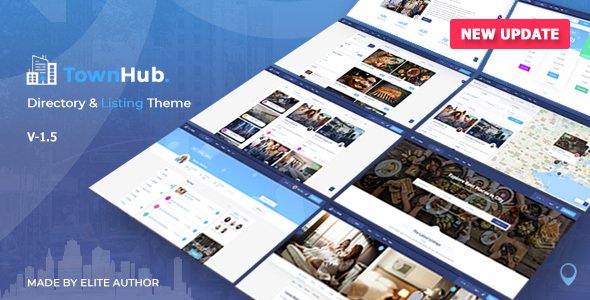
Stuck on your TownHub WordPress theme? Let's fix it.
No endless back-and-forth. Just send us the details and we'll get it done.
No obligation · Replies within 1 hour · Quote within 1 day
Setup · Customization · Bug fixes · WooCommerce integration
About TownHub WP Theme
TownHub is a directory and listing WordPress theme built by cththemes. It’s designed for city guides, local business directories, and classified listing sites. The theme ships with a front-end submission system, map integration via Google Maps, and a monetization layer that lets site owners charge for listings or featured placements.
Built on a custom framework, TownHub includes pre-built demo sites for restaurants, real estate, local services, and general directories. It supports WooCommerce for payments and comes with a drag-and-drop page builder for layout control. The theme handles large listing volumes reasonably well and gives directory operators the tools to manage categories, locations, tags, and pricing plans without additional plugins.
Get matched with a TownHub developer in under one day
Tell us about your TownHub project. Small fixes, TownHub theme customization, or a full website build, whatever you need, we've got it covered.
We'll connect you to the right TownHub developers, define the scope, and get everything 100% clear.
You'll get one estimate, hire your preferred developer, and start collaborating.
TownHub is a capable directory theme, but it has a learning curve. The submission system, pricing plans, map settings, and custom fields all interact in ways that aren’t always obvious. Mistakes in the setup cost time and affect how listings display and rank.
FoxyConcept works through Codeable, a vetted network of WordPress specialists. You get a developer who has worked with directory themes, knows the TownHub codebase, and can scope your project accurately before any work begins. No guesswork, no wasted budget.
Pros
- Front-end listing submission system works out of the box without extra plugins
- Built-in monetization with paid plans, featured listings, and WooCommerce integration
- Google Maps integration with radius search and map-based browsing included
- Multiple pre-built demo sites covering restaurants, real estate, and local services
- Supports listing claims, owner verification, and user review systems natively
Cons
- Options panel is spread across multiple locations, making initial setup confusing
- Page builder integration adds page weight, which affects load times on listing-heavy pages
- Mobile experience on map pages needs additional work for competitive UX
- Custom listing fields are limited without third-party plugins or developer customization
- Updates from cththemes have been inconsistent, with gaps that leave compatibility issues unresolved
Who is TownHub for?
Local Business Directory
TownHub handles local business directories well. Category filters, map-based search, and the listing claim system give business owners a reason to engage with the platform. You can set up free and paid tiers so smaller businesses get basic visibility while premium listings get featured placement and extra fields.
Restaurant and Food Guide
The restaurant demo included with TownHub covers menus, opening hours, location maps, and user reviews. Operators can run a city-wide food guide with paid submission options. The review system keeps content fresh without manual input. A developer can extend fields for cuisine type, price range, and booking links.
Real Estate Listings Site
TownHub supports real estate directory use cases with property listings, map search by area, and contact forms. It’s not a dedicated real estate theme, so agents who need MLS integration or mortgage calculators will need additional plugins and custom development. Works better for smaller, independent listing sites.
Events and City Guide
City guide sites benefit from TownHub’s category system and map integration. You can organise listings by neighbourhood, type, and price point. Adding an events layer requires a plugin like The Events Calendar, but the base theme handles static attraction and venue listings without modification.
Classified Ads Platform
Classified ad platforms need front-end submission, expiry control, and payment handling. TownHub covers these with its built-in submission system and WooCommerce integration. It’s better suited to service-based classifieds than physical goods. Product-heavy classified sites will likely need a more specialised theme.

Customizing TownHub
TownHub ships with a visual options panel, but getting it to look and behave exactly how you want takes real work. Color schemes, typography, header layouts, and map configurations all live in different parts of the admin. Customizing the listing card design, search filters, or pricing plan logic typically requires touching child theme files or custom CSS.
A TownHub expert knows where the framework limits are and how to work around them cleanly. Whether you need custom listing fields, a modified submission flow, or a completely restyled homepage, working with an experienced developer saves you from trial-and-error in an options panel. FoxyConcept connects you with TownHub specialists who have built directory sites on this theme before.
Recommended plugins for TownHub
TownHub integrates with WooCommerce for paid listing plans, PayPal and Stripe for payments, and Google Maps or OpenStreetMap for location features. The theme has built-in support for claiming listings, reviews, and social login.
For sites that need more, you can layer in plugins for advanced search filtering, membership control, or proximity-based search. If site speed is a concern, combining TownHub with a solid caching setup matters. See our WordPress performance service. For directory sites targeting local SEO, structured data and on-page optimisation are critical. Our WordPress SEO service covers both.
Not sure which plugins to use? This WordPress plugins directory covers the most popular options with reviews and setup guides.
TownHub common issues
TownHub Google Maps not showing or returning API error
This is almost always an API key issue. TownHub requires a Google Maps API key with the Maps JavaScript API, Places API, and Geocoding API all enabled on the same key. Check the Google Cloud Console to confirm all three are active. Also verify the key is entered correctly in the TownHub options panel under the Maps section, and that billing is enabled on your Google account. A misconfigured key restriction (HTTP referrer) is another common cause.
TownHub listing submission not working after update
Submission breakage after a TownHub update usually comes from a conflict with a cached version of the submission scripts or a plugin interfering with the form nonce. Start by clearing all caches, including server-side and CDN. Then deactivate plugins one at a time to isolate a conflict. If you’re using a security plugin that blocks form submissions, check its firewall rules. If the problem persists, our WordPress bug fixing service can diagnose it quickly.
TownHub search filter returning no results
Empty search results in TownHub usually trace back to a mismatch between how listings are indexed and what the search filter queries. Re-saving your permalink settings (Settings > Permalinks, just click Save) often fixes this. Also check whether the listing post type is included in the search index. If you’re using a plugin like SearchWP or Relevanssi, make sure the listing custom post type is enabled within that plugin’s settings.
TownHub pages loading slowly with many listings
TownHub pages with high listing counts load slowly because each listing card triggers map marker data and thumbnail loading. Fix this by enabling lazy loading for images, using a caching plugin set to cache listing archive pages, and paginating listings rather than loading all at once. Hosting matters too. A slow server amplifies every inefficiency. If you want a full audit, our WordPress performance service covers TownHub-specific optimisation.
TownHub FAQ
Yes, TownHub is a solid choice for local directory sites. It handles categories, map search, front-end submission, and paid listings without requiring a stack of extra plugins. It’s not the simplest theme to configure, but for a directory-focused site it covers the core functionality most operators need. The main trade-off is setup time versus a simpler but less capable alternative.
Yes. TownHub integrates with WooCommerce to handle paid listing plans, renewals, and featured upgrades. You set up products in WooCommerce that correspond to listing packages, and the theme connects them through its pricing plan settings. PayPal and Stripe work via standard WooCommerce payment gateways. It’s functional but requires careful configuration to get the checkout and plan logic working correctly.
Migrating an existing directory site to TownHub depends heavily on how your current data is structured. If your listings use a different custom post type or field structure, you’ll need a custom migration script to map the data across. Standard WordPress content migrates cleanly. Our WordPress migration service can handle the data mapping and testing so nothing gets lost in the move.
TownHub has a built-in custom fields section in the listing settings, but it’s limited in field types. For more complex fields like conditional logic, file uploads, or select menus with dependencies, most developers add Advanced Custom Fields (ACF) and write a small integration to surface those fields on the listing front end. This requires PHP work in a child theme rather than a point-and-click solution.
cththemes does release updates for TownHub, but the cadence has slowed compared to earlier years. Major WordPress and WooCommerce version compatibility is generally addressed, but smaller bugs can sit unresolved between releases. If you’re running TownHub in production, keeping a WordPress maintenance plan active ensures you catch compatibility issues before they affect your users.
Hire a TownHub Developer
Whether you’re launching a new directory site or fixing an existing one, FoxyConcept can match you with a TownHub developer who knows this theme inside out. We handle custom listing setups, payment integrations, design changes, and performance work.
Get a free estimate through Codeable. You describe the project, we scope it, no obligation to proceed. The process is risk-free and usually takes less than 24 hours to get an estimate back.
You'll need a free Codeable account so developers can ask questions and send their quotes.