Travelicious WordPress Theme
by BoldThemes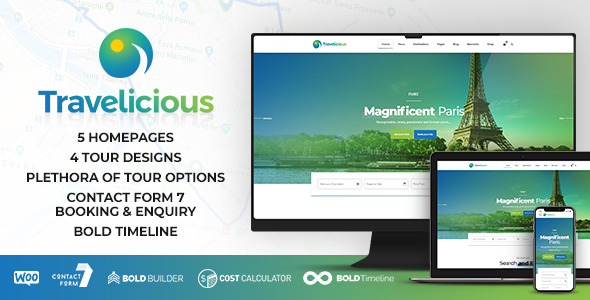
Stuck on your Travelicious WordPress theme? Let's fix it.
No endless back-and-forth. Just send us the details and we'll get it done.
No obligation · Replies within 1 hour · Quote within 1 day
Setup · Customization · Bug fixes · WooCommerce integration
About Travelicious WP Theme
Travelicious is a WordPress theme built by BoldThemes specifically for travel agencies, tour operators, and travel bloggers. It ships with a dedicated booking system, tour listing layouts, and destination pages designed to convert visitors into customers.
The theme integrates tightly with BoldThemes’ own Bold Builder page builder and includes pre-built demo content you can import in one click. You get tour search filters, pricing tables, review sections, and map integrations out of the box.
Travelicious is a solid choice if you need a travel-focused site without building custom functionality from scratch. It handles the core requirements: tour listings, availability display, and inquiry forms, all within a visual layout that works well on mobile.
Get matched with a Travelicious developer in under one day
Tell us about your Travelicious project. Small fixes, Travelicious theme customization, or a full website build, whatever you need, we've got it covered.
We'll connect you to the right Travelicious developers, define the scope, and get everything 100% clear.
You'll get one estimate, hire your preferred developer, and start collaborating.
BoldThemes builds functional travel themes, but Travelicious has its quirks. The Bold Builder behaves differently from Elementor or Gutenberg, and customizing tour post types or booking logic requires real theme knowledge.
Working through Codeable, you get access to vetted WordPress developers who have worked with BoldThemes products. No generalist freelancers, no guesswork. Just developers who know what they’re doing with this specific stack.
Pros
- Purpose-built for travel with tour listings, destination pages, and booking forms included
- One-click demo import gets a working travel site up quickly
- Includes built-in tour search and filter functionality without extra plugins
- Mobile-responsive layouts designed around travel photography and large images
- Integrates with BoldThemes' ecosystem for a consistent set of components
Cons
- Bold Builder is proprietary and less flexible than Elementor or Gutenberg
- Heavy demo content can slow down sites if images and scripts aren't optimized
- Limited third-party plugin compatibility compared to more popular travel themes
- Support and updates depend entirely on BoldThemes' release schedule
- Customizing tour post types beyond defaults requires PHP and theme file edits
Who is Travelicious for?
Tour Operator Websites
Tour operators need structured listings with dates, pricing, itineraries, and booking forms. Travelicious includes tour post types with all these fields built in. A developer can extend these with custom taxonomies, availability calendars, and deposit payment flows to match how your business actually runs.
Travel Agencies
Travel agencies managing multiple destinations benefit from Travelicious’s search and filter system. You can list packages by region, price range, or travel type. With some customization, the theme connects to CRM tools or inquiry management systems to handle lead volume more efficiently.
Adventure and Activity Booking Sites
Activity and adventure companies need fast, visual sites that convert on mobile. Travelicious handles the layout well. A developer can add real-time availability, connect a payment processor, and set up automated confirmation emails to make the booking process hands-free from your end.
Travel Bloggers with Affiliate or Package Links
Travel bloggers using affiliate links or promoting tour packages can use Travelicious to organize content by destination. The theme supports editorial layouts alongside tour listings, so you can run a content-heavy site and a booking function from the same installation without them conflicting.
Destination Wedding and Honeymoon Planners
Wedding and honeymoon planners need elegant layouts, inquiry forms, and the ability to showcase packages clearly. Travelicious provides the visual structure. A developer can customise the forms, add package comparison features, and connect calendar tools to streamline the consultation process.

Customizing Travelicious
Out of the box, Travelicious gives you a reasonable starting point. But most travel businesses need more than the demo delivers. That means custom tour filters, specific booking flows, integration with third-party payment gateways, or branded layouts that don’t look like every other Travelicious site.
A Travelicious expert can restructure the theme’s tour post types, modify search and filter logic, and adjust the Bold Builder templates without breaking updates. They can also wire in plugins like WooCommerce or FacetWP to extend what the theme handles natively.
Custom work on BoldThemes products requires familiarity with their plugin ecosystem. Hiring someone who knows the theme’s hooks and template structure saves significant time versus learning it yourself.
Recommended plugins for Travelicious
Travelicious works best when paired with the right plugins. For search and filtering, FacetWP or SearchWP adds flexibility the native search lacks. For bookings, you can connect WooCommerce or a dedicated plugin like WP Travel Engine.
If site speed is a concern, a caching layer and image optimization are essential given how many images travel sites typically load. See our WordPress performance service for specifics.
For visibility in search, structured data for tours and destinations matters. Our WordPress SEO service covers schema markup and technical SEO for travel sites built on Travelicious.
Not sure which plugins to use? This WordPress plugins directory covers the most popular options with reviews and setup guides.
Travelicious common issues
Travelicious Bold Builder not loading or showing blank page
This usually comes down to a PHP memory limit or a JavaScript conflict with another plugin. Start by increasing memory_limit in your wp-config.php to at least 256MB. Then deactivate plugins one by one to find conflicts. If the Bold Builder still fails, check your browser console for JS errors. Persistent builder issues may need a developer to diagnose. See our WordPress bug fixing service for hands-on help.
Travelicious tour search filter not working correctly
Filter issues in Travelicious often trace back to incorrect taxonomy assignments on tour posts, or a caching layer serving stale results. First, clear all caches and recheck that each tour has the correct categories assigned. If you’ve added custom fields or modified query logic, the filter may need reconfiguration. AJAX filter errors also show up when security plugins block requests. Check your browser’s network tab for blocked calls and whitelist them accordingly.
Travelicious demo content not importing properly
Failed demo imports in Travelicious are most often caused by low PHP upload limits or execution timeouts. Set upload_max_filesize, post_max_size, and max_execution_time higher in your server config. Also confirm the required BoldThemes plugins are all active before importing. If the import stalls partway through, a manual XML import via the WordPress importer tool is a reliable fallback. A developer can handle this cleanly if the standard process keeps failing.
Travelicious site slow to load on mobile
Travel sites built on Travelicious load a lot of images and scripts by default. Start with image compression using ShortPixel or Imagify. Enable lazy loading for images below the fold. Minify CSS and JS through a plugin like WP Rocket or Perfmatters. The Bold Builder generates inline styles that add to page weight. A developer can clean up unused CSS output and set up proper caching rules. Full details in our WordPress performance service.
Travelicious FAQ
Travelicious is not built around WooCommerce natively, but the two can work together. You would typically use WooCommerce to handle payments while Travelicious manages the tour display and inquiry side. A developer needs to connect these properly to avoid layout conflicts and ensure the checkout flow matches your site design.
Travelicious uses BoldThemes’ own Bold Builder, not Elementor. You can technically install Elementor alongside it, but the two builders will conflict on the same page. Most developers recommend sticking with one builder per site. Switching from Bold Builder to Elementor on an existing Travelicious site requires rebuilding affected page layouts.
Yes, Travelicious includes basic booking and inquiry functionality through its tour post type and integrated forms. It is not a full booking engine with live availability and payment processing out of the box. For that level of functionality, you would need to extend it with a dedicated booking plugin or custom development work.
If you have edited theme files directly, updates will overwrite those changes. Always use a child theme for any custom PHP or CSS. BoldThemes plugin updates are separate from the theme itself. Before any update, back up your site. WordPress maintenance handled professionally keeps updates safe and tracked over time.
Yes, Travelicious sites migrate like any other WordPress installation. You move the database, files, and update the site URL in settings. The Bold Builder stores content in the database, so it transfers cleanly. If you’re moving hosts, our WordPress migration service handles this without downtime or broken layouts.
Hire a Travelicious Expert Developer
Whether you need a full Travelicious setup, a custom tour booking flow, or fixes to an existing site, a specialist gets it done faster and cleaner. All work is delivered through Codeable’s vetted developer network. Get a free estimate with no obligation to hire. You’ll have a developer matched to your project within 24 hours.
You'll need a free Codeable account so developers can ask questions and send their quotes.