Triply WordPress Theme
by pavothemes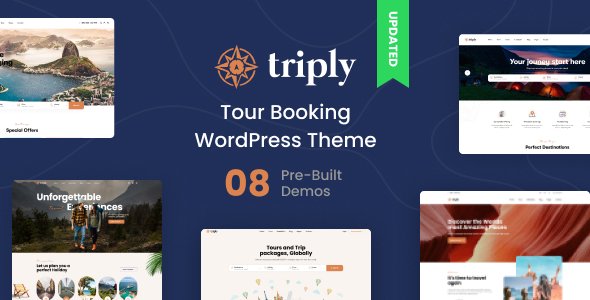
Stuck on your Triply WordPress theme? Let's fix it.
No endless back-and-forth. Just send us the details and we'll get it done.
No obligation · Replies within 1 hour · Quote within 1 day
Setup · Customization · Bug fixes · WooCommerce integration
About Triply WP Theme
Triply is a travel-focused WordPress theme by pavothemes, built specifically for tour operators, travel agencies, and booking-driven websites. It ships with a dedicated booking system, tour listing layouts, destination pages, and search filters that let visitors narrow results by location, price, or duration.
The theme integrates with WooCommerce for payment handling and includes pre-built demo content covering multi-day tours, adventure packages, and city travel. Typography, color schemes, and header styles are all adjustable through the WordPress Customizer without touching code. For sites that need something more tailored, a Triply developer can extend or override any part of the layout using child themes or custom hooks.
Get matched with a Triply developer in under one day
Tell us about your Triply project. Small fixes, Triply theme customization, or a full website build, whatever you need, we've got it covered.
We'll connect you to the right Triply developers, define the scope, and get everything 100% clear.
You'll get one estimate, hire your preferred developer, and start collaborating.
Triply has enough built-in features to launch quickly, but travel sites tend to grow complex fast. Booking logic, seasonal pricing, multilingual support, and payment gateway integration all require solid WordPress knowledge. Codeable connects you with vetted developers who have worked on travel and tour themes before. You post your project, get a clear estimate, and only move forward if it makes sense. No commitment required.
Pros
- Purpose-built for travel with tour listings, destination archives, and booking forms included from the start
- WooCommerce integration handles payments without needing a separate booking plugin for basic setups
- Elementor compatibility gives non-developers control over layout without custom code
- Pre-built demo content covers common travel niches and installs in one click
- Customizer options for headers, colors, and fonts cover most branding needs without a child theme
Cons
- Advanced booking features like availability calendars or group pricing require plugin additions or custom development
- Elementor dependency adds page weight and can slow load times on media-heavy tour pages without optimization
- Demo content import can overwrite existing settings if not handled carefully on an active site
- Tour filter functionality is limited to fields pavothemes included; adding custom taxonomies requires PHP work
- Update frequency from pavothemes can lag behind major WordPress or WooCommerce releases, causing compatibility gaps
Who is Triply for?
Tour Operators
Tour operators can use Triply’s built-in tour post type to list multi-day itineraries, set pricing tiers, and collect bookings through WooCommerce. A Triply developer can extend this with availability rules, departure date selectors, and automated confirmation emails to match real operational workflows.
Travel Agencies
Travel agencies managing multiple destinations benefit from Triply’s category and filter system. Pages can be organized by region, travel type, or budget range. A Triply specialist can configure custom search logic and integrate agency management tools or CRM systems to handle client records alongside bookings.
Adventure and Outdoor Companies
Triply suits adventure companies offering hiking, diving, or cycling packages. The theme’s visual layouts handle photo-heavy content well. A Triply expert can add difficulty ratings, gear lists as custom fields, and waiver or consent forms to the booking flow without disrupting the existing design structure.
City and Cultural Experience Guides
City tour guides and cultural experience platforms can use Triply’s destination pages to organize content by neighborhood, theme, or language. A Triply developer can build filterable experience indexes, add multilingual support through WPML, and structure schema markup to improve visibility in local search results.
Holiday Package and Resort Sites
Holiday package and resort sites benefit from Triply’s pricing tables and package comparison layouts. A Triply specialist can configure room type listings, seasonal rate rules, and checkout flows that handle deposits separately from full payments, giving accommodation businesses more control over how bookings are processed.

Customizing Triply
Out of the box, Triply covers the essentials: hero sliders, tour grids, pricing tables, and review sections. But most travel businesses need more than a demo swap. You might need a custom availability calendar, a multi-step booking form, or a filtered search that matches your specific tour categories.
A Triply expert can rebuild any section using Elementor widgets bundled with the theme, write custom PHP to modify tour query logic, or integrate third-party booking platforms like FareHarbor or Bokun. Conditional pricing rules, group booking fields, and dynamic package builders all require hands-on development work beyond what the Customizer can handle.
Recommended plugins for Triply
Triply pairs well with plugins that extend its core travel functionality. Adding a caching layer and image optimization through tools like WP Rocket or ShortPixel makes a real difference for media-heavy tour pages. See the WordPress performance service for more on that.
Tour and destination pages also benefit from structured data markup for search visibility. Schema for reviews, pricing, and events can push Triply listings higher in local and travel-related searches. The WordPress SEO optimisation service covers technical and on-page work suited to travel sites.
Not sure which plugins to use? This WordPress plugins directory covers the most popular options with reviews and setup guides.
Triply common issues
Triply booking form not submitting or showing errors
Booking form failures in Triply are usually caused by a JavaScript conflict with another plugin, a missing nonce field after a theme update, or a PHP error in the booking handler. Start by checking the browser console for JS errors and the server error log for PHP notices. Deactivate plugins in batches to isolate conflicts. If the issue appeared after an update, a child theme override may be pointing to an outdated template. The WordPress bug fixing service can diagnose and resolve booking form issues quickly.
Triply tour search filter not working after update
Filter breakdowns after a Triply update often trace back to changes in query parameters or JavaScript that powers the AJAX filter. Check whether the filter relies on a specific custom taxonomy slug that may have changed. Also confirm that any caching plugin is cleared after the update, as stale JS files frequently cause filter widgets to stop responding. If custom filter fields were added by a developer, they may need to be re-registered against the updated theme structure. The WordPress bug fixing service handles these filter regressions.
Triply homepage slider broken or not displaying
Triply’s homepage slider breaking is commonly caused by a missing or misformatted featured image on a slide post, a JavaScript library conflict with another plugin, or a Customizer setting that got reset during an update. Check each slide post for a valid featured image and correct slide dimensions. Disable other plugins temporarily to rule out script conflicts. If the slider uses a bundled library like Revolution Slider or Swiper, make sure it hasn’t been dequeued by a performance plugin.
Triply WooCommerce checkout not showing booking details
When WooCommerce checkout does not display Triply booking details like tour date, group size, or extras, the cart item meta is likely not being passed through correctly. This usually means the booking fields are not being saved to the WooCommerce order meta or the checkout template has been overridden by a plugin. Check the woocommerce/checkout folder for any template overrides and compare them against the current WooCommerce version. Rebuilding the meta display in a child theme function is the cleanest fix.
Triply FAQ
Triply is generally kept compatible with current WordPress releases by pavothemes, but there can be a delay after major WordPress updates. Always test updates on a staging site before applying them to a live booking site. If compatibility issues appear after a WordPress core update, a Triply developer can patch the affected template files or hook calls without waiting for an official theme update.
Triply’s page building relies heavily on Elementor for flexible layouts. Most demo pages use Elementor widgets specific to the theme. Running Triply without Elementor limits you to basic block editor content with minimal layout control. You can use the Classic Editor for tour and destination post types, but the visual page sections on standard pages require Elementor to function as designed.
Triply is broadly compatible with WPML, but full multilingual support for tour post types, custom taxonomies, and booking form labels requires manual configuration. String translation for theme-specific labels needs to be set up in WPML’s String Translation module. A Triply specialist can map all translatable strings and set up language switchers that work correctly within the theme’s header structure.
Custom tour fields in Triply are added using a plugin like ACF (Advanced Custom Fields). You define field groups assigned to the tour post type, then display them in templates using a child theme or custom plugin. pavothemes includes some default fields, but anything outside that set needs code. A Triply developer can build this cleanly without modifying core theme files.
Migrating to Triply from another travel theme involves importing your content, reassigning it to Triply’s tour post type, and rebuilding page layouts in Elementor. Bookings and customer data in WooCommerce transfer without issue. Tour meta fields and custom taxonomies need remapping. The WordPress migration service can handle the full process with minimal downtime.
Hire a Triply Expert Developer
Whether you need a full Triply build from scratch, a custom booking flow, or fixes to an existing site, working with a specialist saves time. Our developers know pavothemes’ structure, the Triply hook system, and how to extend it without breaking core functionality.
Get a Free Estimate and describe your project. You’ll hear back within 24 hours with a clear scope and price.
You'll need a free Codeable account so developers can ask questions and send their quotes.