Ultima WordPress Theme
by Select-Themes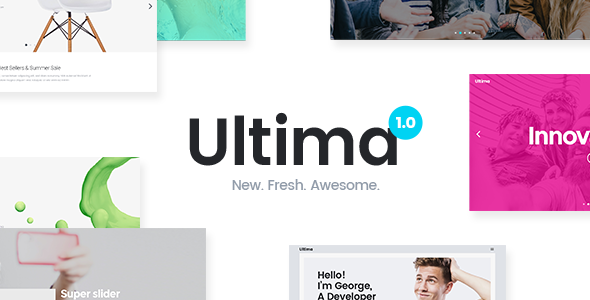
Stuck on your Ultima WordPress theme? Let's fix it.
No endless back-and-forth. Just send us the details and we'll get it done.
No obligation · Replies within 1 hour · Quote within 1 day
Setup · Customization · Bug fixes · WooCommerce integration
About Ultima WP Theme
Ultima is a multipurpose WordPress theme built by Select-Themes. It ships with a drag-and-drop page builder, a large library of pre-built demo sites, and a visual options panel that gives you control over fonts, colors, and layouts without touching code.
The theme targets agencies, freelancers, and small businesses that want a polished site without starting from scratch. It supports WooCommerce out of the box, includes header and footer builders, and comes with a bundled premium slider plugin. Select-Themes provides documentation and support through their own helpdesk, which is reasonably active for a smaller theme shop.
Ultima suits teams who want flexibility across project types, from portfolios and landing pages to full e-commerce stores, all within a single theme license.
Get matched with a Ultima developer in under one day
Tell us about your Ultima project. Small fixes, Ultima theme customization, or a full website build, whatever you need, we've got it covered.
We'll connect you to the right Ultima developers, define the scope, and get everything 100% clear.
You'll get one estimate, hire your preferred developer, and start collaborating.
Ultima gives you a solid starting point, but getting a site that performs well and looks intentional takes more than clicking through the demo importer. Developers on Codeable have hands-on experience with multipurpose themes like Ultima, including their quirks around update compatibility, builder conflicts, and WooCommerce integration. You get a vetted developer, a clear estimate, and no guesswork about who is actually working on your site.
Pros
- Ships with 40+ pre-built demo sites covering a wide range of industries
- Built-in header and footer builder with multiple layout presets
- WooCommerce support included out of the box with dedicated shop templates
- One-time license fee with lifetime updates on the extended plan
- Visual options panel is well organized and approachable for non-developers
Cons
- Bundles multiple plugins that can conflict with standalone alternatives you may already use
- Page builder is proprietary, so switching themes later means rebuilding content
- Demo import can fail silently if hosting has low PHP memory limits
- Support response times slow down during peak periods for single-license holders
- Some layout options are buried several levels deep in the Customizer, making them hard to find
Who is Ultima for?
Creative Agency Portfolio
Ultima’s portfolio post type and masonry grid layouts make it a practical choice for agencies showing client work. The full-width project pages let images take center stage. A developer can extend the portfolio with custom taxonomies for filtering by industry or service type, giving visitors a faster way to find relevant examples.
WooCommerce Online Store
Ultima’s WooCommerce integration covers product pages, cart, checkout, and account pages with styled templates. It works without extra plugins for straightforward stores. For more complex setups, like variable products with custom fields or subscription billing, a WooCommerce developer can extend Ultima without replacing its existing shop layout.
Local Service Business
Plumbers, electricians, consultants, and similar businesses use Ultima’s service page templates and contact section layouts. The built-in call-to-action rows and testimonial sections are ready to configure. A developer can wire in a booking plugin or lead form that fits the existing design rather than looking bolted on.
Corporate or SaaS Landing Page
Ultima’s single-page layout demos and section-based builder make it suitable for SaaS landing pages and corporate sites. Pricing tables, feature grids, and hero sections are all available. A developer can add animation triggers, optimize load time, and ensure the page converts well on mobile without sacrificing the design.
Freelancer or Consultant Site
Freelancers need a fast site that communicates credibility. Ultima’s minimal blog and about page layouts work well here. The theme handles the basics without requiring a large budget. A short engagement with a developer can get the Customizer dialed in, the contact form working correctly, and the site loading quickly.

Customizing Ultima
Ultima’s Customizer panel covers global typography, color palettes, header layouts, and sidebar positions. Most visual changes are point-and-click, but anything beyond the defaults, such as custom post templates, conditional header logic, or layout overrides for specific pages, requires editing child theme files or adding custom CSS.
An Ultima expert can build out those customizations properly, keeping your changes upgrade-safe inside a child theme and avoiding the patched CSS that tends to break after updates.
Common customization requests include modifying the mega menu behavior, setting up WooCommerce product page layouts, adjusting the built-in page builder’s grid, and integrating third-party plugins that Ultima doesn’t account for natively. A developer handles these faster and cleaner than trial-and-error inside the options panel.
Recommended plugins for Ultima
Ultima bundles a slider plugin and basic shortcode library, but most sites outgrow these quickly. Popular additions include Gravity Forms or WPForms for lead capture, WooCommerce extensions for payment and shipping, and WPML or Polylang for multilingual builds.
On the performance side, Ultima’s bundled scripts can add weight. Pairing it with a caching plugin and a CDN helps, but a proper audit often finds theme assets that need to be dequeued. For SEO, Ultima outputs clean markup but still benefits from a dedicated WordPress SEO setup. If site speed is a priority, a WordPress performance audit will identify the biggest wins.
Not sure which plugins to use? This WordPress plugins directory covers the most popular options with reviews and setup guides.
Ultima common issues
Ultima theme demo import not working
Demo import failures in Ultima usually come down to PHP memory limits or max execution time set too low on the hosting server. The import process needs at least 256MB of memory and a 300-second execution time. Ask your host to raise these temporarily. If the importer still stalls, the XML file can be imported manually through the WordPress importer tool, then widget data and theme options set separately. A developer can run through this quickly if you’re stuck.
Ultima page builder layouts broken after update
Broken layouts after an Ultima update often mean the bundled page builder version is out of sync with the theme files. Check if there’s a plugin update pending in your dashboard for the bundled builder. Clearing your caching plugin after the update is also necessary. If layouts are still off, the issue is usually a CSS conflict introduced in the new version. A WordPress bug fixing service can isolate and patch it without breaking other pages.
Ultima WooCommerce shop page not displaying correctly
WooCommerce display issues in Ultima are commonly caused by a WooCommerce major version update that changes template structure. Ultima’s shop templates may be flagged as outdated in WooCommerce’s status report. Updating those templates is a developer task since it involves merging theme and WooCommerce changes carefully. Doing it wrong can break cart or checkout functionality. Check WooCommerce’s System Status under Tools to see which templates are outdated.
Ultima theme header menu not showing on mobile
If Ultima’s mobile menu isn’t appearing, the first check is whether a JavaScript conflict is preventing the menu toggle from initializing. Open your browser console and look for JS errors on page load. The issue is often a plugin adding a conflicting script. Deactivate plugins one at a time to find the culprit. If the problem appeared after a theme update, a CSS rule may be hiding the hamburger icon. Custom CSS in the Customizer can override it as a quick fix while the root cause is investigated.
Ultima FAQ
Ultima includes WooCommerce support with styled templates for shop, product, cart, and checkout pages. It works for straightforward stores without additional plugins. Complex setups, like subscriptions, custom product configurators, or multi-currency, require extra extensions. Ultima doesn’t interfere with most WooCommerce plugins, but template compatibility should be checked after major WooCommerce version updates.
Ultima ships with its own page builder and is not specifically built for Elementor. You can install Elementor alongside Ultima, but you may run into styling conflicts between the two systems. Most developers recommend choosing one or the other rather than running both. If Elementor is your preferred builder, a theme built specifically around it will give you fewer compatibility headaches long term.
Always use a child theme for customizations. If you’ve added custom CSS or template files to the parent theme directly, an update will overwrite them. With a child theme in place, you can update Ultima safely through the dashboard or by uploading the new version via FTP. After updating, check your page layouts and WooCommerce templates for anything that needs to be reconciled with the new theme version.
Migrating away from Ultima is straightforward for standard posts and pages, but any content built with Ultima’s bundled page builder will not transfer cleanly to a new theme. That content typically becomes a block of shortcode or raw HTML. A WordPress migration handled by a developer can assess how much content needs to be rebuilt and plan accordingly, reducing the manual work involved.
Costs depend on the scope of work. A simple customization like adjusting layout or styling usually runs a few hundred dollars. A full site build on Ultima with WooCommerce and custom templates is a larger project. The best way to get an accurate number is to describe your project and request a free estimate from a vetted developer who knows the theme.
Hire an Ultima WordPress Developer
Whether you need a full site build on Ultima, a specific feature added, or something fixed that broke after an update, working with a vetted developer saves time and avoids compounding problems. FoxyConcept matches you with an Ultima-experienced WordPress developer through Codeable. Post your project, get a free estimate, and only move forward when you’re comfortable. Get a free estimate with no obligation to hire.
You'll need a free Codeable account so developers can ask questions and send their quotes.