Uncode WordPress Theme
by undsgn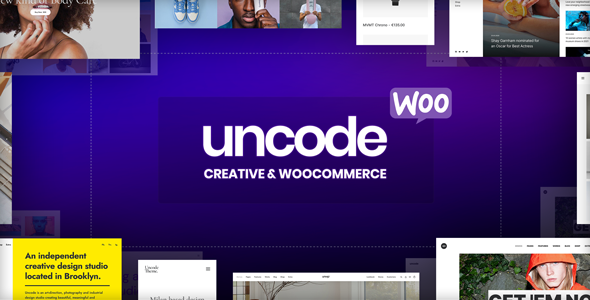
Stuck on your Uncode WordPress theme? Let's fix it.
No endless back-and-forth. Just send us the details and we'll get it done.
No obligation · Replies within 1 hour · Quote within 1 day
Setup · Customization · Bug fixes · WooCommerce integration
About Uncode WP Theme
Uncode is a premium WordPress theme built by undsgn, designed primarily for creative agencies, photographers, and portfolio-driven sites. It runs on the WPBakery page builder and ships with a front-end editor called the Uncode Grid System, which gives you pixel-level control over layout without writing a line of code.
The theme includes over 70 pre-built demo sites, a media gallery system that handles images, videos, and audio, and a WooCommerce integration that holds up well for product-heavy builds. Typography controls are detailed, with access to Google Fonts and Adobe Typekit. Performance out of the box is decent, though complex builds can get heavy fast. Uncode suits teams that want a polished, design-led site without commissioning a fully custom theme from scratch.
Get matched with a Uncode developer in under one day
Tell us about your Uncode project. Small fixes, Uncode theme customization, or a full website build, whatever you need, we've got it covered.
We'll connect you to the right Uncode developers, define the scope, and get everything 100% clear.
You'll get one estimate, hire your preferred developer, and start collaborating.
Uncode is not a theme you hand off to a generalist. Its grid system, header builder, and WooCommerce customization points require someone who has worked inside it before. Through Codeable, you get matched with vetted WordPress developers who have real Uncode experience. No agencies padding hours, no junior developers learning on your project. You post your project, get a clear estimate within 24 hours, and only move forward if the terms work for you. No obligation, no upfront cost.
Pros
- Includes WPBakery, Slider Revolution, and Layer Slider at no extra cost
- The Uncode Grid System gives fine-grained control over column width, gutters, and spacing
- Over 70 pre-built demos covering agencies, portfolios, shops, and magazines
- Built-in media gallery system handles image, video, and audio content without a separate plugin
- WooCommerce integration includes custom product page templates and shop layout controls
Cons
- WPBakery shortcodes create content lock-in that makes switching themes painful
- The options panel is large and poorly organized, which makes finding specific settings slow
- Page speed suffers on builds that use multiple sliders, heavy galleries, and plugin stacks
- Mobile responsiveness in the Grid System requires manual adjustment per breakpoint
- Undsgn's support documentation is inconsistent and some sections are outdated for newer versions
Who is Uncode for?
Creative Agencies
Uncode is a practical choice for agencies building their own site or a client’s. The header builder, custom post types for case studies, and full-width grid layouts suit the kind of work presentation agencies need. A skilled Uncode developer can build out portfolio filtering, custom transitions, and branded color schemes that stay consistent across all device sizes.
Photographers and Videographers
The media gallery system is one of Uncode’s strongest features for visual creatives. It handles lightboxes, masonry grids, justified grids, and carousels without requiring a separate gallery plugin. An Uncode specialist can configure gallery templates for specific aspect ratios, lazy loading, and category-based filtering, keeping the site fast while showing a lot of work.
WooCommerce Fashion and Lifestyle Stores
Uncode’s WooCommerce templates give shop owners control over product grid layout, single product page structure, and cart design. For fashion or lifestyle brands where visual presentation drives conversion, these controls matter. An experienced Uncode developer can set up custom product page layouts, lookbook-style category pages, and checkout flows that fit the brand without relying on a separate page builder plugin.
Architects and Interior Designers
Architecture and interior design firms need large imagery, clean whitespace, and project-based portfolio structures. Uncode handles all three well. The grid system lets you control image proportions tightly, and the portfolio module supports custom metadata like project location, year, and scope. An Uncode expert can build filterable project archives that load fast and display well on large screens.
Digital Magazines and Editorial Sites
Uncode’s content grid and flexible column controls make it a usable base for editorial sites. You can build magazine-style homepages with mixed post sizes, sticky sidebars, and category-based color coding. An Uncode developer can extend the theme with custom post templates, author pages, and ad placement zones that don’t interfere with layout integrity.

Customizing Uncode
Uncode gives you a lot to work with, but that also means a lot to get wrong. The Grid System is powerful but has a steep learning curve. Row padding, content width, gutter sizing, and sticky headers all interact in ways that aren’t immediately obvious. Getting a pixel-perfect layout across breakpoints takes time and attention.
An experienced Uncode expert will know where the theme stores its settings, how to override styles without breaking the builder, and which customizations are best done through CSS versus the theme options panel. Things like custom header layouts, advanced portfolio filtering, or WooCommerce template changes are common requests that need someone who understands how undsgn structured the codebase. Trying to handle these through the visual editor alone usually ends in frustration or layout drift on mobile.
Recommended plugins for Uncode
Uncode ships with WPBakery, Slider Revolution, and Layer Slider included in the license. These cover most layout and animation needs. For eCommerce, WooCommerce drops in cleanly with Uncode’s custom product page templates.
Where things get more complex is performance. A fully loaded Uncode build with multiple plugins can slow down significantly. Proper asset loading, image optimization, and caching configuration matter. If speed is a priority, take a look at our WordPress performance service. If you need organic search visibility alongside a well-built site, our WordPress SEO service covers technical and on-page optimization that works alongside Uncode’s structure.
Not sure which plugins to use? This WordPress plugins directory covers the most popular options with reviews and setup guides.
Uncode common issues
Uncode header not showing on mobile
Mobile header issues in Uncode usually come down to the header builder’s mobile breakpoint settings. Open the Header section in the Uncode options panel and check that a mobile header variant is defined and set to the correct breakpoint. If the header disappears entirely, it often means the mobile menu trigger has no assigned element. Verify that the hamburger icon is placed in the mobile row and that the off-canvas or dropdown panel is enabled. CSS conflicts from custom styles can also hide the header on smaller viewports.
Uncode grid layout broken after update
Grid layout breaks after an Uncode update are often caused by changes to the Grid System’s row or column class structure. First, clear all caches including server-side and CDN. Then check if WPBakery was also updated, as version mismatches between WPBakery and Uncode are a common trigger. If specific rows are broken, inspect the row settings for deprecated parameters. If the issue is widespread, our WordPress bug fixing service can diagnose and restore layout integrity quickly.
WooCommerce product page not matching Uncode template
Uncode includes custom WooCommerce templates stored in the theme’s woocommerce folder. If your product page doesn’t reflect the Uncode layout, the template may be outdated relative to your WooCommerce version. Go to WooCommerce > Status > System Status and check for outdated templates. Update them through the theme or copy the corrected template to a child theme. Avoid editing the parent theme files directly or you’ll lose changes on the next update.
Uncode portfolio filter not working
Portfolio filter failures in Uncode usually trace back to a JavaScript conflict or a misconfigured filter taxonomy. Open the browser console and check for JS errors when clicking filter items. Isotope, which powers Uncode’s filtering, can conflict with other scripts loading on the same page. Also check that your portfolio items are assigned to the correct categories and that the filter is set to pull from the right taxonomy in the Grid module settings. Disable other plugins temporarily to isolate the conflict.
Uncode page loading slow with Slider Revolution
Slider Revolution adds significant page weight. If your Uncode site is slow, start by enabling the lazy loading option inside each Slider Revolution module. Also check whether you’re loading the slider on pages where it isn’t used. Uncode’s options panel has a script loading section where you can disable Slider Revolution globally and enable it per page. Combine this with proper image compression and a caching plugin configured to work with WPBakery-generated markup.
Uncode sticky header overlapping content
A sticky header overlapping content in Uncode is almost always a z-index or top-offset issue. The theme calculates an offset for the page content based on the header height, but custom header layouts or dynamic height changes can throw this off. Go to the Uncode options and check the sticky header offset setting. You may need to add a custom CSS rule targeting the main content wrapper to apply a manual top padding equal to your header height. This is especially common when using transparent headers that switch to solid on scroll.
Uncode custom CSS not applying
Custom CSS not applying in Uncode can happen for a few reasons. Check where you’re adding the CSS. The WordPress Customizer’s Additional CSS field is generally reliable, but some Uncode installs have a conflict with the theme’s own CSS loading order. Try adding the rule with higher specificity or an !important flag to confirm the CSS is loading but being overridden. If you’re using a caching plugin, clear it after every CSS change. For persistent issues, our WordPress bug fixing service can trace the loading order and resolve the conflict cleanly.
Uncode white space between sections
Unexpected white space between sections in Uncode is typically a margin or padding setting inside the WPBakery row or Uncode section block. Click into the row settings and check the top and bottom padding values. Uncode adds its own default section spacing that stacks with WPBakery’s row spacing. Set one of them to zero. Also check if an empty row or spacer element is sitting between the sections. Use the WPBakery backend editor view rather than the frontend editor to spot invisible elements more easily.
Uncode images blurry or not displaying correctly
Blurry images in Uncode are usually a result of the Grid System cropping images at a smaller size than the display size, or WordPress not generating the correct image sizes after the theme was activated. Go to Settings > Media and confirm the image sizes match your grid column widths. Then use a plugin like Regenerate Thumbnails to rebuild all image sizes. Uncode also has a retina setting in the options panel. If it’s enabled, your uploaded images need to be at least twice the intended display size.
Uncode child theme not inheriting parent styles
If your Uncode child theme isn’t picking up parent styles, check the child theme’s functions.php. The correct way to load the parent stylesheet in Uncode is via wp_enqueue_scripts, not @import. Make sure the enqueue function references both the parent and child stylesheets with the correct handle and dependency. Also confirm the child theme’s style.css header declares the correct Template value matching the parent theme folder name. If styles are still missing, check for a caching plugin stripping the child theme stylesheet. Our WordPress bug fixing service handles child theme setup and conflicts.
Uncode FAQ
Uncode works well with WooCommerce for visually driven stores. It includes custom templates for product pages, shop archives, and cart pages. The grid system lets you control product layout precisely. It suits fashion, photography, or design product stores. For complex WooCommerce builds with custom checkout flows or membership logic, you’ll want an Uncode developer involved early in the project.
Uncode is built around WPBakery, not Elementor. You can technically install Elementor alongside it, but the two builders conflict and the result is an unstable setup. If your team prefers Elementor, Uncode is not the right theme. Consider a theme designed specifically for Elementor. Mixing builders adds technical debt and makes long-term maintenance harder.
Uncode supports child themes. Create a new folder in your themes directory, add a style.css with the correct theme header including Template: uncode, and add a functions.php that enqueues the parent and child stylesheets. undsgn provides a starter child theme download in the theme documentation, which is the safest starting point to avoid common setup errors.
Uncode receives regular updates from undsgn and has been maintained consistently since its launch. Major updates typically align with WooCommerce and WordPress core releases. Check the Envato changelog before updating on a live site. The theme has an active user base and a long sales history on ThemeForest, which is a reasonable indicator of ongoing support.
Uncode is sold under a regular ThemeForest license, which covers use on a single site. If you’re building a site for a client, you need either a regular license per project or an extended license. You cannot use one purchase across multiple client sites. Confirm the license type before delivering the project to avoid compliance issues with Envato’s terms.
Uncode uses WPBakery Page Builder as its primary layout tool, bundled with the theme license. It also includes a front-end layout system called the Uncode Grid, which extends WPBakery with custom modules for portfolios, galleries, and content grids. Slider Revolution and Layer Slider are also included for animated sections and hero areas.
Uncode sites get slow when multiple heavy plugins are active simultaneously. Slider Revolution, Layer Slider, WPBakery, and a full WooCommerce install all add JavaScript and CSS to every page load. Audit which scripts load on which pages, enable lazy loading for media, and configure a caching and minification plugin. Image sizes and hosting infrastructure also play a significant role in page speed scores.
Uncode is compatible with WPML, the most widely used multilingual plugin for WordPress. Most theme elements and WPBakery content can be translated through WPML’s string translation module. Setup requires careful configuration to avoid layout issues on translated pages. Polylang also works, though with less official support from undsgn. Budget extra time for multilingual builds using Uncode.
Before updating Uncode, back up the site and check the changelog for breaking changes. If you’re using a child theme correctly, your customizations in CSS and templates will survive the update. Customizations made directly in the parent theme files will be overwritten. After updating, check for outdated WooCommerce templates via WooCommerce > Status, and clear all caches before testing the site.
Uncode’s markup is reasonably clean, but WPBakery adds nested divs that bloat the DOM. Core Web Vitals, especially LCP and TBT, need active optimization work on most Uncode builds. The theme itself doesn’t hinder SEO fundamentals, but you’ll need a dedicated SEO plugin and performance tuning. Schema, canonical tags, and structured data require a separate plugin like Yoast or Rank Math regardless of the theme.
Hire an Uncode Developer for Your Project
Whether you need a full site build, a layout fix, or a custom WooCommerce integration inside Uncode, working with a specialist saves time and avoids rework. Our developers have hands-on experience with undsgn’s codebase and know how to extend Uncode without breaking it. Get a Free Estimate and describe what you need. You’ll hear back within 24 hours with a clear scope and price, no commitment required.
You'll need a free Codeable account so developers can ask questions and send their quotes.