Unicamp WordPress Theme
by ThemeMove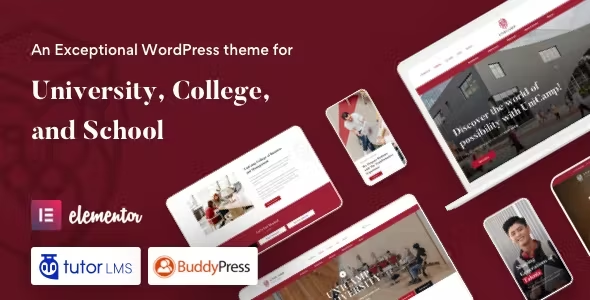
Stuck on your Unicamp WordPress theme? Let's fix it.
No endless back-and-forth. Just send us the details and we'll get it done.
No obligation · Replies within 1 hour · Quote within 1 day
Setup · Customization · Bug fixes · WooCommerce integration
About Unicamp WP Theme
Unicamp is a WordPress theme built by ThemeMove, designed specifically for universities, colleges, and educational institutions. It ships with a set of purpose-built page templates covering course listings, event calendars, faculty profiles, and admission pages — everything a campus website typically needs out of the box.
The theme is built on WPBakery Page Builder and includes the Events Calendar and LearnPress LMS integration, making it practical for institutions that want both a marketing site and a basic online learning environment in one package. It supports multiple header layouts, a sticky navigation bar, and responsive design across devices.
ThemeMove keeps the codebase relatively clean, and the demo content import works well enough to give you a realistic starting point. For straightforward university or education-sector sites, Unicamp covers a lot of ground without requiring heavy customisation from day one.
Get matched with a Unicamp developer in under one day
Tell us about your Unicamp project. Small fixes, Unicamp theme customization, or a full website build, whatever you need, we've got it covered.
We'll connect you to the right Unicamp developers, define the scope, and get everything 100% clear.
You'll get one estimate, hire your preferred developer, and start collaborating.
Unicamp is not a theme you configure once and walk away from. Course catalogs grow, faculty pages need updating, and LMS integrations need ongoing attention. Working with a developer who knows the theme saves significant time compared to trial and error.
Through Codeable, you get matched with vetted WordPress professionals who have hands-on experience with education themes like Unicamp. No junior developers, no outsourced work. Post your project, get an estimate within 24 hours, and only proceed if the scope and price make sense for your institution.
Pros
- Ships with LearnPress LMS integration, making it practical for online course delivery without additional theme work
- Includes purpose-built templates for courses, events, faculty, and admissions pages that match real university site structures
- Multiple header styles and a sticky navigation option give reasonable layout flexibility without coding
- One-click demo import gets a realistic starting point live quickly, reducing initial setup time
- ThemeMove provides regular updates and documentation, which matters for long-term theme stability
Cons
- WPBakery Page Builder is aging and slower than block-based or Elementor alternatives, which can affect page load times
- LearnPress bundled version may lag behind the standalone plugin's latest release, requiring manual update management
- Heavy demo content means the theme can feel slow out of the box without performance optimisation work
- Customising the course or event templates requires PHP knowledge — the visual builder does not cover those areas
- Design aesthetic is dated compared to more recent education themes, requiring more styling work to look modern
Who is Unicamp for?
Universities and Colleges
Unicamp was built with higher education in mind. Departments, faculty profiles, academic calendars, and course catalogs all have dedicated templates. A university can launch a structured, multi-section site without building every page type from scratch. Custom faculty directory filtering and department-specific subpages are common additions a developer can handle cleanly within the theme.
Online Course Providers
The LearnPress integration makes Unicamp workable for businesses selling online courses. Course listings, individual lesson pages, and student progress tracking are all supported. For paid enrolments, WooCommerce connects without major friction. A developer can set up course categories, pricing tiers, and access control to match a real course product structure.
Private Schools and Academies
Private schools need admissions pages, event listings for open days, and staff profile pages. Unicamp covers all three with its built-in templates. A developer can extend this with custom inquiry forms tied to a CRM, term-date calendars, and news sections for school announcements. The result is a professional school site without building from a blank theme.
Training and Certification Centers
Training centers running short courses or certification programs can use Unicamp’s course templates to list programs clearly. The Events Calendar integration handles scheduled intake dates and workshops. With some developer work, you can add certification badge displays, prerequisites per course, and intake application forms connected to your admin workflow.
EdTech Startups
Early-stage EdTech companies sometimes use Unicamp as a fast way to get a credible-looking product site live. The course and LMS structure is already there, which speeds up MVP builds. A developer can strip out the heavy demo content, tighten the design, and connect the theme to a custom backend or external LMS API where needed.

Customizing Unicamp
Unicamp gives you a solid starting point, but most real education sites need changes that go beyond swapping colors and uploading a logo. Course structures, faculty directories, custom application forms, and calendar integrations all tend to require hands-on work inside the theme or child theme files.
WPBakery is the bundled page builder, which means layout editing is manageable for non-developers — but anything structural, like adding custom post types for departments or modifying the LearnPress course templates, requires PHP and WordPress development knowledge.
A dedicated Unicamp expert can tailor the theme to match your institution’s exact requirements: custom course filtering, student portal links, conditional content by user role, or a fully branded admissions flow. That kind of work is best handled by someone who knows the theme’s structure well rather than starting from scratch.
Recommended plugins for Unicamp
Unicamp bundles LearnPress for course management and The Events Calendar for scheduling — two plugins that cover core education-site functionality. Beyond those, most institutions add WooCommerce for paid course enrolment, contact form plugins for admissions inquiries, and membership plugins for student access control.
If site speed is a concern, Unicamp can benefit from proper caching, image optimisation, and a CDN setup. WPBakery-built pages can get heavy without tuning. See our WordPress performance services for that work.
For institutions that need organic traffic, on-page structure, schema markup for courses and events, and technical SEO can make a real difference. Our WordPress SEO service covers that ground specifically.
Not sure which plugins to use? This WordPress plugins directory covers the most popular options with reviews and setup guides.
Unicamp common issues
Unicamp theme events calendar not showing on frontend
This usually comes down to a plugin conflict or a missing page template assignment. First, confirm The Events Calendar plugin is active and updated. Then check that the Events page is assigned correctly under Events > Settings > Pages. If the page still shows blank, deactivate other plugins one by one to isolate a conflict. For persistent issues, a developer can debug the template hierarchy and restore correct output. See our WordPress bug fixing service for hands-on help.
Unicamp LearnPress courses page showing blank or unstyled
Blank or unstyled LearnPress pages in Unicamp typically happen after a plugin update that breaks template compatibility. Unicamp ships with custom LearnPress templates inside the theme folder. If the plugin updates but the theme templates are not updated to match, layout breaks occur. The fix is to update the theme’s LearnPress template files or override them in a child theme. Always run Unicamp with a child theme to avoid losing these changes on future updates.
Unicamp theme slow page load after demo import
Demo imports pull in large images, redundant CSS from WPBakery, and unoptimised assets. After import, run an image compression pass, enable a caching plugin, and disable any bundled sliders or scripts you are not using. WPBakery adds inline styles that slow rendering — a developer can clean up the output and defer non-critical scripts. Our WordPress performance service covers full Unicamp speed optimisation.
Unicamp WPBakery elements not displaying correctly after update
WPBakery updates sometimes break shortcode rendering or layout grids, especially if the theme ships a bundled older version of the plugin. Check whether Unicamp’s bundled WPBakery version conflicts with a manually updated standalone version. Only one instance should run. If elements are broken after an update, regenerate the CSS cache inside WPBakery settings and check for JavaScript errors in the browser console. A developer can patch template-level conflicts directly.
Unicamp FAQ
ThemeMove releases updates to keep Unicamp compatible with current WordPress versions, but compatibility depends on also running updated versions of its bundled plugins — particularly LearnPress and WPBakery. Always test updates on a staging site before applying them to a live university or college website. Running a child theme prevents customisation loss during updates.
Unicamp is built around WPBakery and its templates are designed for that builder. Elementor can technically be installed alongside it, but you would be working against the theme’s structure rather than with it. Most developers recommend staying with WPBakery for Unicamp or switching to a different base theme if Elementor is your preferred builder.
Yes. WooCommerce integrates with LearnPress inside Unicamp to handle paid enrolments. You can set course prices, manage checkout, and issue access on payment. Some configuration work is needed to connect the two plugins correctly and style the checkout pages to match the theme. A developer familiar with Unicamp can set this up cleanly without plugin conflicts.
Migrating an existing site to Unicamp involves moving content into the theme’s page templates, rebuilding layouts in WPBakery, and reconfiguring courses if you are also switching LMS platforms. It is not a lift-and-shift process. Our WordPress migration service handles this kind of structured content move safely and with minimal downtime for your institution.
Unicamp declares WPML compatibility, which means you can run a multilingual university site using the WPML plugin. Course pages, faculty profiles, and event listings can all be translated. Some strings inside bundled plugins like LearnPress also need separate WPML configuration. A developer can set up the full multilingual structure and test all template outputs across languages.
Hire a Unicamp WordPress Developer
Whether you need a full Unicamp site built from the ground up, a specific feature added, or an existing site fixed and optimised, working with an experienced developer is the fastest way to get there. Our WordPress development services are delivered through Codeable, where every developer is vetted and rated. Get a free estimate — no obligation, no upfront payment, 100% risk-free.
You'll need a free Codeable account so developers can ask questions and send their quotes.