Urban Mag WordPress Theme
by GoodLayers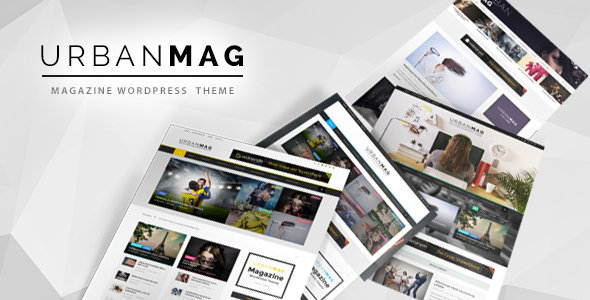
Stuck on your Urban Mag WordPress theme? Let's fix it.
No endless back-and-forth. Just send us the details and we'll get it done.
No obligation · Replies within 1 hour · Quote within 1 day
Setup · Customization · Bug fixes · WooCommerce integration
About Urban Mag WP Theme
Urban Mag is a WordPress magazine theme built by GoodLayers. It targets news sites, online magazines, and content-heavy blogs that need a structured, multi-column layout out of the box. The theme ships with GoodLayers’ own page builder, multiple homepage demos, and a widget-heavy approach to content organisation.
You get grid-based post layouts, a sticky header, a breaking news ticker, and built-in support for post formats including video, audio, and galleries. The theme is translation-ready and coded with WooCommerce compatibility in mind, so adding a shop alongside editorial content is straightforward.
Urban Mag suits teams publishing frequently across multiple categories. The demo importer makes initial setup quick, though meaningful customisation beyond the demos typically requires some technical familiarity with GoodLayers’ panel.
Get matched with a Urban Mag developer in under one day
Tell us about your Urban Mag project. Small fixes, Urban Mag theme customization, or a full website build, whatever you need, we've got it covered.
We'll connect you to the right Urban Mag developers, define the scope, and get everything 100% clear.
You'll get one estimate, hire your preferred developer, and start collaborating.
GoodLayers builds solid themes, but their documentation only goes so far. When you need changes that go beyond the options panel, a developer who has worked inside Urban Mag’s template files and hook structure makes a real difference. At FoxyConcept, we work through Codeable, a vetted network of WordPress developers. Every project gets a free estimate with no obligation. You describe the work, get matched with a specialist, and only proceed if you’re satisfied with the plan.
Pros
- Comes with multiple pre-built magazine demos covering different editorial styles, reducing initial setup time
- Built-in breaking news ticker and post format support for video, audio, and galleries out of the box
- Dedicated ad placement zones built into the layout, useful for sites monetising with display advertising
- WooCommerce compatible, allowing editorial and shop content to coexist without theme conflicts
- GoodLayers options panel covers typography, headers, colours, and sidebars without needing custom CSS for basic changes
Cons
- The GoodLayers page builder is proprietary, so content built with it becomes difficult to migrate to other themes
- Page builder output can be heavy on scripts and markup, which negatively affects Core Web Vitals scores
- Documentation is thin in places, and community support outside GoodLayers' own forums is limited
- Template files follow GoodLayers' own conventions rather than standard WordPress patterns, making child theme development slower
- The options panel can feel overwhelming for non-technical users, with settings spread across many nested tabs
Who is Urban Mag for?
Online News Publication
Urban Mag’s multi-column grid layouts and breaking news ticker suit daily news operations well. Category-based homepage sections let editors surface different desks, politics, business, or local news, without custom development. The theme handles high post volumes without structural issues, and the built-in ad zones support the display advertising models most news sites rely on.
Entertainment and Celebrity Blog
Entertainment sites benefit from Urban Mag’s gallery post format, featured image prominence, and grid density. The sticky header and trending widget keep users browsing. Video post format support means embedding YouTube or self-hosted clips fits naturally into the editorial flow, no additional plugin needed for display.
Sports Magazine
Sports publications need category speed and clear navigation between leagues or sports. Urban Mag’s widget areas support custom menus and category filters in the sidebar, and the homepage builder lets you create distinct sections per sport. The breaking news ticker works well for live score updates or transfer news.
Tech and Gadget Review Site
Tech review sites need structured post layouts with prominent images, clear headings, and readable long-form content. Urban Mag handles all three. WooCommerce compatibility also means affiliate product links or a curated shop section can sit alongside review content without a separate theme or plugin conflict.
Lifestyle and Culture Magazine
Lifestyle magazines covering food, travel, or fashion benefit from Urban Mag’s image-forward grid options and flexible colour scheme controls. Multiple homepage demo styles suit different visual directions without starting from scratch. The options panel lets non-technical editors adjust fonts and colours independently once initial setup is complete.

Customizing Urban Mag
Urban Mag gives you a dedicated theme options panel where you control typography, colour schemes, header layouts, and sidebar configurations. The GoodLayers page builder handles homepage sections, but it has a learning curve compared to Gutenberg or Elementor.
Custom post layouts, category-specific templates, and ad placement zones are all configurable inside the panel. If you want to push further, such as custom archive designs, unique widget areas, or a restructured navigation, you need PHP and CSS work beyond what the UI exposes.
An Urban Mag expert can shortcut that process significantly. Rather than trial and error inside the GoodLayers panel, a developer who knows the theme structure can modify templates directly, add custom hooks, and deliver results that match your editorial vision without breaking updates.
Recommended plugins for Urban Mag
Urban Mag works with most major WordPress plugins. WooCommerce integration lets you add a shop section without a separate theme. Yoast SEO and Rank Math both function without conflicts, and our WordPress SEO service can help you tune on-page settings across large post archives.
For speed, the theme’s page builder can generate bloated output, so pairing it with proper caching and image optimisation matters. Our WordPress performance service covers that specifically. Contact Form 7, Mailchimp, and popular ad management plugins like AdSanity are all compatible with Urban Mag’s ad zones.
Not sure which plugins to use? This WordPress plugins directory covers the most popular options with reviews and setup guides.
Urban Mag common issues
Urban Mag homepage layout broken after update
Layout breaks after an update usually trace back to a conflict between the GoodLayers page builder and a WordPress core change, or a plugin that touches post meta. First, check the browser console for JavaScript errors. Then deactivate plugins one by one to isolate the conflict. If the layout uses saved page builder data, that data may also need rebuilding. Our WordPress bug fixing service handles these conflicts directly.
Urban Mag page builder not loading in WordPress editor
If the GoodLayers page builder interface fails to load, the most common causes are a JavaScript conflict with another plugin, a PHP memory limit too low for the builder’s requirements, or a caching plugin serving a stale admin page. Clear all caches first, then increase PHP memory to at least 256MB in wp-config.php. If that does not resolve it, a plugin conflict audit is the next step.
Urban Mag slow loading speed and poor Core Web Vitals
Urban Mag’s page builder generates significant CSS and JavaScript that loads on every page. Start by auditing what scripts actually load using a tool like WebPageTest. A caching plugin, a CDN, and proper image compression address the most common issues. For deeper gains, unused builder assets can be dequeued conditionally. Our performance service covers this in full.
Urban Mag header menu not displaying correctly on mobile
Mobile menu issues in Urban Mag typically stem from CSS overrides in a child theme or a plugin injecting styles that conflict with the header breakpoint logic. Inspect the header markup in mobile view using browser dev tools and identify which CSS rule is overriding the expected behaviour. If a recent plugin update coincided with the issue, that is the most likely source. Reverting or replacing that plugin usually restores normal behaviour.
Urban Mag FAQ
GoodLayers has updated Urban Mag for compatibility with recent WordPress versions, but you should always verify the changelog before updating on a live site. Run updates on a staging environment first. Some page builder features rely on older JavaScript patterns that can break with WordPress core changes, so testing is worth the extra step.
Elementor can be installed alongside Urban Mag, but GoodLayers’ own page builder and Elementor can conflict if used on the same page. Most developers choose one or the other. If you want to move the site to Elementor entirely, that requires rebuilding your existing pages, since GoodLayers page builder data does not transfer.
Yes, Urban Mag is WooCommerce compatible. Product pages, cart, and checkout all render using WooCommerce’s own templates, with Urban Mag’s styling applied. Extensive shop customisation may still need CSS work, but the core e-commerce functionality works without conflicts in a standard setup.
Urban Mag includes a one-click demo importer accessible from the theme panel. It pulls in demo posts, pages, widgets, and settings. The process requires your server to meet minimum PHP and memory requirements. If the import fails partway through, a server timeout is usually the cause. Increasing max_execution_time in php.ini resolves it in most cases.
Migrating away from Urban Mag means losing all page builder layouts, since that content is stored in GoodLayers’ own meta format. Your posts and media stay intact, but any homepage or custom page built with the GoodLayers builder needs to be rebuilt in the new theme. A WordPress migration specialist can plan this transition properly.
Hire an Urban Mag Developer
Whether you need a layout adjustment, a custom homepage section, or a full build on top of Urban Mag, we can help. Our developers know GoodLayers themes inside out and can work within your existing setup or start fresh from a demo. Work is scoped clearly before anything begins.
Get a free estimate and describe your project. No commitment, no upfront cost, just a clear picture of what the work involves and what it will cost.
You'll need a free Codeable account so developers can ask questions and send their quotes.