Vangard WordPress Theme
by Edge-Themes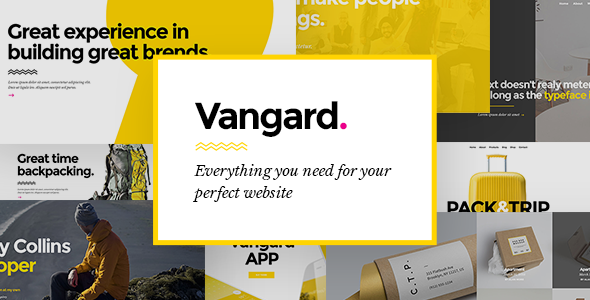
Stuck on your Vangard WordPress theme? Let's fix it.
No endless back-and-forth. Just send us the details and we'll get it done.
No obligation · Replies within 1 hour · Quote within 1 day
Setup · Customization · Bug fixes · WooCommerce integration
About Vangard WP Theme
Vangard is a multi-purpose WordPress theme built by Edge-Themes, the team behind popular themes like Bridge and Qi. It ships with a large collection of pre-built demo sites covering portfolios, agencies, blogs, and corporate layouts. The theme integrates tightly with the WPBakery Page Builder and includes Edge-Themes’ own shortcode library, giving you a lot of design control without touching code.
Vangard supports full-width headers, parallax sections, animated typography, and sticky navigation out of the box. It also includes built-in mega menu support, multiple blog layouts, and WooCommerce compatibility. The theme options panel is detailed but takes time to learn. For straightforward sites it works well. For complex or highly customized builds, you will likely need a developer familiar with Edge-Themes’ structure to avoid conflicts and keep things maintainable.
Get matched with a Vangard developer in under one day
Tell us about your Vangard project. Small fixes, Vangard theme customization, or a full website build, whatever you need, we've got it covered.
We'll connect you to the right Vangard developers, define the scope, and get everything 100% clear.
You'll get one estimate, hire your preferred developer, and start collaborating.
Edge-Themes builds detailed, feature-heavy themes. Vangard is no different. The options panel is large, the shortcode library is extensive, and the interaction between WPBakery and theme-specific elements adds complexity that generic WordPress knowledge does not cover.
Working with a developer through Codeable means you get someone who has worked inside themes like Vangard before. No learning curve billed to you. Just focused work on what your site actually needs.
Pros
- Large selection of pre-built demo sites covering a wide range of industries and layout styles
- WPBakery integration gives detailed drag-and-drop control over page layouts without coding
- Built-in mega menu with multiple column configurations and custom widget support
- WooCommerce compatible with dedicated shop layout options built into the theme panel
- Regular updates from Edge-Themes with a track record of maintaining their theme catalog
Cons
- WPBakery-generated markup produces bloated HTML that requires extra optimization for good Core Web Vitals scores
- The options panel is large and poorly organized, making it time-consuming to locate specific settings
- Heavy dependency on Edge-Themes shortcodes makes switching themes later a significant rebuild
- Demo import does not always reproduce the preview exactly, requiring manual adjustments after import
- Limited Gutenberg support means you are locked into WPBakery for most layout work
Who is Vangard for?
Creative Agency
Vangard suits agency sites that need animated sections, full-width hero areas, and service breakdowns. The pre-built agency demos cover most structural needs. Custom header and footer work plus brand color application will be the main development tasks to make the site feel unique rather than template-like.
Portfolio Site
The theme includes multiple portfolio post types and grid layouts. You can filter by category, display case studies in full-width layouts, and use the built-in lightbox for image and video content. A developer can configure custom portfolio taxonomies and adjust grid behavior to match how you want work presented.
Corporate Business
Corporate demos in Vangard include team pages, service sections, and contact layouts. The mega menu handles complex navigation structures well. For companies needing multilingual support, WPML compatibility is built in. A developer will typically focus on page templates, custom icons, and consistent typography across sections.
WooCommerce Store
Vangard’s WooCommerce layouts handle product grids, single product pages, and cart styling through the theme panel. For stores with custom product types, filters, or checkout modifications, a developer familiar with both WooCommerce and the Edge-Themes structure will be needed to avoid conflicts.
Photography or Visual Arts
Full-screen image sliders, masonry photo grids, and video background sections make Vangard a practical choice for visual work. Photographers can use the built-in portfolio system or standard page layouts. A developer can configure galleries, lightbox settings, and lazy loading behavior for image-heavy pages.

Customizing Vangard
Vangard gives you a deep options panel, but reaching the result you actually want often takes more than clicking through settings. Custom post types, header variations, and layout overrides all have their own configuration layers. If you mix multiple demo styles or push outside the pre-built templates, things can get messy quickly.
A Vangard expert understands how Edge-Themes structures its shortcodes and meta options, so changes are made cleanly without breaking existing layouts. Common customization work includes building custom header and footer designs, adjusting the mega menu for specific navigation requirements, modifying WooCommerce templates to match the brand, and creating new page templates that stay consistent with the theme’s rendering. Getting this done properly the first time saves significant rework later. A developer who knows Vangard’s codebase will also know where not to make changes.
Recommended plugins for Vangard
Vangard works with several tools that extend what the theme can do. WooCommerce integration is solid for product catalog and shop pages. WPML is supported for multilingual builds. Contact Form 7 and Gravity Forms both work without issues.
For performance, Vangard’s reliance on WPBakery generates heavier page markup than block-based themes. Pairing it with a good caching setup and a CDN makes a real difference. Learn more about WordPress performance optimization. If you are building a site that needs to rank well in search, review how the theme handles heading structure and schema before launch. See WordPress SEO optimization for more detail.
Not sure which plugins to use? This WordPress plugins directory covers the most popular options with reviews and setup guides.
Vangard common issues
Vangard theme demo import not working
Demo import failures in Vangard are usually caused by server memory limits, PHP timeout settings, or max upload file size restrictions. Check your php.ini or wp-config.php for memory_limit and max_execution_time values. The recommended minimums are 256MB memory and 300 seconds execution time. If the import still fails partially, try importing content in stages using the XML file rather than the one-click import. A developer can run this process server-side to avoid browser timeout issues. See our WordPress bug fixing service if the problem persists.
Vangard WPBakery elements not displaying correctly
When Edge-Themes shortcodes or WPBakery elements render incorrectly, the most common causes are a plugin conflict, a missing Edge-Themes plugin, or a WPBakery version mismatch. Vangard requires the Edge CPT and Edge Shortcodes plugins to be active. Check that all bundled plugins are installed and up to date via Appearance > Install Plugins. If elements still break, deactivate third-party plugins one at a time to isolate the conflict. A developer can audit the setup and resolve the specific element causing the issue through our bug fixing service.
Vangard theme slow loading speed
Vangard loads WPBakery-generated CSS and JavaScript inline and per page, which adds to overall page weight. Start by enabling caching through a plugin like WP Rocket or LiteSpeed Cache. Combine and minify CSS and JS files, but test carefully since WPBakery can break when files are aggressively combined. Enable lazy loading for images and serve them in WebP format. A CDN will reduce load time for international visitors significantly. For a full audit and implementation, see our WordPress performance service.
Vangard header not showing on mobile
Vangard has separate header configurations for desktop and mobile, and they do not always inherit settings from each other. Go to Edge Options > Header and check the Mobile Header settings specifically. If you are using a custom header built with the Header Builder, verify that the mobile breakpoint is set correctly and that the mobile menu is assigned. CSS conflicts from custom code or third-party plugins can also override mobile header display. Inspect the element in browser dev tools to check for conflicting styles. If the issue is structural, a WordPress developer can fix it quickly.
Vangard FAQ
Vangard is not the most beginner-friendly theme. The options panel is large, WPBakery has its own learning curve, and Edge-Themes’ shortcode system adds another layer. Someone comfortable with WordPress and page builders can figure it out, but expect a longer setup time than simpler themes. For non-technical users, hiring a developer for the initial build is a practical choice.
Vangard is built around WPBakery, not Elementor. Elementor can technically be installed alongside WPBakery, but running both builders on the same site creates conflicts and performance issues. If you want to use Elementor, Vangard is not the right theme to start with. Edge-Themes also publishes themes built for Elementor that would be a better fit for that workflow.
Before updating Vangard, make sure you have a full site backup including the database. If you have made edits directly to theme files, those changes will be lost on update. Use a child theme for all custom CSS and PHP modifications. After updating, check key pages and shortcode elements for visual changes. Edge-Themes usually documents breaking changes in update notes, so read those before proceeding.
Yes. Vangard includes WooCommerce support with styled shop pages, product grids, single product templates, and cart and checkout page styling. It handles standard WooCommerce setups well. For heavily customized stores with subscription products, custom checkout flows, or complex product types, you will likely need a developer to handle the integration properly.
Edge-Themes actively maintains Vangard and releases updates to maintain WordPress compatibility. That said, always check the theme’s changelog and the Edge-Themes support forum before updating WordPress itself on a live site. Running a staging environment first is the safest approach. If you need help keeping the theme and WordPress version in sync, see our WordPress maintenance service.
Hire a Vangard WordPress Developer
Whether you need a full Vangard site built from scratch, an existing site customized, or a specific issue resolved, working with a developer who knows the theme saves time and avoids expensive mistakes. FoxyConcept connects you with vetted WordPress developers through Codeable. Get a free estimate with no obligation. You describe the project, get matched with a qualified developer within 24 hours, and decide if you want to proceed. Completely risk-free.
You'll need a free Codeable account so developers can ask questions and send their quotes.