Vankine WordPress Theme
by SteelThemes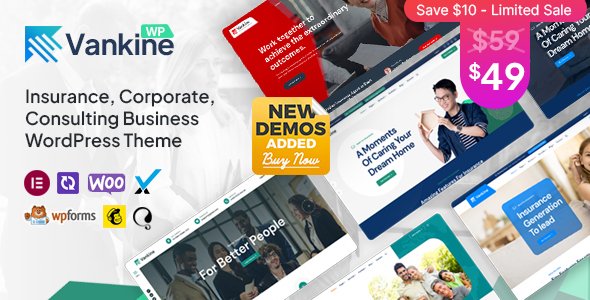
Stuck on your Vankine WordPress theme? Let's fix it.
No endless back-and-forth. Just send us the details and we'll get it done.
No obligation · Replies within 1 hour · Quote within 1 day
Setup · Customization · Bug fixes · WooCommerce integration
About Vankine WP Theme
Vankine is a multipurpose WordPress theme built by SteelThemes. It targets creative agencies, freelancers, and small businesses that want a clean, portfolio-focused design without hiring a developer from scratch.
The theme ships with multiple pre-built demos, a drag-and-drop page builder, and WooCommerce compatibility. It supports custom post types for portfolio projects, client testimonials, and team members. Header and footer layouts are flexible, and the theme handles retina displays well out of the box.
Vankine works on Elementor and WPBakery, which keeps it accessible to users who prefer visual editing. Performance is reasonable on a well-configured host, though image-heavy demos can slow down without optimization. Overall, it is a solid starting point for creative sites that need a polished look quickly.
Get matched with a Vankine developer in under one day
Tell us about your Vankine project. Small fixes, Vankine theme customization, or a full website build, whatever you need, we've got it covered.
We'll connect you to the right Vankine developers, define the scope, and get everything 100% clear.
You'll get one estimate, hire your preferred developer, and start collaborating.
Most WordPress theme issues come down to one thing: nobody familiar with the specific theme looked at the code. Vankine has its own hooks, its own demo content structure, and its own quirks with certain page builders. A generic WordPress fix often misses those details.
Through Codeable, FoxyConcept connects you with vetted Vankine developers who have hands-on experience with SteelThemes products. You get a free estimate within 24 hours, no commitment required. The work gets done right the first time.
Pros
- Multiple pre-built demos cover agencies, portfolios, and small business layouts
- Works with both Elementor and WPBakery, so you are not locked into one editor
- Built-in custom post types for portfolio items, team members, and testimonials
- WooCommerce ready without requiring a separate child theme or plugin patch
- Retina-ready with SVG icon support and clean responsive breakpoints
Cons
- Demo import can be slow and sometimes requires manual cleanup of placeholder content
- Heavy demo pages load a lot of unused CSS and JS that needs manual pruning
- SteelThemes documentation is thin on advanced customization and developer hooks
- Some WPBakery shortcodes do not translate cleanly if you switch to Elementor later
- Update frequency from SteelThemes has been inconsistent, which creates compatibility risks
Who is Vankine for?
Creative Agency Website
Vankine’s agency demos include multi-page layouts with service sections, case study portfolio grids, and team member pages. The theme handles this use case well without needing custom post type plugins since the functionality is built in. A developer can strip unused demo sections and wire up contact forms quickly.
Freelance Designer Portfolio
Freelancers get a lot of mileage from Vankine’s portfolio post type. Projects display in filterable grids, individual project pages support full-width image galleries, and the layout stays clean on mobile. Customizing colors and typography to match a personal brand is straightforward in the Customizer.
Photography Studio Site
Photography sites need large images and minimal distraction. Vankine supports full-width hero sections, masonry gallery layouts, and lazy loading when configured correctly. The WooCommerce integration also makes it practical for photographers selling prints or digital downloads directly from the same site.
Small Business Service Site
Service businesses benefit from Vankine’s pre-built sections for pricing tables, testimonials, and call-to-action blocks. These work inside Elementor or WPBakery without additional plugins. The theme’s header options support phone numbers and booking links, which matter for local service sites.
Digital Product Shop
Vankine’s WooCommerce support covers standard product pages, cart, and checkout without major styling conflicts. Studios and creators selling digital goods can combine a portfolio-style homepage with a functional shop. Additional WooCommerce plugins for subscriptions or digital downloads layer on without breaking the theme layout.

Customizing Vankine
Vankine ships with a lot of options in the WordPress Customizer, but getting from a demo to a finished site still takes real work. Typography settings, color palettes, layout widths, and header styles are all adjustable without touching code. That covers most surface-level changes.
Deeper customization is a different story. Custom post type templates, advanced Elementor widget styling, WooCommerce checkout redesigns, and performance-focused CSS cleanup usually require a developer who knows the theme’s structure. A Vankine expert can handle those changes cleanly without breaking the theme on updates.
If you need custom functionality, specific animations, or integration with third-party plugins, working with someone who has built on Vankine before saves significant time and avoids the usual trial-and-error that comes with unfamiliar theme hooks and filters.
Recommended plugins for Vankine
Vankine pairs well with several plugins that extend what the theme does natively. WooCommerce adds a full shop layer for studios selling digital products or merchandise. Contact Form 7 or WPForms handle lead capture without much configuration.
For SEO, Vankine outputs clean markup that works with Yoast or Rank Math. Our WordPress SEO service can take that further with structured data and technical audits. If page speed is a concern, our WordPress performance service covers caching, image optimization, and Core Web Vitals improvements specific to Vankine’s asset structure.
Not sure which plugins to use? This WordPress plugins directory covers the most popular options with reviews and setup guides.
Vankine common issues
Vankine demo import not working
Demo import failures in Vankine are usually caused by PHP memory limits or upload size restrictions on the server. Check that memory_limit is at least 256MB and max_execution_time is set to 300 or higher in your PHP configuration. If the import times out, try importing XML content manually via WordPress Tools and then importing the Customizer settings separately. Clearing your cache after import also resolves display issues.
Vankine portfolio grid not displaying correctly
Portfolio grid display problems in Vankine usually come from a JavaScript conflict with another plugin or a missing Isotope library call. Open your browser console and check for JS errors. If you recently added a caching or minification plugin, exclusions for Vankine’s portfolio scripts are often needed. Also confirm that portfolio items are assigned to at least one category, since the filter grid requires category data to render correctly.
Vankine theme slow loading speed
Vankine demo pages load multiple Google Fonts, large slider images, and several render-blocking scripts. Start by running a GTmetrix or PageSpeed Insights test to identify the specific bottlenecks. Combine and defer scripts using a caching plugin, compress images, and consider replacing the default slider with a lighter alternative. Our WordPress performance service handles these optimizations specific to Vankine’s asset structure.
Vankine header layout broken after update
Header layout breaks after a Vankine update usually mean a CSS conflict introduced by the update or a cached stylesheet that hasn’t refreshed. Clear all caches first. If the issue persists, check whether a child theme is overriding header styles that changed in the update. Compare the header template file between your version and the updated one. If you are not using a child theme, custom CSS added directly to the theme may have been overwritten. Our WordPress bug fixing service can diagnose and resolve this quickly.
Vankine FAQ
Yes, Vankine supports Elementor. The theme registers custom widget areas and page templates that work with Elementor’s full-width layout mode. Most sections from the Vankine demos can be rebuilt inside Elementor. Some SteelThemes-specific shortcodes are WPBakery-only, so switching editors mid-project may require rebuilding certain content blocks from scratch.
Vankine includes WooCommerce support and styles standard shop pages, product pages, cart, and checkout without major conflicts. It works for straightforward product catalogs and digital downloads. For heavily customized shop layouts or complex checkout flows, a developer familiar with both Vankine and WooCommerce will get cleaner results than relying on the default styling alone.
Vankine provides a one-click demo importer available in the theme options panel after activation. Before importing, increase your PHP memory limit and max execution time in your server configuration. After import, check that required plugins are activated. Some image assets may not import and will need to be replaced manually with your own media files.
You can use Vankine with Elementor instead of WPBakery. WPBakery is bundled but not mandatory. If you prefer Elementor, skip the WPBakery activation and build pages directly in Elementor. A few demo elements rely on WPBakery shortcodes, but the core theme layout, portfolio post types, and Customizer options all work independently of the page builder you choose.
SteelThemes has released updates for Vankine, but the update schedule is not frequent compared to more actively maintained themes. Before buying or building on Vankine, check the ThemeForest changelog for the most recent update date. If long-term support and regular security patches matter for your project, factor in the cost of a developer for ongoing WordPress maintenance.
Hire a Vankine Developer
Need a Vankine expert to build, fix, or customize your site? FoxyConcept works through Codeable, where every developer is vetted and reviewed. Post your project and get matched with a Vankine specialist within 24 hours. No contracts, no risk.
Get a free estimate today and describe what you need. Whether it is a full build, a broken layout, or a custom feature, we can help.
You'll need a free Codeable account so developers can ask questions and send their quotes.