VEDA WordPress Theme
by designthemes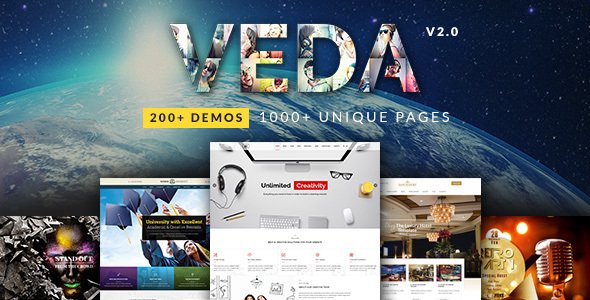
Stuck on your VEDA WordPress theme? Let's fix it.
No endless back-and-forth. Just send us the details and we'll get it done.
No obligation · Replies within 1 hour · Quote within 1 day
Setup · Customization · Bug fixes · WooCommerce integration
About VEDA WP Theme
VEDA is a multipurpose WordPress theme by Designthemes, built for agencies, freelancers, portfolios, and businesses that want a polished visual presence without hiring a custom developer. It ships with over 40 pre-built demo sites, a drag-and-drop page builder integration, and a library of shortcodes that cover most layout needs out of the box.
The theme leans on WPBakery and Elementor compatibility, giving site owners flexibility in how they build pages. Header and footer builders are included natively, which removes the need for third-party plugins in most cases. VEDA also supports WooCommerce, making it a reasonable starting point for small to mid-size stores. Performance and code quality are solid for a theme at this price point, though heavier configurations will need optimization work to keep load times in check.
Get matched with a VEDA developer in under one day
Tell us about your VEDA project. Small fixes, VEDA theme customization, or a full website build, whatever you need, we've got it covered.
We'll connect you to the right VEDA developers, define the scope, and get everything 100% clear.
You'll get one estimate, hire your preferred developer, and start collaborating.
Most VEDA issues come down to configuration, not the theme itself. Conflicting plugins, a poorly imported demo, or an overcrowded WPBakery layout can all cause problems that look like bugs but aren’t. A vetted VEDA developer through Codeable can diagnose and fix the actual issue, not just patch around it. Codeable matches you with experienced WordPress developers within 24 hours. The estimate is free, and there’s no obligation to hire. It’s a straightforward way to get expert eyes on your site without the guesswork of hiring blind.
Pros
- Over 40 pre-built demo sites covering a wide range of industries
- Native header and footer builder reduces reliance on third-party plugins
- Compatible with both WPBakery and Elementor page builders
- Full WooCommerce support with custom product page templates included
- Active development from Designthemes with regular theme updates
Cons
- Demo imports can produce bloated pages that need cleanup before going live
- Theme options panel is large and can be overwhelming for non-technical users
- Switching between WPBakery and Elementor mid-project causes layout conflicts
- Some shortcodes generate deprecated HTML that affects accessibility scores
- Customer support response times from Designthemes can be slow during peak periods
Who is VEDA for?
Creative Agencies
VEDA’s agency demo templates include multi-column service layouts, team grids, and case study post types. A VEDA developer can strip out the demo content, wire up the mega menu to your service pages, and configure the header builder to match your brand guidelines without touching the theme core files.
Freelance Portfolios
The portfolio post type in VEDA supports filterable grids, full-screen project pages, and custom meta fields for project details. For freelancers, a VEDA specialist can set up the grid layout, configure hover effects, and connect a contact form so the site works as a proper lead generation tool, not just a gallery.
WooCommerce Stores
VEDA’s WooCommerce integration covers product pages, cart, and checkout styling within the theme. For store owners, a VEDA expert can extend this with custom product layouts, wishlist integration, and filtered shop pages. Pairing it with a performance-focused setup keeps the store fast under real traffic conditions.
Corporate and Business Sites
Corporate demo configurations in VEDA include multi-page layouts with service sections, testimonials, pricing tables, and blog integration. A VEDA developer can rebuild these layouts to match internal brand standards, integrate CRM forms, and make sure the site is structured correctly for lead capture and conversion tracking.
Event and Conference Sites
VEDA includes countdown timers, speaker grids, and schedule layouts suited to event sites. A VEDA specialist can configure these sections, set up ticket link integrations, and build a repeatable template structure so the site can be updated quickly for each new event without rebuilding from scratch.

Customizing VEDA
VEDA ships with a lot of options, but getting the most out of them takes time. The theme options panel covers typography, colors, layout widths, header styles, and sticky navigation behavior. Most changes are straightforward, but stacking custom CSS on top of the panel settings is where things get messy without experience.
A VEDA expert can set up a demo import cleanly, remap the layout to match your brand, and make sure nothing breaks when you switch between the WPBakery and Elementor builders. Custom post type styling, mega menu configuration, and mobile breakpoint adjustments are common areas where clients run into friction. Working with a VEDA specialist from the start saves hours of trial and error and keeps the codebase clean for future updates.
Recommended plugins for VEDA
VEDA works alongside most major WordPress plugins without conflict, but a few integrations deserve attention. WooCommerce support is solid, and the theme includes product page templates. For contact and lead capture, WPForms and Contact Form 7 both slot in without issues.
Where site owners often need help is on the technical side. Running VEDA with a caching layer, image optimization, and a CDN makes a real difference, especially on demo-heavy configurations. A proper setup following WordPress performance best practices can cut load times significantly. If organic search is a priority, pairing VEDA with a structured WordPress SEO strategy will get more out of the theme’s clean markup.
Not sure which plugins to use? This WordPress plugins directory covers the most popular options with reviews and setup guides.
VEDA common issues
VEDA demo import failing or importing blank pages
Demo import failures in VEDA are usually caused by server memory limits, PHP execution time limits, or a missing required plugin like WPBakery or Revolution Slider. Check your php.ini settings and raise memory_limit to at least 256MB and max_execution_time to 300. Install all recommended plugins before importing. If pages import blank, the XML may have timed out mid-transfer. Our WordPress bug fixing service handles import failures regularly and can get your demo running cleanly.
VEDA header not showing correctly on mobile
Mobile header issues in VEDA typically come down to conflicting CSS from a child theme or plugin, or a misconfigured breakpoint in the header builder. Open the header builder in the theme options, check the mobile header toggle settings, and make sure a mobile-specific header is assigned. If a caching plugin is active, clear all cache layers after making changes. Custom CSS overrides targeting .tt-header can also interfere with responsive behavior and should be audited.
VEDA page builder elements not loading or showing shortcode text
If VEDA shortcodes are rendering as raw text instead of content, WPBakery is either deactivated or not properly licensed. VEDA requires WPBakery to be active for its custom elements. Go to WPBakery settings and make sure the bundled version is activated, not a separately purchased license conflict. If you’ve switched to Elementor, some legacy shortcode-based pages will need to be rebuilt. Our WordPress bug fixing service can migrate content between builders without losing layout structure.
VEDA site running slow after adding plugins
VEDA loads a fair number of scripts and styles by default, and adding plugins without optimization work compounds the problem. Start by running a performance audit with GTmetrix or WebPageTest to identify which assets are blocking render. Dequeue scripts from plugins that aren’t used on every page, enable lazy loading for images, and configure a caching plugin like WP Rocket. Minifying CSS and JS in VEDA’s theme options can help, but test carefully since aggressive minification sometimes breaks slider or popup scripts.
VEDA FAQ
VEDA officially supports WPBakery and includes custom elements built around it. Elementor compatibility exists but is partial. Some demo layouts and custom shortcodes won’t translate directly to Elementor. If you want to build primarily with Elementor, a VEDA specialist can rebuild the necessary sections natively in Elementor rather than relying on the bundled WPBakery components.
Yes. You can skip the demo import entirely and build pages using the page builder from a blank template. The theme options panel still controls global styles like typography and colors. Starting from scratch avoids importing unnecessary demo assets but requires more familiarity with the builder. A VEDA developer can set up a clean base configuration that’s easier to work from than a stripped-back demo.
Always use a child theme for any CSS or PHP customizations. Theme updates from Designthemes overwrite parent theme files, so anything added directly to the parent will be lost. If you haven’t been using a child theme, a VEDA expert can migrate your existing customizations into one before you run the update. Test updates on a staging site before applying to production.
Yes, VEDA includes WooCommerce support with styled templates for shop, product, cart, and checkout pages. Basic store functionality works without additional plugins. For advanced features like product filters, subscriptions, or custom checkout fields, additional plugins are needed. A VEDA developer can configure the WooCommerce setup and extend it based on your specific store requirements.
VEDA developer rates through Codeable typically reflect the scope of the project rather than a flat hourly figure. Small fixes and configuration tasks cost less than full site builds or custom feature development. You can post your project and get a free estimate with no obligation to hire. Rates are transparent and agreed on before any work begins.
Hire a VEDA WordPress Expert
Whether you need a full VEDA setup from a demo import, a specific feature built out, or something broken fixed quickly, working with a dedicated VEDA developer gets it done right the first time. Through our free estimate process, you describe what you need and get matched with a specialist who knows the theme. No contracts, no retainers, no risk. Just a clear scope and a developer who can deliver it.
You'll need a free Codeable account so developers can ask questions and send their quotes.