Vella WordPress Theme
by A-Works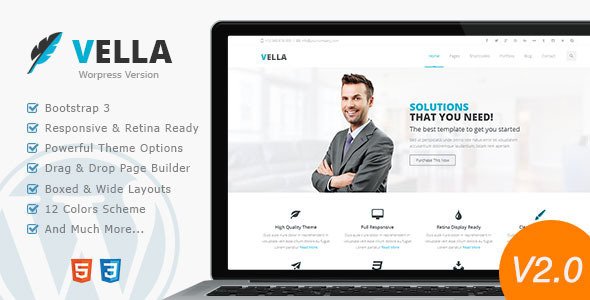
Stuck on your Vella WordPress theme? Let's fix it.
No endless back-and-forth. Just send us the details and we'll get it done.
No obligation · Replies within 1 hour · Quote within 1 day
Setup · Customization · Bug fixes · WooCommerce integration
About Vella WP Theme
Vella is a WordPress theme by A-Works built for modern creative businesses and portfolio-focused websites. It ships with a clean, minimal layout structure that puts visual content first — useful for photographers, agencies, and freelancers who want strong presentation without heavy page-builder dependency.
The theme supports Elementor and includes pre-built demo sections that cover typical service and portfolio layouts. Typography controls are solid, the responsive behaviour is reliable, and the codebase stays lean compared to multipurpose themes that bundle everything by default.
Vella works well as a starting point if you want a polished look without months of custom development. That said, getting beyond the demo design usually requires either confident CSS knowledge or the help of a developer who knows the theme well.
Get matched with a Vella developer in under one day
Tell us about your Vella project. Small fixes, Vella theme customization, or a full website build, whatever you need, we've got it covered.
We'll connect you to the right Vella developers, define the scope, and get everything 100% clear.
You'll get one estimate, hire your preferred developer, and start collaborating.
Vella looks simple on the surface, but production-ready sites rarely stay simple. Custom layouts, third-party integrations, performance tuning, and ongoing updates all add up. Working with a developer through Codeable means you get someone who has worked with themes like Vella before and knows exactly where the edge cases are. No trial and error. No guessing. Just clean work delivered on a fixed estimate.
Pros
- Clean, minimal design that suits portfolios and creative businesses without needing heavy customisation
- Elementor compatibility means most layout changes can be done visually without writing code
- Lightweight codebase relative to multipurpose themes, which helps with baseline page speed
- Pre-built demo content covers common page structures and speeds up initial setup
- Responsive layout handles mobile and tablet breakpoints reliably out of the box
Cons
- Limited built-in WooCommerce styling makes it a poor fit for serious e-commerce projects
- Customisation beyond the demo design requires CSS knowledge or developer involvement
- Documentation is sparse compared to larger theme marketplaces like ThemeForest
- No dedicated mega menu or advanced header builder included by default
- Update frequency from A-Works is slower than themes with larger commercial support teams
Who is Vella for?
Photography Portfolio
Vella’s image-first layouts make it a natural fit for photographers. Full-width gallery sections, clean grid displays, and minimal typography keep the focus on the work. Setting up a portfolio with categorised galleries is straightforward, and the responsive design ensures images load and display correctly on mobile without manual adjustments.
Creative Agency Website
Agencies can use Vella’s service section layouts and case study structures to present their work clearly. The Elementor integration allows the team to update content without developer involvement after the initial build. Adding a blog for thought leadership content slots in without requiring extra configuration.
Freelance Designer Site
Freelancers benefit from Vella’s lightweight build and fast setup. A portfolio page, services section, and contact form can be live in a day using the demo content as a base. The clean design signals professionalism without over-engineering the presentation, which suits solo operators who want results without overhead.
Architecture or Interior Design Firm
Visual industries like architecture and interior design rely on strong image presentation. Vella handles large project photography well, and the whitespace-heavy layout gives work room to breathe. Project pages can be structured to show brief descriptions alongside imagery without cluttering the design or needing custom development.
Small Business Service Site
Small service businesses such as consultants, coaches, or local professionals can use Vella’s pre-built sections to create a credible, professional site quickly. The theme covers the essentials: hero area, service blocks, testimonials, and contact. Most of this can be configured without code using the Customizer and Elementor editor.

Customizing Vella
Vella gives you a reasonable amount of control through the WordPress Customizer and Elementor’s visual editor. You can adjust colours, fonts, header layout, and spacing without touching code. The pre-built sections cover most standard page types, so swapping in your content is straightforward early on.
Where things get more involved is when clients want layouts that drift from the demo structure. Custom post type styling, conditional header behaviour, and bespoke section designs usually need direct CSS or PHP edits. A Vella expert can handle those changes cleanly, without breaking the theme’s update path or introducing conflicts with existing functionality.
If you need deeper customisation, using a child theme from the start is strongly recommended to protect your changes across future updates.
Recommended plugins for Vella
Vella works alongside the standard WordPress plugin ecosystem without major conflicts. WooCommerce can be added for light e-commerce needs, though Vella is not a dedicated shop theme. Contact Form 7 and WPForms both integrate without layout issues.
For performance, combining Vella with a caching plugin and an image optimisation tool makes a noticeable difference. If organic traffic matters, pairing the theme with a proper WordPress SEO setup is worth the investment. For faster load times, a WordPress performance audit can identify bottlenecks specific to your Vella configuration.
Not sure which plugins to use? This WordPress plugins directory covers the most popular options with reviews and setup guides.
Vella common issues
Vella theme header not showing correctly on mobile
Mobile header issues in Vella are usually caused by a CSS conflict with a plugin or a custom style that overrides the theme’s breakpoint rules. Start by temporarily disabling plugins and checking if the issue persists. If the header renders correctly without plugins active, reactivate them one by one to isolate the conflict. Custom CSS added directly to the theme file will also be lost on update, which can produce unexpected display issues. Use the Additional CSS section in the Customizer or a child theme instead. If you need help tracking it down, our WordPress bug fixing service can resolve it quickly.
Vella WordPress theme not loading fonts properly
Font loading problems in Vella typically come from one of three sources: a caching plugin serving a stale version of the stylesheet, a performance plugin that has deferred or blocked font requests, or a conflict with another plugin that registers its own font stack. Clear all caches first. Then check your performance plugin settings for font-related optimisation rules and disable them temporarily. If you’re using a CDN, purge that too. Google Fonts loading issues can also appear if your server is blocking external requests, which requires a server-level fix.
Vella Elementor sections not matching demo layout after import
When demo content imports into Vella but layouts don’t match the demo screenshots, the most common cause is missing Elementor or theme-specific widgets that weren’t installed before importing. Check that all required plugins listed in the theme documentation are active and up to date. Elementor’s free version may not support certain Pro widgets used in the demo. Also confirm you imported the correct demo file for your version of Elementor. Re-importing after activating all dependencies usually resolves the mismatch.
Vella theme update broke my layout
A theme update breaking your layout almost always means custom changes were made directly inside the theme files rather than through a child theme. These modifications get overwritten every time the theme updates. To fix the immediate problem, compare the current theme files with your previous version using a file diff tool and re-apply your changes to the correct template. Going forward, move all customisations into a child theme. If you need help recovering the layout, the WordPress bug fixing service can restore it and set up a proper child theme structure.
Vella FAQ
Yes. Vella is built with Elementor compatibility in mind. The pre-built demo sections are designed to work with Elementor’s visual editor, and most layout customisation can be done without writing code. Elementor Free covers the core functionality, though some advanced features in the demo may require Elementor Pro. Always ensure both the theme and Elementor plugin are on their latest versions to avoid conflicts.
Yes, and it’s worth doing before you make any customisations. Without a child theme, any changes made to Vella’s template files will be overwritten the next time the theme updates. A child theme stores your modifications separately, so updates apply cleanly to the parent theme without touching your work. This is standard practice for any WordPress site where custom code is involved.
Vella can be used with WooCommerce for basic shop setups, but it doesn’t include dedicated WooCommerce templates. Product pages, cart, and checkout will use WooCommerce’s default styling, which may look inconsistent with the rest of your Vella design. Bridging that gap requires custom CSS. For a serious online store, a theme built specifically for WooCommerce would be a better starting point.
Demo content in Vella is imported through the theme’s built-in demo importer, which is usually found under Appearance in the WordPress dashboard after the theme is activated. Make sure all required plugins listed in the theme documentation are installed and active before importing. Importing without the dependencies active is the main reason demo layouts don’t display correctly after the process completes.
Vella’s clean, lightweight code gives it a reasonable technical SEO foundation. It doesn’t inject unnecessary markup and renders content in a structure that search engines can read. That said, theme choice alone doesn’t determine SEO performance. You still need proper meta handling, structured data, and a fast load time. A dedicated WordPress SEO setup on top of Vella will get the best results.
Hire a Vella WordPress Developer
Need help building or customising a Vella site? Our developers have hands-on experience with A-Works themes and can handle everything from small fixes to full builds. Work is scoped clearly before anything starts, so you know exactly what you’re getting. Get a free estimate with no obligation to hire. You’ll hear back within 24 hours.
You'll need a free Codeable account so developers can ask questions and send their quotes.