Venus WordPress Theme
by ThemeGoods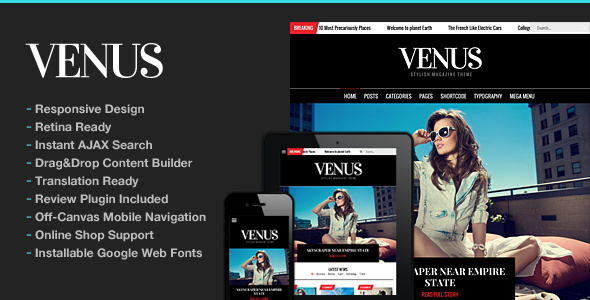
Stuck on your Venus WordPress theme? Let's fix it.
No endless back-and-forth. Just send us the details and we'll get it done.
No obligation · Replies within 1 hour · Quote within 1 day
Setup · Customization · Bug fixes · WooCommerce integration
About Venus WP Theme
Venus is a WordPress theme by ThemeGoods, built for creative professionals and businesses that want a clean, portfolio-focused design. It ships with a drag-and-drop page builder, multiple header styles, and a collection of pre-built demos that cover creative agencies, photographers, and freelancers.
The theme uses the WPBakery Page Builder and includes custom post types for portfolios, team members, and testimonials. It supports WooCommerce, making it usable for shops alongside creative work. Typography options are solid, with Google Fonts integration baked in.
Venus is designed to look polished out of the box, but it gives enough control to change layouts, colors, and content structure without writing code. For teams or solo developers who need more control, the theme exposes custom CSS fields and well-documented hooks throughout.
Get matched with a Venus developer in under one day
Tell us about your Venus project. Small fixes, Venus theme customization, or a full website build, whatever you need, we've got it covered.
We'll connect you to the right Venus developers, define the scope, and get everything 100% clear.
You'll get one estimate, hire your preferred developer, and start collaborating.
Venus has enough flexibility to build almost any creative or business site, but its options can get complex fast. Knowing which settings to touch, which to leave alone, and how to extend functionality without creating technical debt takes experience with the theme’s structure.
Through Codeable, you get access to vetted WordPress developers who have worked with ThemeGoods themes and understand how Venus behaves at scale. No generalist freelancers, no guesswork. Just developers who can get the job done cleanly. Explore WordPress development services to see what’s possible.
Pros
- Polished pre-built demos that work well for creative agencies and photographers right out of the box
- WPBakery Page Builder included, with Venus-specific elements for portfolios and team sections
- WooCommerce compatible, so you can sell products alongside showcasing work
- Multiple header styles including transparent, sticky, and split layouts with minimal setup
- WPML support makes it a practical choice for multilingual creative businesses
Cons
- WPBakery shortcode lock-in makes switching themes painful if you've built heavily with it
- The volume of options in the theme panel can overwhelm users who just want simple changes
- Page load times need attention out of the box, especially with multiple sliders and portfolio grids active
- Customer support from ThemeGoods can be slow during busy periods, with forum responses taking days
- Some demo sections require specific plugins to display correctly, adding to the dependency stack
Who is Venus for?
Creative Agency
Venus suits creative agencies well. The portfolio custom post type handles case studies cleanly, and the filterable grid lets visitors sort work by category. Combined with a team section and a services page built with WPBakery columns, an agency can present its full offering without needing a custom theme build.
Freelance Photographer
Photographers benefit from Venus’s fullscreen portfolio layouts and lightbox gallery support. Images stay sharp, and the masonry grid handles mixed-orientation photos without awkward cropping. The minimal header styles keep focus on the work rather than navigation chrome. A single demo import gets most photographers close to a finished site.
Interior Design Studio
Interior design studios need a theme that makes imagery the priority. Venus handles that with wide and fullscreen section options, large hero sliders, and a portfolio grid that showcases room photography cleanly. The WooCommerce integration also lets studios list furnishings or consultation packages on the same site.
Web Design Portfolio
Web designers and developers use Venus to present their own work. The code is clean enough that a developer can override templates and add custom functionality without fighting the theme. It reads as professional without looking like a cookie-cutter template, which matters when clients are evaluating design judgment.
Small Product-Based Business
Small businesses selling physical or digital products can combine a WooCommerce shop with a portfolio or services section in Venus. The theme handles both without major layout conflicts. It works especially well for makers, illustrators, and product photographers who want their shop to reflect their creative identity.

Customizing Venus
Getting Venus to match your exact brand takes more than swapping a logo and colors. The theme’s customizer covers global fonts, header behavior, footer columns, and sidebar positions. Each demo section can be rebuilt using WPBakery elements, and the portfolio grid supports filtering, masonry, and fullscreen layouts.
Custom post types give you structured control over case studies, team bios, and client lists without plugin dependency. Slider options let you build hero sections with video backgrounds or image carousels. If you want something specific, like a sticky header that changes color on scroll or a custom single portfolio template, a Venus expert can handle that cleanly without breaking theme update compatibility.
Working with a developer familiar with ThemeGoods’ codebase saves time and avoids the trial-and-error that comes with unfamiliar theme architecture.
Recommended plugins for Venus
Venus works well with WooCommerce for product listings alongside portfolio work. Contact Form 7 and WPForms both integrate without layout conflicts. WPML is supported for multilingual sites, which matters for agencies with international clients.
For speed, pairing Venus with a caching plugin and optimizing the WPBakery output is worth doing early. A developer can also help with WordPress performance tuning specific to how Venus loads assets. If organic traffic matters, structured data and on-page improvements through a WordPress SEO service can close the gap between a good-looking site and one that ranks.
Not sure which plugins to use? This WordPress plugins directory covers the most popular options with reviews and setup guides.
Venus common issues
Venus theme portfolio grid not displaying correctly
Portfolio grid issues in Venus usually come down to a JavaScript conflict or a missing image size. First, check the browser console for JS errors and temporarily deactivate other plugins to isolate the conflict. If the grid loads but images are misaligned, run Regenerate Thumbnails to rebuild the image sizes Venus expects. If the filter tabs stop working, clearing your cache and checking for jQuery conflicts is the next step. Still broken? A WordPress bug fixing service can trace the root cause quickly.
Venus WordPress theme slow loading on mobile
Venus can be heavy on mobile if you’re loading multiple sliders, large background videos, and unoptimized images. Start by disabling autoplay video on mobile through the theme options, which most mobile browsers block anyway. Compress images before upload and enable lazy loading. WPBakery generates bloated inline styles and scripts, so consider disabling WPBakery’s front-end editor scripts on pages that don’t need them. A caching plugin with mobile-specific rules helps significantly. For deeper fixes, WordPress performance optimization targets the specific bottlenecks Venus creates.
Venus theme header not showing correctly after update
Header display problems after a Venus update typically happen when updated theme files conflict with customizations stored in the child theme or when a header option setting resets. Check your child theme’s header.php and compare it to the parent theme’s updated version. Also review the Header settings in the Venus theme panel to confirm values didn’t reset. If you’re not using a child theme and made direct edits, those changes will have been overwritten. Going forward, all customizations should live in a child theme to survive updates safely.
WPBakery elements missing in Venus after plugin update
If WPBakery elements disappear from Venus after a plugin update, the most common cause is a version mismatch between the bundled WPBakery version in Venus and a separately purchased or auto-updated WPBakery license. Venus ships with a specific WPBakery version, and updating WPBakery independently can break element registration. Roll back to the version the theme bundled, or contact ThemeGoods support to confirm which WPBakery version is tested with your Venus version. Avoid updating WPBakery separately unless ThemeGoods confirms compatibility.
Venus FAQ
ThemeGoods continues to release updates for Venus, covering WordPress core compatibility and security patches. The pace of updates is slower than some larger theme shops, so always check the changelog on ThemeForest before updating. It’s good practice to test updates on a staging site first, particularly if you’ve made customizations or are running a specific WPBakery version bundled with the theme.
Venus is built around WPBakery, not Elementor. While Elementor can technically be installed alongside Venus, the theme’s demo layouts, custom elements, and pre-built sections are all WPBakery-specific. Using Elementor means rebuilding everything from scratch and losing the advantage of the theme’s included content. If you prefer Elementor, a different theme built for it would serve you better.
You can build pages in Venus using the WordPress block editor or static HTML content without WPBakery, but you’ll lose access to the portfolio grid, slider elements, and custom layout options that depend on it. The theme’s demo content also imports as WPBakery shortcodes, which will render as plain text without the plugin active. For basic sites, it’s workable, but WPBakery is central to how Venus is designed to function.
Venus demo import through the one-click demo importer will import pages, widgets, and settings alongside demo content. To avoid overwriting your existing work, don’t use the full one-click import on a live site. Instead, import only the specific pages or sections you need, or set up a staging environment first. A developer can import selectively and adapt the demo layout to your existing content without data loss.
Yes, Venus is WooCommerce compatible. The theme includes basic WooCommerce stylesheet support so shop pages, product archives, and single product pages render cleanly within the Venus layout. It works best for smaller shops. For larger stores with complex filtering, custom product layouts, or advanced checkout flows, additional development work may be needed to get everything looking and functioning exactly right.
Hire a Venus WordPress Developer
Whether you need a Venus site built from scratch, a demo customized to fit your brand, or specific features added to an existing setup, working with someone who knows the theme saves significant time. Projects are matched through Codeable within 24 hours, and you get a free estimate before committing to anything. Get a free estimate today and see what a Venus developer can do for your project.
You'll need a free Codeable account so developers can ask questions and send their quotes.