Verve WordPress Theme
by Pirenko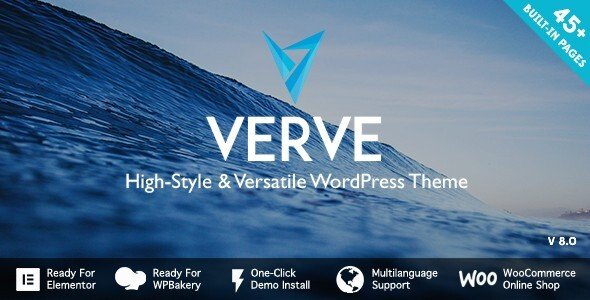
Stuck on your Verve WordPress theme? Let's fix it.
No endless back-and-forth. Just send us the details and we'll get it done.
No obligation · Replies within 1 hour · Quote within 1 day
Setup · Customization · Bug fixes · WooCommerce integration
About Verve WP Theme
Verve is a premium WordPress theme built by Pirenko, a developer known for clean code and striking visual design. It targets creative professionals and portfolio-focused websites, offering a minimal aesthetic with strong typographic choices and full-screen layout options.
The theme ships with multiple demo layouts, a drag-and-drop page builder integration, and smooth scrolling effects. It supports WooCommerce for basic shop setups and includes custom post types for portfolio projects.
Pirenko themes are generally well-coded and receive consistent updates, which matters for long-term site stability. Verve sits in that category: it looks sharp out of the box but gives you enough control to build something distinctly yours without touching a line of code.
Get matched with a Verve developer in under one day
Tell us about your Verve project. Small fixes, Verve theme customization, or a full website build, whatever you need, we've got it covered.
We'll connect you to the right Verve developers, define the scope, and get everything 100% clear.
You'll get one estimate, hire your preferred developer, and start collaborating.
Verve is a polished theme, but getting it to behave exactly how you want takes more than clicking through the Customizer. Pirenko’s codebase has its own logic, and working against it creates problems. A developer who knows Verve skips the trial-and-error phase entirely.
Through Codeable, you get matched with vetted WordPress developers who have hands-on experience with premium themes like Verve. Post your project, get an estimate within 24 hours, and only move forward if the scope and price work for you.
Pros
- Clean, minimal design that works well for portfolio and creative sites without heavy customization
- Multiple pre-built demo layouts that import quickly and cover different content structures
- Consistent updates from Pirenko, keeping the theme compatible with current WordPress versions
- Strong typographic defaults with Google Fonts integration built in
- WooCommerce compatibility with minimal styling conflicts on product and shop pages
Cons
- Limited layout flexibility compared to block-based themes, especially for complex page structures
- Full-screen image sections can hurt page speed scores if images are not properly optimised
- Custom post type options are fairly basic and may not suit complex portfolio filtering needs
- Some Customizer options lack live preview accuracy, requiring save-and-refresh to see changes
- Documentation is sparse in areas, making advanced customization harder without developer knowledge
Who is Verve for?
Photography Portfolio
Verve’s full-screen image support and minimal interface make it a strong fit for photographers. Gallery layouts load without visual clutter, keeping the focus on the work. With proper image optimisation and lazy loading configured, it handles large image sets well. A developer can set up custom gallery post types and filtering to organise shoots by category or client.
Creative Agency
Agencies use Verve’s case study and portfolio layouts to present client work cleanly. The theme’s scroll animations add visual depth without being distracting. Custom service pages, team sections, and contact flows can all be built within the theme’s structure. A Verve developer can adapt these layouts to match specific agency branding without rebuilding from scratch.
Freelance Designer
For solo designers, Verve hits the right balance between looking professional and not requiring constant maintenance. The Customizer handles most branding changes, and the portfolio post type covers basic project showcasing. If you want custom project pages with detailed case study layouts or PDF downloads, that is where a developer adds real value quickly.
Small Online Store
Verve’s WooCommerce support handles straightforward product catalogues and checkout flows. It suits stores with a focused product range rather than large inventories. The minimal design keeps product pages clean. A developer can customise product templates, add custom fields for product specs, and ensure the cart and checkout pages match the overall site aesthetic without plugin conflicts.
Personal Blog
Verve’s typography and whitespace make it readable for long-form content. The blog layouts are clean and uncluttered. It works well for personal sites where the writing is the main focus rather than the design. Category pages and archive layouts are functional by default, though a developer can improve them significantly with custom templates and better pagination handling.

Customizing Verve
Verve gives you a solid starting point through the WordPress Customizer, where you can adjust typography, colors, header layouts, and footer structure. The theme supports custom fonts via Google Fonts and lets you control section padding and spacing without custom CSS.
For deeper changes, like rearranging homepage sections, adding custom post type relationships, or integrating third-party plugins cleanly into the design, you will need developer help. A Verve expert understands the theme’s template hierarchy and Pirenko’s coding conventions, which shortens the time it takes to get results without breaking existing styles.
WooCommerce styling, custom animations, and portfolio filtering logic are all areas where professional customization pays off quickly.
Recommended plugins for Verve
Verve works well with a focused set of plugins. WooCommerce adds shop functionality without major styling conflicts. WPML and Polylang both work for multilingual setups. Contact Form 7 and WPForms integrate cleanly into page layouts.
For performance, pairing Verve with a caching plugin and a CDN makes a noticeable difference given the theme’s use of full-screen images and scroll effects. Learn more about WordPress performance optimisation. If you are running a content-heavy site on Verve, structured SEO work also matters. See our WordPress SEO optimisation service for details.
Not sure which plugins to use? This WordPress plugins directory covers the most popular options with reviews and setup guides.
Verve common issues
Verve theme portfolio filter not working
Portfolio filter issues in Verve are usually caused by a JavaScript conflict with another plugin, or by incorrectly assigned taxonomy terms on portfolio posts. First, deactivate plugins one at a time to isolate a conflict. Check that each portfolio item has at least one category term assigned. If the filter worked before a plugin update, that update is likely the cause. A developer can trace the JS conflict and patch it cleanly. See our WordPress bug fixing service for help.
Verve WordPress theme slow loading on mobile
Slow mobile performance on Verve usually comes from unoptimised full-screen images, render-blocking scripts, or missing mobile-specific image sizes. Run the site through PageSpeed Insights to confirm. Compress images before uploading and enable lazy loading. Minify CSS and JS through a caching plugin. If Verve’s scroll animations are triggering on mobile, disabling them for smaller screens with a CSS media query helps immediately. Check our WordPress performance service for a full audit.
Verve theme layout broken after WordPress update
Broken layouts after a WordPress update usually point to a theme template using deprecated functions or a plugin that changed its output structure. Clear all caches first. If the layout is still broken, switch to a default theme temporarily to confirm whether it is Verve or a plugin. Check Pirenko’s changelog for a patch version. If no update is available yet, a developer can apply a targeted fix in a child theme without touching core Verve files.
Verve WooCommerce styling not matching theme
WooCommerce styling mismatches in Verve happen because the theme’s WooCommerce templates may not have been updated to match the current WooCommerce version. Check if Verve has outdated WooCommerce template files under Appearance > Status. Updating them manually without breaking existing styles requires care. A developer can copy the outdated templates into a child theme and update them correctly. This avoids losing changes on the next theme update. Visit our bug fixing service for hands-on help.
Verve FAQ
Pirenko releases updates for Verve that address WordPress core compatibility. Check the ThemeForest changelog before updating WordPress on a live site. If your installed version of Verve is more than two major releases behind, test on a staging site first. Older installs may encounter template or function deprecation issues that require a developer to resolve cleanly.
Verve is not built around Elementor and does not include native Elementor widgets or sections. You can install Elementor and use it on specific pages, but the theme’s existing layouts and shortcodes operate separately. Mixing both approaches often creates inconsistencies. If you want deep page builder integration, a developer can advise whether that is practical with Verve or whether a different approach suits your project better.
Yes. Verve includes WooCommerce support and the basic shop, product, and cart pages render without major styling issues. It works best for smaller stores with a focused product range. Large catalogues with complex filtering or custom product types may need developer work to function and look right within Verve’s layout structure.
Create a child theme folder in wp-content/themes/ with a style.css file that references Verve as the template, and a functions.php that enqueues the parent stylesheet. Any customizations go into the child theme, keeping them safe from Verve updates. This is the correct approach before making any code-level changes to the theme. A developer can set this up in under an hour.
Yes, but a full migration to Verve from a different theme means rebuilding page layouts, reassigning templates, and re-entering any theme-specific content like portfolio items. Content in posts and pages transfers fine. Design and layout do not carry over automatically. If you are considering this, our WordPress migration service can handle the full transition cleanly.
Hire a Verve WordPress Developer
Whether you need a full Verve setup from scratch, a specific customization, or help fixing something that broke, working with an experienced developer saves time and avoids costly mistakes. Our developers know Pirenko themes and deliver clean, maintainable work.
Get a free estimate with no obligation. Describe your project and get matched with a Verve developer within 24 hours through Codeable’s vetted network.
You'll need a free Codeable account so developers can ask questions and send their quotes.