Vigil WordPress Theme
by designthemes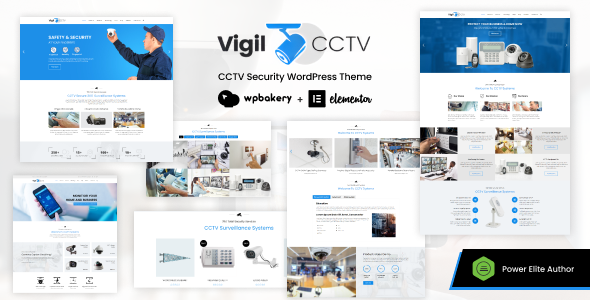
Stuck on your Vigil WordPress theme? Let's fix it.
No endless back-and-forth. Just send us the details and we'll get it done.
No obligation · Replies within 1 hour · Quote within 1 day
Setup · Customization · Bug fixes · WooCommerce integration
About Vigil WP Theme
Vigil is a WordPress theme built by DesignThemes, aimed at creative agencies, portfolio sites, and corporate businesses that want a clean, professional look without spending weeks on setup. It ships with a drag-and-drop page builder, multiple homepage layouts, and a solid set of shortcodes that cover most common page elements.
The theme follows a modular structure, so you can mix and match sections without touching code. It supports WooCommerce for light e-commerce needs, includes basic SEO markup, and is translation-ready out of the box. Performance is reasonable for a feature-heavy theme, though it benefits from proper caching and image optimisation. If you want a theme that works well for client sites across several industries, Vigil covers a wide range without feeling overbuilt.
Get matched with a Vigil developer in under one day
Tell us about your Vigil project. Small fixes, Vigil theme customization, or a full website build, whatever you need, we've got it covered.
We'll connect you to the right Vigil developers, define the scope, and get everything 100% clear.
You'll get one estimate, hire your preferred developer, and start collaborating.
Vigil has enough depth that small customizations can turn into bigger tasks fast, particularly around its page builder logic and child theme setup. Rather than spending hours in the wrong template file, working with a developer who knows DesignThemes products saves real time.
Through Codeable, you get matched with vetted WordPress developers who have hands-on experience with themes like Vigil. Post your project, get a free estimate within 24 hours, and only move forward if it makes sense. No risk, no obligation.
Pros
- Multiple pre-built homepage demos that cover agency, portfolio, and corporate use cases
- Live Customizer with real-time preview for colors, fonts, and layout settings
- Built-in WooCommerce support without needing a separate plugin bridge
- Translation-ready with WPML compatibility for multilingual sites
- Modular shortcode library makes it easy to build custom pages without a separate builder plugin
Cons
- Page builder is proprietary, so switching themes later means rebuilding page content
- Default load time is on the heavier side without caching and image optimisation in place
- DesignThemes support response times can be slow, especially on weekends
- Limited documentation for advanced customizations like custom post type templates
- Child theme is not included by default, so updates can overwrite custom CSS if you are not careful
Who is Vigil for?
Creative Agencies
Vigil’s agency-style demos include team sections, service grids, and case study layouts that work well for digital and creative studios. The page builder makes it straightforward to present work samples and client logos without custom development. Agencies can get a professional site live quickly using the pre-built demo as a starting point.
Freelance Portfolios
Freelancers get clean portfolio grid options, filterable project categories, and a minimal aesthetic that keeps focus on the work. The theme handles single project pages well, with space for full-width images and project detail sections. It is a practical choice for designers, photographers, and developers who want a polished online presence without heavy setup time.
Corporate Business Sites
Corporate demos in Vigil include features sections, team bios, testimonial sliders, and contact forms that cover most business site requirements. The layout flexibility means you can match a company’s existing brand guidelines without fighting the theme’s defaults. It works well for professional services firms, consultancies, and B2B companies that want a credible online presence.
Small E-commerce Shops
Vigil’s WooCommerce integration supports product pages, category listings, and a checkout flow without additional plugins. It suits small shops selling a focused product range rather than large catalogs. If your store needs custom product templates or complex filtering, you will likely need developer help, but basic shop setups work well out of the box.
Nonprofit and Charity Organizations
Nonprofits benefit from Vigil’s cause and charity demo layouts, which include donation-friendly sections, mission statements, and event-style content blocks. The theme is clean enough to communicate trust without looking overdesigned. Combined with a donation plugin like GiveWP, it covers the core needs of most small to mid-sized nonprofit websites.

Customizing Vigil
Vigil gives you a Live Customizer panel where you can adjust colors, fonts, header styles, and layout widths in real time. The built-in page builder handles most structural changes, but anything outside the default options, like custom post type layouts, conditional headers, or heavily modified typography scales, will require CSS or PHP edits.
DesignThemes provides documentation and basic support, but turnaround can be slow for complex requests. If you need a specific look or functionality that falls outside what the Customizer offers, working with a Vigil expert is the faster route. A developer who knows the theme’s hook system can implement changes cleanly without breaking future updates or creating messy inline styles that pile up over time.
Recommended plugins for Vigil
Vigil works with the major WordPress plugins without much friction. WooCommerce integration is built in for product listings and shop pages. Contact Form 7 and WPForms both slot in cleanly. For performance, pairing Vigil with a caching plugin and a CDN makes a noticeable difference, especially on image-heavy portfolio pages. Learn more about WordPress performance optimisation.
The theme also supports basic on-page SEO structure, but for serious organic traffic you will want a dedicated SEO plugin and proper schema setup. See our WordPress SEO optimisation service for that.
Not sure which plugins to use? This WordPress plugins directory covers the most popular options with reviews and setup guides.
Vigil common issues
Vigil theme mobile menu not working after update
This usually comes down to a JavaScript conflict introduced during the update. Start by deactivating all plugins and testing the menu in isolation. If it works, reactivate plugins one at a time to find the conflict. Also check that your child theme’s scripts are not loading an older jQuery version. If the issue appeared after a theme update and you have custom CSS or JS in the parent theme files, those edits may have been overwritten. A WordPress bug fixing specialist can trace the exact conflict quickly.
Vigil page builder content not displaying correctly on frontend
Vigil’s page builder stores content as shortcodes in the database, so if the shortcode library is not loading correctly, sections can appear as raw text or blank. This often happens when switching between themes or after a plugin conflict disables the builder scripts. Clear your cache first, then check the browser console for JavaScript errors. If specific sections are missing, the shortcode may reference a plugin that is no longer active. A developer can audit the builder output and restore the layout cleanly.
Vigil theme slow loading on mobile devices
Vigil loads several CSS and JS files by default, and on mobile these can slow things down noticeably. Start with a caching plugin like WP Rocket or LiteSpeed Cache and enable script deferral. Compress and lazy-load images throughout the site. If the theme is loading builder scripts on pages that do not use the builder, a developer can conditionally dequeue those assets. For a full audit, see our WordPress performance service.
Vigil WooCommerce product page layout broken
WooCommerce product page layout issues in Vigil often happen after a WooCommerce update changes template hooks that the theme relies on. Check whether Vigil has a matching WooCommerce template folder in the theme directory. If those templates are outdated, they will override the newer WooCommerce output incorrectly. The fix usually involves updating the overridden templates to match the current WooCommerce version. This is a common task for a WordPress bug fixing developer familiar with theme-WooCommerce conflicts.
Vigil FAQ
DesignThemes updates Vigil periodically to maintain compatibility with new WordPress releases, but there can be a lag between a major WordPress update and a corresponding theme update. Always test updates on a staging site first. If you are running an older version of Vigil and updating WordPress causes issues, a developer can audit compatibility before you update on a live site.
Vigil ships with its own page builder, and that is what the demo content and templates are built around. You can technically add Elementor alongside it, but running two builders on the same site creates bloat and potential conflicts. Most users stick with the built-in builder. If you want Elementor specifically, it may be cleaner to choose a theme built for it from the start.
Vigil includes a one-click demo importer accessible from the theme options panel. Go to Appearance, then Theme Options, and look for the demo import section. You will need the required plugins activated before importing. The process imports pages, posts, menus, and widgets. Make sure you are importing to a fresh WordPress install to avoid conflicts with existing content.
Yes, Vigil is WPML compatible. You can translate pages, posts, and theme strings through the WPML plugin interface. String translation for theme-specific labels works through WPML’s String Translation module. Setup requires some configuration time, particularly for menu translations and language switchers. A developer familiar with WPML can handle the initial setup faster than working through it manually.
Migrating content to Vigil is possible, but your existing page layouts will not transfer automatically since they depend on your previous theme’s structure. Posts and basic pages carry over fine. Anything built with a different page builder will need to be rebuilt in Vigil’s system. For a full site migration, working with a developer reduces the risk of losing structured content or breaking the design during the switch.
Hire a Vigil WordPress Developer
Whether you need a full Vigil build from scratch, a specific layout fixed, or ongoing updates managed, working with a specialist is the most direct path. Our developers on Codeable have worked across DesignThemes products and understand how Vigil is structured under the hood.
Get a free estimate with no obligation to hire. Describe your project and get matched with a Vigil developer within 24 hours. The process is straightforward and 100% risk-free.
You'll need a free Codeable account so developers can ask questions and send their quotes.