Vikinger WordPress Theme
by Odin_Design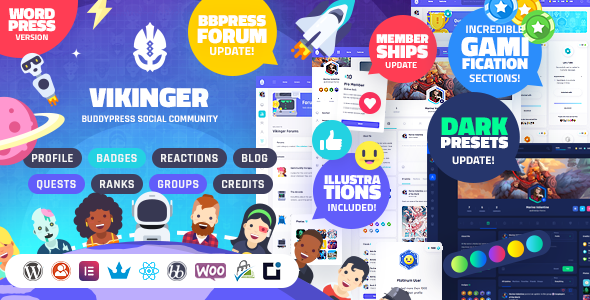
Stuck on your Vikinger WordPress theme? Let's fix it.
No endless back-and-forth. Just send us the details and we'll get it done.
No obligation · Replies within 1 hour · Quote within 1 day
Setup · Customization · Bug fixes · WooCommerce integration
About Vikinger WP Theme
Vikinger is a social community WordPress theme built by Odin_Design and sold on ThemeForest. It is designed to power BuddyPress and BuddyBoss-based communities, giving members activity feeds, groups, profiles, messaging, and gamification features out of the box.
The theme ships with a modern, app-style interface that feels closer to a social network than a standard WordPress site. It supports GamiPress for points, badges, and quests, which makes it a strong choice for engagement-focused communities. Vikinger also integrates with WooCommerce, so you can sell memberships or digital products alongside the social layer.
Setup is handled through a one-click demo importer, and the theme includes its own plugin bundle. It is a feature-heavy theme, so expect a learning curve, but the payoff is a fully functional social platform without custom development from scratch.
Get matched with a Vikinger developer in under one day
Tell us about your Vikinger project. Small fixes, Vikinger theme customization, or a full website build, whatever you need, we've got it covered.
We'll connect you to the right Vikinger developers, define the scope, and get everything 100% clear.
You'll get one estimate, hire your preferred developer, and start collaborating.
Vikinger is one of the most feature-dense community themes available, and that density creates real configuration complexity. Getting BuddyPress, GamiPress, and WooCommerce to work together cleanly inside Vikinger is not a one-afternoon job.
FoxyConcept works with vetted Vikinger developers through Codeable, the only platform that screens WordPress specialists before they take on client work. You get an expert who has seen the theme’s edge cases before, not someone learning it on your project budget.
Pros
- Ships with deep BuddyPress integration including activity feeds, groups, messaging, and member profiles
- Built-in GamiPress support for points, badges, ranks, and quests adds genuine engagement mechanics
- WooCommerce compatibility lets you sell memberships and products within the same community site
- Modern app-style UI looks polished out of the box compared to most BuddyPress themes
- One-click demo importer gets a working community structure live quickly for prototyping
Cons
- Heavy plugin dependency means performance tuning is required before going live with real traffic
- Customization beyond built-in options often requires direct PHP or template file edits
- BuddyBoss Platform compatibility can create version conflicts during updates
- Limited third-party documentation outside the official changelog and ThemeForest comments
- The combined plugin stack adds significant database queries that need careful caching to manage
Who is Vikinger for?
Online Learning Community
Vikinger pairs well with LearnDash or LifterLMS when you want students to interact beyond the course itself. Groups can mirror cohorts, activity feeds replace email threads, and GamiPress badges reward course completions. The social layer keeps learners engaged between lessons and reduces churn on subscription-based learning platforms.
Gaming and Esports Hub
The gamification layer makes Vikinger a natural fit for gaming communities. Points and rank systems map directly onto leaderboard mechanics. Groups work as clan or team pages. Members can share activity, post media, and earn badges for participation. WooCommerce handles in-community store items or tournament entry fees.
Membership-Based Niche Network
Vikinger with WooCommerce Memberships lets you gate content, groups, and profile features behind paid tiers. Niche networks around topics like finance, photography, or professional development benefit from structured access levels. Members get a social experience that feels exclusive, which supports retention and justifies recurring subscription pricing.
Fitness and Wellness Community
Fitness communities need accountability tools, and Vikinger provides them through activity feeds, group challenges, and progress tracking via GamiPress. Trainers can run groups for specific programs, members post updates and tag achievements, and the points system reinforces consistency. WooCommerce handles programme sales or supplement store integrations.
Creator and Fan Community
Creators building direct fan communities can use Vikinger to give subscribers a dedicated social space outside platforms like Patreon or Discord. Members get profiles, direct messaging, group access, and exclusive content areas. GamiPress rewards loyal fans, and WooCommerce handles merch or digital downloads, all within one WordPress install.

Customizing Vikinger
Vikinger gives you a large number of options, but making them work together the way you want takes time. The theme has its own customizer panels, color scheme controls, and layout switches, but many deeper changes require CSS overrides or PHP edits that go beyond the standard interface.
If you need custom profile sections, a specific onboarding flow, adjusted group permissions, or a unique feed layout, a Vikinger expert will get there faster than trial and error. Things like integrating a custom payment gateway, adjusting GamiPress rules, or restyling the notification system often need direct theme file work.
Working with a developer who knows Vikinger specifically means they already understand the plugin stack, the template hierarchy, and where the theme’s own JavaScript hooks sit. That saves real hours on a project.
Recommended plugins for Vikinger
Vikinger works with a focused set of plugins. BuddyPress or BuddyBoss handles the social layer. GamiPress adds points, ranks, and badges. WooCommerce covers payments and memberships. The theme also supports bbPress for forum sections.
For performance, caching plugins like WP Rocket can conflict with dynamic social feeds, so configuration needs care. If you are running ads or affiliate content alongside the community, SEO structure matters too. See our WordPress performance service and SEO optimisation service for help with both.
Not sure which plugins to use? This WordPress plugins directory covers the most popular options with reviews and setup guides.
Vikinger common issues
Vikinger theme activity feed not loading
This is usually a JavaScript conflict or a BuddyPress configuration issue. Start by switching to a default WordPress theme temporarily to isolate whether the problem is theme-specific. Check the browser console for JS errors. Common causes include a caching plugin serving stale pages for logged-in users, or a security plugin blocking AJAX requests. Clear all caches, whitelist the BuddyPress AJAX endpoints in your security plugin, and retest. If the feed loads on a default theme, the issue is within Vikinger’s own JS stack. A WordPress bug fixing specialist can trace the exact conflict.
Vikinger profile page showing blank or broken layout
Blank or broken profile layouts in Vikinger are most often caused by a BuddyPress or BuddyBoss version mismatch after an update, or a missing Vikinger child theme override. Check that all bundled plugins are updated to the versions the current theme release requires. Inspect the page with browser developer tools to find missing CSS or failed asset loads. If you recently updated either the theme or BuddyPress, roll back one version and test. Persistent layout breaks usually point to a template file conflict that needs direct file review.
Vikinger GamiPress points not updating
GamiPress point awards not triggering in Vikinger is almost always a configuration issue rather than a bug. Open GamiPress and check that the specific achievement triggers are enabled and mapped to the correct BuddyPress actions. Some triggers require the GamiPress BuddyPress integration add-on installed and active separately. Also confirm that your caching setup is not preventing the AJAX calls that GamiPress uses to award points in real time. Test with all caching disabled first to confirm the logic works, then reconfigure your cache exclusions.
Vikinger slow page speed after install
Vikinger’s default install loads a large number of scripts and styles because of the combined BuddyPress, GamiPress, and WooCommerce stack. Start with a server-side audit using Query Monitor to count database queries per page load. Enable object caching if your host supports Redis or Memcached. Configure WP Rocket or a similar caching tool to exclude logged-in users from page cache while still serving cached assets. Compress and defer non-critical scripts. See our WordPress performance service for a full audit approach.
Vikinger FAQ
Vikinger is primarily built for BuddyPress. It does have some compatibility with BuddyBoss Platform, but BuddyBoss replaces and extends BuddyPress in ways that can break Vikinger’s template overrides. Odin_Design’s changelog notes specific supported versions. Running both together without checking version compatibility first is a common source of layout and functionality conflicts.
No. Vikinger’s core features, activity feeds, member profiles, groups, and messaging, are all built on top of BuddyPress. Without BuddyPress active and configured, the social elements of the theme will not function. You can run the basic WordPress front end, but that removes the point of using Vikinger over a simpler theme.
Yes. WooCommerce Memberships integrates with Vikinger through WooCommerce, which the theme supports directly. You can restrict group access, profile features, or content sections to membership tiers. The setup requires configuring both WooCommerce Memberships and BuddyPress member types together, which takes some planning to get the logic right across both plugins.
Before updating Vikinger, back up your site fully including the database. Check the changelog on ThemeForest for required plugin version updates before applying the theme update. Update bundled plugins first, then the theme. If you have made direct edits to theme files rather than using a child theme, those changes will be overwritten. Always use a child theme for custom code.
Migrating an existing BuddyPress site to Vikinger is possible. BuddyPress member data, groups, and activity carry over through standard migration since they sit in the WordPress database. The work is in rebuilding the front-end structure inside Vikinger’s template system and reconfiguring its settings. See our WordPress migration service if you need hands-on help with the process.
Hire a Vikinger Developer
Need a Vikinger developer who already knows the theme inside out? FoxyConcept connects you with specialists through Codeable. Post your project, get a free estimate within 24 hours, and only pay if you decide to move forward.
Whether you need a full community build, custom profile features, GamiPress configuration, or a fix for a broken layout, our developers have done it before. Get a free estimate today with no obligation to hire.
You'll need a free Codeable account so developers can ask questions and send their quotes.