Vlogger WordPress Theme
by WordpressThemes2Go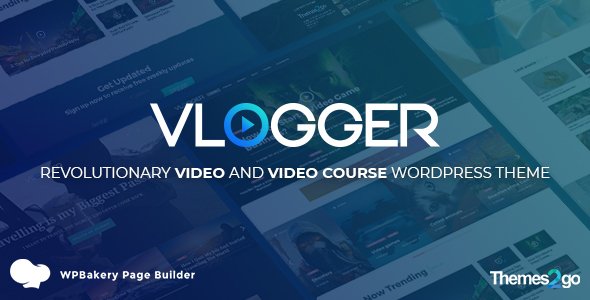
Stuck on your Vlogger WordPress theme? Let's fix it.
No endless back-and-forth. Just send us the details and we'll get it done.
No obligation · Replies within 1 hour · Quote within 1 day
Setup · Customization · Bug fixes · WooCommerce integration
About Vlogger WP Theme
Vlogger is a WordPress theme built specifically for video-first content creators. Developed by WordPressThemes2Go, it puts video front and center, with layouts designed around YouTube embeds, video playlists, and channel-style browsing. It works well for solo vloggers, travel creators, tech reviewers, and anyone building an audience around regular video content.
The theme includes a magazine-style homepage, multiple post formats, and built-in support for video headers. It integrates cleanly with YouTube and Vimeo without requiring additional plugins. Navigation is built around content discovery, with category filters and featured video sections that keep visitors watching longer.
Vlogger is a solid starting point if you want a site that looks like a media brand rather than a basic blog. It ships with enough flexibility to adapt to different niches without becoming bloated or hard to manage.
Get matched with a Vlogger developer in under one day
Tell us about your Vlogger project. Small fixes, Vlogger theme customization, or a full website build, whatever you need, we've got it covered.
We'll connect you to the right Vlogger developers, define the scope, and get everything 100% clear.
You'll get one estimate, hire your preferred developer, and start collaborating.
Vlogger has enough moving parts that a misconfigured setup can hurt your content rather than showcase it. Slow video embeds, broken playlist layouts, or a homepage that does not reflect your brand are all fixable problems, but they take time to diagnose if you do not know the theme well.
Working with a vetted developer through Codeable means you get someone who has worked inside themes like Vlogger before. No guesswork, no trial and error billed to you by the hour. Just a developer who can look at your setup and tell you exactly what needs to change.
Pros
- Purpose-built for video content with native YouTube and Vimeo embed support
- Channel-style browsing layouts help visitors find more videos and stay longer
- Multiple homepage layout options without needing a page builder
- Video header support built into the theme, no plugin required
- Clean post format handling for video, gallery, and standard posts in one site
Cons
- Limited documentation makes advanced customization harder to self-serve
- No built-in dark mode, which many video-focused audiences expect
- Default typography choices are basic and often need adjustment to look polished
- Playlist and archive pages can feel repetitive without layout variation
- Update frequency from WordpressThemes2Go has been inconsistent, which can create compatibility concerns over time
Who is Vlogger for?
Solo YouTube Creator
Vlogger gives solo YouTube creators a proper home base outside the platform. You can feature your latest upload prominently, organize content into playlists or categories, and drive newsletter signups or sponsorship inquiries from a site that actually looks like a brand rather than an afterthought.
Travel Vlogger
Travel vloggers need strong visual layouts and clear content organization by destination or series. Vlogger’s category filtering and featured video sections handle this well. Pair it with a good image optimization plugin and you have a site that loads reliably even when embedding multiple videos per post.
Tech Reviewer
Tech reviewers publishing weekly videos benefit from Vlogger’s magazine-style browsing. Readers can filter by product category, find comparison videos quickly, and follow a clear content trail through the archive. It suits a high-publishing-frequency workflow without the homepage becoming cluttered.
Fitness and Lifestyle Coach
Fitness coaches using video to build an audience can use Vlogger to organize free content by workout type while gating premium programs through a membership plugin. The theme’s clean layout works well for both YouTube embeds and self-hosted video from platforms like Vimeo Pro.
Podcast with Video Content
Podcasters who also publish video episodes get a flexible setup with Vlogger. You can feature video on the homepage, embed audio players in the same post, and maintain separate archive sections for each format. It keeps audio and video audiences in the same place without forcing one content type to hide the other.

Customizing Vlogger
Out of the box, Vlogger gives you control over colors, fonts, header layout, and widget areas through the WordPress Customizer. You can switch between homepage layouts, adjust the featured video section, and configure your sidebar without touching code. For most vloggers, that covers the basics.
Where it gets more complex is custom post types, unique channel page structures, or integrations with membership plugins and paid content tools. That kind of work typically requires a Vlogger expert who knows how the theme is structured and where to extend it without breaking existing functionality.
A developer can also help you strip out unused features that slow load times, rework the navigation for larger content libraries, and make the theme fully match your brand rather than looking like a slightly modified default setup.
Recommended plugins for Vlogger
Vlogger pairs well with plugins that extend its video-focused foundation. WooCommerce works if you want to sell merchandise or digital downloads alongside your content. Membership plugins like MemberPress or Restrict Content Pro can gate premium video series.
For discoverability, pairing Vlogger with a solid WordPress SEO setup helps your video posts rank in search. Video content also places heavy demands on hosting, so investing in WordPress performance optimization keeps load times down as your library grows.
WPForms or Gravity Forms work cleanly for contact and sponsorship inquiry pages. Elementor can be used selectively on landing pages if you need more layout control than the theme provides natively.
Not sure which plugins to use? This WordPress plugins directory covers the most popular options with reviews and setup guides.
Vlogger common issues
Vlogger theme video not displaying correctly on mobile
Mobile video display issues in Vlogger are usually caused by the embed wrapper not scaling correctly on smaller screens. Check whether the theme’s responsive CSS is being overridden by a caching plugin or custom stylesheet. Adding max-width: 100%; height: auto; to the iframe or embed container typically fixes it. If the layout is still breaking, a developer can inspect the specific template file causing the problem. Visit our WordPress bug fixing service if you need hands-on help.
Vlogger homepage featured video section not showing
If the Vlogger featured video section is blank on the homepage, the most common causes are an incorrectly set post format, a missing video URL in the post meta, or a theme option that was not saved after the last update. Go to the post, confirm the format is set to Video, and re-enter the embed URL. If the Customizer settings for the homepage layout were reset during an update, you may need to reconfigure which section pulls the featured content.
Vlogger theme loading slow with embedded videos
Slow loading with embedded videos in Vlogger is rarely a theme problem on its own. YouTube and Vimeo iframes add significant page weight, especially when multiple embeds appear on archive pages. Use a lazy load plugin like Rocket Lazy Load or a dedicated YouTube facade plugin to defer loading until the user interacts. Combine this with a caching layer and a CDN. Our WordPress performance service covers this kind of audit in detail.
Vlogger theme not compatible with latest WordPress version
Compatibility issues between Vlogger and newer WordPress versions typically surface as broken layouts, missing admin options, or PHP warnings. Check the theme’s changelog on ThemeForest or the developer’s site to see if an update is available. If not, a developer can patch the specific functions or template files causing the conflict without waiting for an official release. This is a common fix and does not require switching themes. Our bug fixing service handles exactly this type of issue.
Vlogger FAQ
Yes, Vlogger is one of the more practical choices for YouTube channel websites. It handles video embeds natively, includes channel-style browsing layouts, and makes it straightforward to organize content by series or topic. It is more purpose-built for video than most general-purpose themes, which means less configuration work to get a video-first layout live.
Vlogger is compatible with Elementor, but the integration is not seamless across all template files. The theme’s own templates handle most pages, and Elementor works best on custom landing pages or sections you build separately. Using Elementor to override core Vlogger templates can cause layout conflicts, so it is worth testing before applying changes site-wide.
Vlogger does not include membership features natively, but it works with plugins like MemberPress, Restrict Content Pro, and Paid Memberships Pro. You can gate specific video posts or entire categories behind a paywall. Some configuration is needed to make the membership plugin’s restricted content pages match the Vlogger design, which is where a developer helps.
WordPressThemes2Go has not updated Vlogger as frequently as some competing themes. Before purchasing or continuing to use it, check the last update date on ThemeForest and verify it has been tested with your current WordPress version. If updates have stalled, a developer can handle compatibility patches manually. This is a legitimate concern worth factoring into your decision.
To feature a video on the Vlogger homepage, create or edit a post and set the post format to Video in the Format meta box. Add your YouTube or Vimeo URL to the video URL field in the post meta. Then go to the Customizer, find the homepage settings, and assign that post to the featured video slot. If the section still does not appear, check that the homepage template is set to the Vlogger default, not a static page.
Hire a Vlogger WordPress Developer
Whether you need a full Vlogger setup, a specific customization, or help fixing something that broke, we match you with a developer who knows this theme. Work is scoped clearly, delivered through Codeable, and backed by a free estimate before you commit to anything.
Get your free estimate and hear back within 24 hours. No obligation, no risk.
You'll need a free Codeable account so developers can ask questions and send their quotes.