Voice WordPress Theme
by meks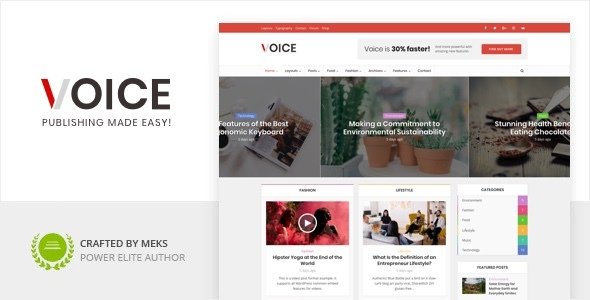
Stuck on your Voice WordPress theme? Let's fix it.
No endless back-and-forth. Just send us the details and we'll get it done.
No obligation · Replies within 1 hour · Quote within 1 day
Setup · Customization · Bug fixes · WooCommerce integration
About Voice WP Theme
Voice is a WordPress theme built by Meks, designed specifically for podcasters, radio stations, and audio-first publishers. It ships with a sticky audio player that persists across page navigation, letting visitors listen without interruption. The theme integrates tightly with podcast feed plugins and supports episode archives, show notes, and guest listings out of the box.
Built on a clean, lightweight codebase, Voice loads fast and keeps the focus on audio content. Episode pages include player embeds, download links, timestamps, and subscription buttons. The design is minimal but flexible, with multiple homepage layouts and widget-ready sidebars. It works well with Elementor for teams that want drag-and-drop control, though it also holds up fine with the block editor.
Get matched with a Voice developer in under one day
Tell us about your Voice project. Small fixes, Voice theme customization, or a full website build, whatever you need, we've got it covered.
We'll connect you to the right Voice developers, define the scope, and get everything 100% clear.
You'll get one estimate, hire your preferred developer, and start collaborating.
Meks builds clean, focused themes, but every site has custom requirements that default settings cannot handle. A Voice specialist on Codeable has worked with the theme’s audio player architecture, its episode post type, and its Customizer hooks enough to know exactly where to build and where not to break things. Codeable vets every developer before they join, so you get someone who knows WordPress deeply, not just someone who installs plugins. Fixed-price projects, transparent timelines, no surprises.
Pros
- Persistent audio player keeps playback running across page navigation without interruption
- Built-in episode post type with season and category taxonomies, no extra plugin required
- Lightweight codebase with fast default load times compared to general-purpose themes
- Supports multiple podcast feeds and works cleanly with Seriously Simple Podcasting
- Multiple homepage layouts designed around episode grids and featured audio content
Cons
- Limited design flexibility without custom CSS or a child theme, especially for non-audio content sections
- Global player state can break when caching plugins are misconfigured, causing playback to reset
- Episode schema markup is not built in and requires a separate plugin or custom code
- Block editor support is functional but incomplete; some custom blocks disrupt the sticky player
- Customizer options cover basics only; advanced layout changes require template overrides
Who is Voice for?
Independent Podcasters
Voice suits solo podcasters publishing weekly episodes. The episode archive keeps content organized by season or topic, and the persistent player means listeners can browse show notes or read episode transcripts without stopping the audio. A Voice developer can add a subscribe widget, sponsor callout blocks, and a newsletter opt-in to turn casual listeners into regulars.
Online Radio Stations
Radio stations need continuous playback and a live stream alongside on-demand replays. Voice handles both with the right player configuration. A Voice specialist can wire up a live stream URL that switches to the sticky player on episode pages, giving stations a single site that covers scheduled programming and archived shows without juggling two separate setups.
Interview and Talk Shows
Interview-format shows have lots of per-episode metadata: guest bios, resource links, chapter markers, and transcript downloads. Voice’s episode post type supports custom fields for all of this. A Voice developer can build reusable episode templates that pull guest data from a custom taxonomy, keeping every episode page consistent without manual formatting.
Educational Audio Courses
Audio courses need gated content, sequential episode ordering, and progress tracking. Voice’s episode structure works as a foundation, and a Voice expert can integrate it with a membership plugin like MemberPress to lock episodes behind a paywall, display a course curriculum sidebar, and send automated follow-up emails after each lesson is accessed.
Media and News Networks
News networks running audio alongside written coverage need both formats to coexist cleanly. Voice handles audio-first pages well, and a developer can build hybrid article and episode templates that serve text readers and listeners from the same URL, avoiding duplicate content issues and keeping the persistent player active across the full site.

Customizing Voice
Voice gives you a decent set of Customizer controls covering colors, typography, header layout, and player position. You can switch between a top-bar and bottom-bar audio player, adjust episode grid columns, and set up custom podcast artwork per show. The built-in episode post type supports season and category taxonomies, which helps larger podcasts stay organized.
Beyond the defaults, a Voice expert can unlock real flexibility. Custom player styling, conditional sidebar logic, episode schema markup, and dynamic episode filtering all require code-level work. If you want unique episode templates, sponsor blocks, or a members-only feed, a Voice developer can build those without breaking the theme’s audio functionality or the global player state.
Recommended plugins for Voice
Voice pairs well with several plugins that extend its core audio focus. Seriously Simple Podcasting or Podlove Publisher handle RSS feed generation and episode management. For search visibility, proper structured data and optimized episode pages matter, and our WordPress SEO service covers both.
Audio sites also benefit from aggressive caching and CDN delivery for media files. Our WordPress performance service can cut load times on episode archives, which directly affects listener retention and bounce rates. Between structured data, page speed, and clean feeds, a well-extended Voice site ranks and performs noticeably better.
Not sure which plugins to use? This WordPress plugins directory covers the most popular options with reviews and setup guides.
Voice common issues
Voice theme sticky audio player stops playing when navigating to a new page
The sticky player relies on Ajax-based navigation. If a caching plugin is serving full-page cached HTML, the JavaScript state that keeps playback alive gets wiped on each page load. Disable full-page caching for logged-in users first. Then check whether your caching plugin is minifying JavaScript and breaking the Ajax handler. If the problem persists after cache exclusions, a WordPress bug fix can trace the exact script conflict.
Voice theme episode featured image not showing on archive page
This usually means the episode thumbnail size registered by Voice is not being generated for existing images. Go to Settings, then Media, confirm dimensions match what the theme registers, then run a thumbnail regeneration plugin like Regenerate Thumbnails. If images were uploaded before the theme was activated, the correct crop will be missing. After regeneration, clear your cache and reload the archive page.
Voice theme custom colors not saving in Customizer
Custom colors failing to save in the Customizer almost always points to a file permission issue on the uploads folder or a PHP error interrupting the save request. Open your browser developer tools, trigger a Customizer save, and watch the network tab for a failed request. Also check your PHP error log. A permissions fix on wp-content/uploads resolves this in most cases. If a plugin conflict is causing the PHP error, isolate it by deactivating plugins one at a time.
Voice theme podcast RSS feed not updating after publishing new episode
If new episodes are not appearing in the RSS feed, check whether the episode post type is included in the feed query. Some podcast plugins have their own feed endpoint separate from the WordPress default. Confirm the feed URL your directories are subscribed to matches the plugin’s feed, not the native WordPress feed. Also clear any feed caching the plugin applies, usually found in its settings under Feed or Distribution.
Voice theme audio player not visible on mobile
The Voice audio player is fixed-position and relies on z-index stacking to stay above other elements. On mobile, a theme or plugin adding its own fixed bottom bar (cookie notices, chat widgets) can push the player off-screen or hide it entirely. Inspect the player element in mobile DevTools and check for z-index or bottom offset conflicts. Adjusting the conflicting element’s CSS in a child theme stylesheet resolves this without touching core files.
Voice theme episode post type missing after plugin deactivation
If episodes disappear after deactivating a plugin, that plugin was likely registering the episode custom post type. Voice itself registers its own episode post type, but some setups use Seriously Simple Podcasting or Podlove to do it instead. Reactivating the plugin will restore the posts. To decouple from the plugin, export episode data first, then migrate to Voice’s native post type with a custom import script.
Voice theme slow loading on episode archive pages
Episode archive pages slow down when each episode card loads a separate database query for player metadata. Enable query caching through a plugin like WP Super Cache or W3 Total Cache, and use a CDN for audio file thumbnails. If the archive runs unacceptably slow even after caching, our WordPress bug fixing service can audit the query load and refactor archive templates to use a single optimized WP_Query call.
Voice theme Elementor sections breaking sticky player
Elementor’s full-width sections sometimes inject wrapper divs that interfere with Voice’s sticky player JavaScript. The player detects the page container to calculate its offset, and extra wrappers can push that calculation off. Switch the Elementor page template to Canvas only as a test. If the player works on Canvas, the conflict is with the default template wrapper. Adding a CSS override for the player’s bottom offset in the child theme usually resolves the positioning issue.
Voice theme download button not working on episode pages
Download buttons stop working when the audio file URL is either incorrect, returns a 403 from the server, or the file has been moved. Check the episode’s audio file field and confirm the URL resolves directly in a browser. If files are hosted on Amazon S3 or a CDN, ensure the bucket permissions allow public downloads. Some security plugins also block direct file downloads; temporarily disable them to isolate the cause.
Voice theme header logo not displaying correctly on retina screens
Blurry logos on retina screens mean the uploaded image is being served at 1x resolution. Upload a logo at 2x the display size (for example, 400px wide if it displays at 200px). Voice’s Customizer logo field does not enforce retina output automatically. If you need true SVG logo support with retina clarity at any size, a Voice developer can add an SVG upload option and modify the header template to output it correctly.
Voice FAQ
Yes. Voice was built specifically for podcasters. It ships with a persistent audio player, an episode post type, and archive layouts designed around audio content. It handles episode metadata, show notes, and subscription links without requiring heavy customization. For anything beyond the defaults, a Voice developer can extend it to fit your specific show structure.
Yes, Voice works alongside Seriously Simple Podcasting. SSP handles RSS feed generation, episode syndication, and podcast directories, while Voice handles the front-end display. Some teams use SSP’s episode post type and some use Voice’s native one. Mixing both requires careful setup to avoid duplicate post types, so it is worth getting a Voice specialist to configure the integration cleanly.
Elementor works with Voice, but with caveats. Full-width Elementor sections can interfere with the sticky audio player’s positioning. Canvas template mode avoids this, but it removes the default header and footer. Most teams use Elementor for content sections only and keep the Voice header and player intact. A developer familiar with both can set this up without breaking playback.
Voice does not include a built-in transcript field, but the episode post type supports custom fields. You can add a transcript section using a plugin like Advanced Custom Fields, then display it in a collapsible accordion below the player. A Voice developer can build a template part that outputs transcripts in a structured, accessible format without disrupting the existing episode layout.
Voice supports multiple podcasts through its category and taxonomy system. Each show can have its own archive page, artwork, and feed. The setup requires careful taxonomy planning and, if you want per-show player colors or layouts, custom template logic. A Voice specialist can structure the taxonomy correctly from the start, which saves significant rework later as the show count grows.
Voice is not built for ecommerce, but WooCommerce can be installed alongside it. Basic shop functionality works, but the theme does not include WooCommerce-specific templates for cart, checkout, or product pages. Those pages will render with default WooCommerce styling. A developer can build custom WooCommerce templates that match the Voice design if you need a consistent store experience.
Migrating a podcast to Voice means transferring episode posts, audio files, and feed subscriber counts. The feed URL must either stay the same or use a 301 redirect so directories like Spotify and Apple Podcasts do not lose your subscribers. Our WordPress migration service covers both the content transfer and the feed redirect setup.
Voice does not output podcast schema markup by default. Adding it requires either a plugin like Yoast SEO with podcast schema support, or custom code in the episode template. Schema markup helps episodes appear in Google Podcasts search results and rich snippets. A Voice developer can add the correct AudioObject and PodcastEpisode schema types directly to the episode template.
Start with image optimization, a caching plugin, and a CDN for audio thumbnails and media files. Episode archive pages are the heaviest, so focus caching rules there. Disable unused widgets and plugins. For deeper gains, our WordPress performance service audits the full request chain and targets the specific bottlenecks affecting your Voice site.
Yes, and you should. Modifying Voice directly means updates from Meks will overwrite your changes. A child theme inherits Voice’s styles and templates while letting you override specific files safely. Creating one takes about ten minutes. If you need a child theme set up with custom templates and a starter stylesheet already in place, a Voice developer can do it as part of any larger project.
Hire a Voice Theme Developer
Whether you need a custom audio player layout, episode schema markup, a members-only podcast feed, or a full Voice theme setup from scratch, a vetted Voice developer can handle it. Work is scoped clearly before any commitment. Get a Free Estimate and describe what you need. You will have a developer matched within 24 hours and a fixed estimate with no obligation to proceed.
You'll need a free Codeable account so developers can ask questions and send their quotes.