Volos WordPress Theme
by CocoBasic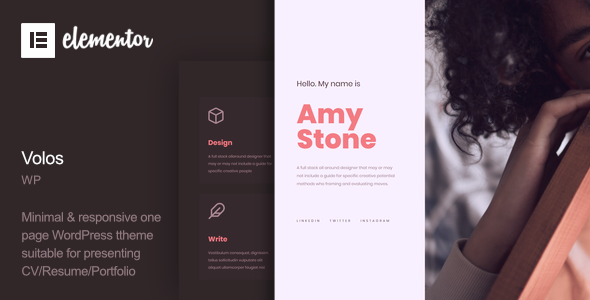
Stuck on your Volos WordPress theme? Let's fix it.
No endless back-and-forth. Just send us the details and we'll get it done.
No obligation · Replies within 1 hour · Quote within 1 day
Setup · Customization · Bug fixes · WooCommerce integration
About Volos WP Theme
Volos is a minimal portfolio WordPress theme built by CocoBasic. It targets photographers, designers, and creative freelancers who want their work front and center without visual clutter getting in the way.
The theme ships with a clean grid-based layout, smooth page transitions, and a fullscreen image display mode. It supports both classic WordPress pages and Elementor, giving you flexibility depending on how you prefer to build.
Volos is built with performance in mind. The codebase is lightweight, load times are fast out of the box, and the typography choices keep the focus on imagery. If you run a photography business or a visual creative studio, Volos gives you a solid starting point without overloading you with features you will never use.
Get matched with a Volos developer in under one day
Tell us about your Volos project. Small fixes, Volos theme customization, or a full website build, whatever you need, we've got it covered.
We'll connect you to the right Volos developers, define the scope, and get everything 100% clear.
You'll get one estimate, hire your preferred developer, and start collaborating.
CocoBasic themes like Volos are clean and developer-friendly, but real customization still requires someone who knows what they are doing. FoxyConcept works through Codeable, a vetted network of WordPress specialists. Every developer there is screened, so you are not rolling the dice on quality. Whether you need a small tweak or a full custom build on top of Volos, you get a clear estimate before any work starts and no obligation to proceed.
Pros
- Lightweight codebase keeps page load times fast even with large image portfolios
- Fullscreen image display mode works well for photography and visual work
- Clean grid layouts that adapt across desktop and mobile without breaking
- Smooth page transitions give the site a polished, professional feel
- CocoBasic provides regular theme updates and responds to support tickets
Cons
- Customizer options are limited compared to multipurpose themes, requiring custom code for advanced changes
- Portfolio filtering is basic out of the box and needs custom work for complex category logic
- Not ideal for content-heavy sites like blogs or news portals
- Limited third-party documentation outside CocoBasic's own support forum
- WooCommerce integration works but requires styling adjustments to match the Volos aesthetic properly
Who is Volos for?
Photography Portfolio
Volos was built for photographers. The fullscreen image mode, clean grid, and minimal chrome around gallery items let the photos speak without distraction. It handles high-resolution images well and the layout adapts cleanly across screen sizes, which matters when clients are browsing on phones.
Graphic Design Studio
Designers showcasing branding, illustration, or print work benefit from Volos’s structured grid layouts. Projects display clearly, the typography is neutral enough not to compete with your work, and the theme’s simplicity keeps the focus where it belongs: on the case studies and finished pieces you want clients to see.
Videography & Film
Videographers can embed Vimeo or YouTube videos directly into Volos project pages. The fullscreen display mode works for video thumbnails too. If you want a showreel front and center with supporting project pages beneath it, Volos gives you a clean structure to build that without fighting the theme.
Creative Freelancer
Freelancers who work across disciplines need a portfolio that is fast to update and easy to maintain. Volos keeps the backend simple. Adding new projects, reordering the grid, and updating your about page takes minutes. That matters when you are running client work and do not want to spend time wrestling with your own site.
Architecture & Interior Design
Architecture and interior design firms benefit from Volos’s image-first approach. Large project photography displays without compression artifacts and the minimal layout keeps attention on spatial work. The grid handles landscape and portrait orientations without awkward cropping, which is useful for architectural photography.

Customizing Volos
Volos keeps the WordPress Customizer fairly lean. You can control colors, fonts, logo placement, and layout options without touching code. That works well for straightforward setups, but creative portfolios often need more than the defaults offer.
A Volos expert can take the theme further. Custom project archive layouts, unique hover effects, filtered portfolio grids, and client-specific branding all require hands-on development work. CocoBasic themes use clean, well-structured code, which makes customization predictable and efficient for a developer who knows the theme.
If you need a unique header, a custom contact section, or portfolio categories that behave differently from the default setup, working with a Volos expert means you get exactly what your project requires rather than settling for what the Customizer allows.
Recommended plugins for Volos
Volos pairs well with a targeted set of plugins. WooCommerce works if you sell prints or digital downloads. Contact Form 7 or WPForms handles client enquiries. WPML adds multilingual support for international studios.
For portfolio performance, image optimization through ShortPixel or Imagify reduces load times significantly, especially on fullscreen galleries. Yoast SEO or Rank Math helps with WordPress SEO if you want your portfolio ranking in search.
If the site grows, WordPress performance tuning through caching and a CDN keeps page speeds consistent as your image library expands.
Not sure which plugins to use? This WordPress plugins directory covers the most popular options with reviews and setup guides.
Volos common issues
Volos theme portfolio grid not displaying correctly after update
Grid display issues after a Volos update are usually caused by a conflict between the updated theme files and cached CSS. Start by clearing your browser cache and any server-side or plugin caches. If the grid is still broken, check whether a plugin update ran alongside the theme update. Deactivate plugins one by one to isolate the conflict. If the issue persists, a WordPress bug fix from a developer familiar with CocoBasic themes is the fastest resolution.
Volos WordPress theme page transitions not working
Page transitions in Volos depend on JavaScript running correctly. If transitions have stopped working, the most common causes are a JavaScript error triggered by a plugin conflict or a caching plugin serving stale JS files. Open your browser console and check for JS errors. Clear all caches including any minification settings in performance plugins. If transitions only break on certain pages, a custom script or embed on that page is likely the culprit.
How to add custom fonts to Volos theme
Volos uses the WordPress Customizer for basic font changes, but the options are limited. To use a specific Google Font or a self-hosted typeface, you need to enqueue the font via your child theme’s functions.php file and override the relevant CSS selectors. Always use a child theme so updates do not wipe your changes. If you are not comfortable editing PHP and CSS directly, a developer can set this up quickly without risk to your existing content.
Volos theme contact form not sending emails
If your Volos contact form is not sending emails, the problem is almost always server-side mail delivery, not the theme itself. WordPress relies on PHP mail by default, which many hosts block. Install an SMTP plugin like WP Mail SMTP and connect it to a transactional email service such as Mailgun or SendGrid. Test delivery after setup. Also check your spam folder before assuming mail is failing entirely. This fix applies regardless of which form plugin you are using.
Volos FAQ
Yes, Volos is compatible with Elementor. You can use Elementor to build individual pages while the theme handles the portfolio grid and project layouts. That said, CocoBasic themes are designed to work well without a page builder too. If you want more control over inner page layouts, Elementor is a reasonable addition but not a requirement for most portfolio setups.
Volos does support WooCommerce, so you can sell prints, digital downloads, or services directly from your portfolio site. The default WooCommerce templates will need CSS adjustments to match Volos’s minimal aesthetic properly. Out of the box the store pages work but look generic. A developer can style them to match the rest of your theme without much effort.
Volos is a strong choice for photography business sites. The fullscreen gallery mode, fast image loading, and clean project pages are built for visual work. You can add a booking form, a client gallery section, and a pricing page with the right plugins. It is a lean theme that does not get in the way, which is exactly what most photography sites need.
To create a child theme for Volos, create a new folder in your wp-content/themes directory, add a style.css file with the correct template header referencing Volos as the parent theme, and add a functions.php file that enqueues the parent stylesheet. Upload the folder via FTP or the WordPress theme uploader and activate it. All your custom CSS and PHP changes go in the child theme so updates to Volos do not overwrite your work.
CocoBasic actively maintains its theme portfolio including Volos. Updates are released for WordPress compatibility, security patches, and occasional feature improvements. You can check the changelog on ThemeForest where Volos is sold. If you have a license, updates are free. Staying current with theme updates is part of good WordPress maintenance practice for any live site.
Hire a Volos WordPress Developer
Need help setting up Volos, customizing the layout, or fixing something that is not working as expected? FoxyConcept connects you with a vetted Volos developer through Codeable. You get a free estimate within 24 hours and zero obligation to hire. No guesswork, no wasted time. Get your free estimate today and describe exactly what you need done.
You'll need a free Codeable account so developers can ask questions and send their quotes.