Wanderland WordPress Theme
by Mikado-Themes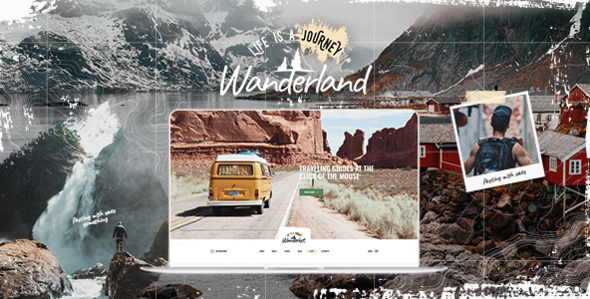
Stuck on your Wanderland WordPress theme? Let's fix it.
No endless back-and-forth. Just send us the details and we'll get it done.
No obligation · Replies within 1 hour · Quote within 1 day
Setup · Customization · Bug fixes · WooCommerce integration
About Wanderland WP Theme
Wanderland is a travel and lifestyle WordPress theme built by Mikado-Themes. It’s designed for travel bloggers, agencies, and content creators who want a visually rich site without hiring a developer from day one.
The theme ships with multiple pre-built demos, a drag-and-drop page builder, and built-in support for Mikado’s own plugin suite. It handles large image galleries, travel itineraries, and editorial-style blog layouts cleanly.
Wanderland runs on Mikado’s core framework, which means you get consistent update support and a structured options panel. The downside is that it ties you to their ecosystem. If you’re comfortable with that, it’s a solid foundation for a travel-focused WordPress site.
Get matched with a Wanderland developer in under one day
Tell us about your Wanderland project. Small fixes, Wanderland theme customization, or a full website build, whatever you need, we've got it covered.
We'll connect you to the right Wanderland developers, define the scope, and get everything 100% clear.
You'll get one estimate, hire your preferred developer, and start collaborating.
Wanderland looks straightforward until you’re three pages deep and something breaks. Mikado’s framework has quirks, and the documentation only goes so far. Getting a developer who has worked inside the theme before cuts the guesswork entirely.
Through Codeable, you’re matched with vetted WordPress developers who know the Mikado ecosystem. Post your project, get an estimate within 24 hours, and only move forward if it makes sense for you.
Pros
- Multiple pre-built travel demos that import in one click
- Built-in destination and itinerary layout support
- Strong typography controls suited to editorial travel content
- WooCommerce-ready for selling tours or travel packages
- WPML compatible for multilingual travel sites
Cons
- Tightly tied to Mikado's plugin ecosystem, making future migrations harder
- Page load times can suffer on image-heavy pages without extra optimization
- Mikado's shortcodes make switching themes painful without rebuilding content
- Options panel has a steep learning curve for non-technical users
- Limited community support outside Mikado's own forums
Who is Wanderland for?
Travel Blogger
Wanderland’s editorial blog layouts and large featured image support make it a natural fit for travel bloggers. You can organize content by destination, trip type, or region using category-based archive pages. The built-in gallery options handle photo-heavy posts without needing extra plugins.
Tour Operator
Tour operators benefit from Wanderland’s structured content areas for itineraries, pricing tables, and package details. Combined with WooCommerce, you can set up bookable tours with add-ons directly on the site. The visual layouts help showcase destinations in a way that converts visitors.
Travel Agency
Travel agencies need credibility and clear navigation. Wanderland’s homepage demo options include featured destination sections, testimonial blocks, and contact forms. You can present services, featured trips, and partner logos in a clean format without needing a custom build from scratch.
Destination Wedding Planner
Destination wedding planners can use Wanderland to showcase venues, real weddings, and planning packages. The theme’s full-width image sections and gallery grid layouts work well for high-quality photography. Inquiry forms and service breakdowns can be added using the built-in shortcode system.
Freelance Travel Photographer
Travel photographers need a portfolio that loads fast and looks sharp. Wanderland supports fullscreen galleries and masonry grid layouts that let images do the talking. You can organize shoots by destination or category and add a simple shop via WooCommerce for print sales or presets.

Customizing Wanderland
Wanderland comes with a front-end options panel that covers fonts, colors, header styles, and layout choices. Most changes are straightforward for non-technical users. But once you move beyond the defaults, things get more complicated.
Custom post types for destinations, tour listings, and travel guides require careful setup. Mikado’s shortcode system can conflict with third-party plugins if you’re not careful about load order. Header and footer builder options are flexible but need real CSS knowledge to get pixel-perfect results.
A Wanderland expert knows exactly where the theme’s options stop and custom code needs to start. That saves hours of trial and error and avoids breaking your layout mid-project.
Recommended plugins for Wanderland
Wanderland integrates with WooCommerce for selling travel packages, booking add-ons, or digital products. It also supports Contact Form 7, WPML for multilingual travel sites, and Yoast SEO.
For speed, you’ll want to pair it with a caching plugin and an image optimization tool since the theme is image-heavy by design. Check our WordPress performance service if load times are a concern.
If you’re focused on search visibility, our WordPress SEO service covers structured data, page-level optimization, and technical SEO for travel content.
Not sure which plugins to use? This WordPress plugins directory covers the most popular options with reviews and setup guides.
Wanderland common issues
Wanderland theme slider not showing on mobile
This usually comes down to a conflict between Mikado’s slider plugin and a caching or lazy-load plugin. Start by disabling your caching plugin and testing. If the slider appears, exclude the slider container from lazy loading in your plugin settings. Also check if the slider’s mobile visibility is toggled off inside the slider settings panel itself.
If the problem persists, our WordPress bug fixing service can diagnose the exact conflict quickly.
Wanderland header logo not displaying correctly
Logo display issues in Wanderland are often tied to the logo dimensions set inside the theme options panel. Go to Mikado Options, find the Logo section, and check the default and sticky header logo sizes. If you’ve uploaded a high-resolution logo but the width is constrained in the options, it will appear distorted or oversized. Clearing your browser cache after changes is also worth doing before assuming it’s a code issue.
Wanderland demo content not importing properly
Demo import failures in Wanderland usually happen because of PHP memory limits or maximum execution time settings on your server. Increase max_execution_time and memory_limit in your php.ini or wp-config.php. Also make sure all required Mikado plugins are installed and activated before starting the import. Importing on a fresh WordPress install with no conflicting plugins active gives the cleanest result.
Wanderland theme slow loading on image-heavy pages
Wanderland is image-heavy by design, and without optimization it can load slowly. Start by running images through a compression tool like ShortPixel or Imagify. Then add a caching layer with WP Rocket or W3 Total Cache. If you’re still seeing poor scores, check whether Mikado’s scripts are loading on pages where they’re not needed. Our WordPress performance service handles this end to end.
Wanderland FAQ
Yes. Wanderland is built specifically with travel content in mind. It includes editorial blog layouts, destination archive pages, large image support, and gallery options that suit travel blogging well. It’s a stronger fit for content-focused travel sites than generic multi-purpose themes that happen to have a travel demo.
Wanderland is WooCommerce compatible. You can use it to sell travel packages, digital downloads, or physical products. The theme’s styling extends to WooCommerce pages, so product and cart pages stay consistent with your design. You may need minor CSS adjustments depending on your specific layout choices.
Wanderland uses Mikado’s own page builder and shortcode system, which can conflict with Elementor. Some users run both, but it’s not officially supported and can cause layout issues. If Elementor is important to your workflow, a theme built specifically around it may be a better long-term choice.
Before updating Wanderland, create a full backup of your files and database. Test the update on a staging site first if possible. Mikado themes sometimes introduce changes to the options panel that affect existing settings. Check the changelog before updating and review your key pages immediately after to catch any visual regressions.
Migrating away from Wanderland is difficult because the theme relies heavily on Mikado’s proprietary shortcodes. Any content built with those shortcodes will break or show raw code on a different theme. If you’re planning a migration, our WordPress migration service can help you rebuild content cleanly on a new theme.
Hire a Wanderland WordPress Developer
Whether you need a full Wanderland setup, a custom child theme, or a specific fix, working with an experienced developer saves time and avoids costly mistakes. Our developers have hands-on experience with Mikado-built themes and know how to get results without breaking your existing content.
Get a free estimate with no obligation. You’ll hear back within 24 hours.
You'll need a free Codeable account so developers can ask questions and send their quotes.