Wastora WordPress Theme
by GAThemes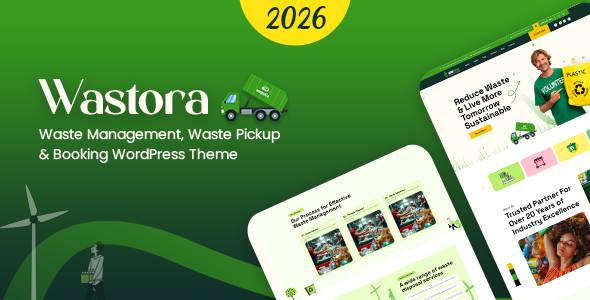
Stuck on your Wastora WordPress theme? Let's fix it.
No endless back-and-forth. Just send us the details and we'll get it done.
No obligation · Replies within 1 hour · Quote within 1 day
Setup · Customization · Bug fixes · WooCommerce integration
About Wastora WP Theme
Wastora is a WooCommerce theme by GAThemes built specifically for furniture and interior design stores. It ships with a clean, minimal layout that puts product photography front and center. The theme includes multiple homepage demos, a mega menu, AJAX cart and wishlist functionality, and product quick view out of the box.
Setup is handled through Elementor, so you can edit pages visually without touching code. Wastora also includes demo content importable in one click, which cuts initial setup time significantly. It supports variable products, product swatches, and layered filtering, making it practical for stores with large catalogs. Performance is reasonable on a clean install, though it depends heavily on your hosting environment and image optimization. Overall, Wastora is a solid starting point for furniture, home decor, and lifestyle eCommerce stores running on WooCommerce.
Get matched with a Wastora developer in under one day
Tell us about your Wastora project. Small fixes, Wastora theme customization, or a full website build, whatever you need, we've got it covered.
We'll connect you to the right Wastora developers, define the scope, and get everything 100% clear.
You'll get one estimate, hire your preferred developer, and start collaborating.
Wastora is straightforward to launch from a demo, but custom work quickly exposes its limitations without developer experience. Getting the most from the theme means knowing WooCommerce deeply, not just Elementor. FoxyConcept works with vetted WordPress developers through Codeable, the specialist WordPress freelancer network. Every developer is screened, so you skip the guesswork of hiring. Whether you need a full store build, a specific feature added, or a performance fix, you get a qualified developer matched to your project fast.
Pros
- Built specifically for furniture and home decor WooCommerce stores, so product layouts work well without heavy customization
- One-click demo import gets a store up and running quickly with realistic placeholder content
- Includes product quick view, AJAX cart, and wishlist functionality without needing extra plugins
- Elementor integration means non-developers can edit most page sections visually
- Mega menu with image support is included, which is useful for large furniture category structures
Cons
- Deep customization requires PHP knowledge, especially for WooCommerce template overrides
- Theme can load slowly on shared hosting without caching and image optimization in place
- Documentation from GAThemes is limited compared to major theme marketplaces
- Heavy reliance on Elementor means switching page builders later is disruptive
- Support response times from GAThemes can be slow depending on your license tier
Who is Wastora for?
Furniture Stores
Wastora’s product grid layouts, large imagery support, and category mega menu make it a practical fit for furniture retailers. You can showcase collections by room type, display product dimensions clearly, and handle variable products like fabric or finish options with built-in swatch support. It scales to catalogs with hundreds of SKUs without major restructuring.
Interior Design Shops
Interior design shops benefit from Wastora’s clean editorial-style homepage sections. You can feature lookbooks, styled room photography, and curated product collections. The Elementor templates give designers control over visual presentation without needing a developer for every page update. It works well for studios that also sell products directly.
Home Decor Boutiques
Home decor boutiques with smaller, curated catalogs get a lot from Wastora’s wishlist and quick view features. Customers can browse and save items without navigating away from category pages. The promotional banner sections are easy to update for seasonal campaigns, and the checkout flow follows standard WooCommerce conventions customers already know.
Lighting and Accessories Retailers
Lighting retailers need strong product photography support and clear variant display. Wastora handles both. Color and finish swatches display on the product page without additional plugins. The mega menu can organize products by style, room, or bulb type, which improves navigation for stores where customers often browse by application rather than product name.
Outdoor and Garden Living Stores
Outdoor and garden living stores can use Wastora’s flexible homepage blocks to highlight seasonal ranges and featured items. The theme’s layout supports wide imagery well, which suits lifestyle-oriented product photography. Category filtering works with layered navigation, letting customers narrow by material, size, or collection without a custom search solution.

Customizing Wastora
Wastora gives you a decent range of customization options through the WordPress Customizer and Elementor page builder. You can adjust typography, colors, header layouts, and footer columns without writing code. The theme also includes custom widgets for product categories, promotional banners, and featured collections.
Beyond the surface level, customizing Wastora gets more technical. Modifying the WooCommerce templates, adjusting the mega menu behavior, or building out a non-standard layout requires PHP and CSS knowledge. A Wastora expert can handle these changes cleanly without breaking theme updates or introducing compatibility issues. If you need custom product filters, a bespoke homepage section, or child theme development, working with someone who knows Wastora’s structure saves time and avoids the trial-and-error approach most store owners run into.
Recommended plugins for Wastora
Wastora works with the standard WooCommerce plugin ecosystem. Useful additions include WooCommerce Product Bundles for grouped furniture sets, Yith Wishlist for saved products, and a product swatches plugin for fabric or finish options. For search, FiboSearch integrates cleanly.
On the performance side, pairing Wastora with a caching plugin and a CDN makes a measurable difference given its visual weight. For SEO, the theme is compatible with Rank Math and Yoast. Check out our WordPress performance service and WordPress SEO service if you need help optimizing your Wastora store beyond the defaults.
Not sure which plugins to use? This WordPress plugins directory covers the most popular options with reviews and setup guides.
Wastora common issues
Wastora theme product images not displaying correctly
Image display issues in Wastora are usually caused by incorrect image size settings in WooCommerce or thumbnail regeneration not running after theme activation. Go to WooCommerce > Settings > Products > Display and check your image dimensions match Wastora’s recommended sizes. Then use the Regenerate Thumbnails plugin to reprocess existing images. If images still appear cropped or misaligned, a CSS conflict with another plugin is likely the cause. Our WordPress bug fixing service can trace it quickly.
Wastora mega menu not working on mobile
The Wastora mega menu typically breaks on mobile when a caching plugin serves a desktop-cached version to mobile users or when a JavaScript conflict prevents the toggle from firing. First, clear all caches and test on a real mobile device, not just browser dev tools. Check the browser console for JS errors. If the issue persists, disable plugins one by one to find the conflict. A misconfigured viewport meta tag can also cause this on custom-built pages.
Wastora WooCommerce AJAX cart not updating
AJAX cart failures in Wastora usually come down to a JavaScript conflict with another plugin or a caching layer that is stripping nonces from requests. Open browser developer tools, go to the Network tab, and trigger the add-to-cart action. Look for a failed XHR request or a 403 response. Excluding the cart and checkout pages from caching often resolves it. If you have a security plugin active, check it is not blocking WooCommerce AJAX endpoints.
Wastora Elementor sections broken after update
Elementor sections breaking after a Wastora update usually means the theme changed a CSS class or removed a widget the template relied on. This is more common if you are editing the parent theme directly instead of using a child theme. Compare the broken section against a fresh demo import to identify what changed. Going forward, always use a child theme for customizations so core updates do not overwrite your work. Our WordPress bug fixing service handles post-update breakage efficiently.
Wastora FAQ
Yes. Wastora is designed with furniture and home decor stores in mind. It includes product swatches, quick view, mega menus with image support, and WooCommerce-specific layouts that suit large product catalogs. It is one of the more purpose-built options for this niche compared to general multipurpose themes adapted for eCommerce.
Yes, Wastora is built around Elementor. The theme’s page templates are designed to be edited with Elementor’s drag-and-drop interface. The demo content imports as Elementor layouts. You will need the free version of Elementor at minimum, though some template features may require Elementor Pro depending on the widgets used.
After installing Wastora, go to Appearance > Import Demo Data. The theme includes a one-click importer that installs pages, widgets, settings, and WooCommerce configuration. Make sure the required plugins listed during setup are installed and activated first. Running the import on a fresh WordPress install avoids conflicts with existing content.
Technically yes, but Wastora is built for WooCommerce stores. Most of its templates, widgets, and layout decisions assume a shop is present. Using it for a non-eCommerce site is possible but means working around a lot of structure that does not apply. A more general theme would be a better fit for a portfolio or informational site.
FoxyConcept connects you with vetted Wastora and WooCommerce developers through Codeable. Post your project, get a free estimate within 24 hours, and hire with no obligation. It is the fastest way to find a qualified developer without sifting through freelancer profiles. Visit our WordPress development services page to learn more or get a free estimate now.
Hire a Wastora Expert Developer
Need a Wastora developer who knows WooCommerce inside out? FoxyConcept connects you with vetted specialists through Codeable. Post your project and get a free, no-obligation estimate within 24 hours. Whether you need a custom layout, WooCommerce integration, or ongoing store development, you’re covered. Get your free estimate today and get matched with the right developer for your Wastora project.
You'll need a free Codeable account so developers can ask questions and send their quotes.