Wedding Planner WordPress Theme
by freevision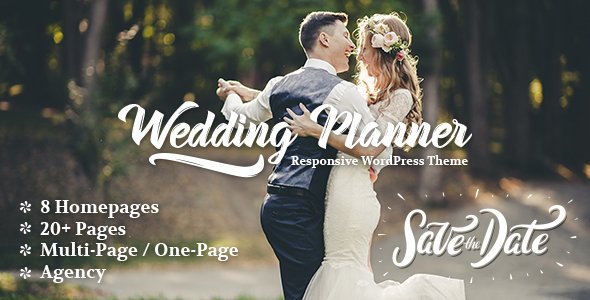
Stuck on your Wedding Planner WordPress theme? Let's fix it.
No endless back-and-forth. Just send us the details and we'll get it done.
No obligation · Replies within 1 hour · Quote within 1 day
Setup · Customization · Bug fixes · WooCommerce integration
About Wedding Planner WP Theme
Wedding Planner is a WordPress theme built by freevision specifically for wedding professionals. It targets photographers, coordinators, venue owners, and bridal boutiques who need a polished online presence without hiring a designer from scratch.
The theme ships with a clean, romantic aesthetic, pre-built page templates, and support for galleries, testimonials, and event details. It works with standard page builders and is compatible with WooCommerce for selling packages or merchandise.
Out of the box, it covers the basics well: contact forms, photo galleries, and a clear service layout. If your business relies on first impressions, this theme gives you a strong starting point. Like most themes, though, getting it to look exactly how you want takes some configuration.
Get matched with a Wedding Planner developer in under one day
Tell us about your Wedding Planner project. Small fixes, Wedding Planner theme customization, or a full website build, whatever you need, we've got it covered.
We'll connect you to the right Wedding Planner developers, define the scope, and get everything 100% clear.
You'll get one estimate, hire your preferred developer, and start collaborating.
Getting Wedding Planner configured properly takes more than reading documentation. A developer who knows WordPress inside out will spot problems before they cause issues, build features the theme doesn’t include by default, and make sure your site holds up under real traffic.
Through Codeable, you’re matched with vetted WordPress specialists within 24 hours. No bidding wars, no guesswork. You get a free estimate and only move forward if the fit is right. Check out our WordPress development services to see what’s possible.
Pros
- Clean, romantic design that looks professional without heavy customisation
- Pre-built page templates for services, galleries, and contact pages save setup time
- WooCommerce compatible for selling wedding packages or printed products
- Responsive layout that renders well on mobile where most wedding research happens
- Compatible with popular page builders, giving non-coders layout flexibility
Cons
- Demo content import can be incomplete, leaving blank sections that confuse new users
- Limited built-in booking functionality, requiring third-party plugins for real scheduling
- Typography options are restricted unless you add a custom fonts plugin
- No dedicated vendor directory feature out of the box
- Theme updates from freevision are infrequent, which can create compatibility issues with newer WordPress versions
Who is Wedding Planner for?
Wedding Photographers
Photographers benefit from the gallery-first layout. Large image grids, portfolio pages, and a clean contact form make it straightforward to showcase work and capture enquiries. A developer can add password-protected client galleries or integrate a proofing tool to deliver photos after the wedding day.
Wedding Planners and Coordinators
Coordinators need to communicate process, build trust, and generate leads. Wedding Planner’s service pages and testimonial sections handle that well. Custom work might include a multi-step enquiry form that qualifies leads by date and budget before they reach your inbox.
Bridal Boutiques
Boutiques selling dresses or accessories can pair the theme with WooCommerce. The visual style suits bridal retail, and a developer can configure appointment booking for fittings, integrate a size guide, or build a lookbook section that links directly to product pages.
Wedding Venues
Venues need to show spaces, communicate capacity, and handle multiple enquiries. This theme supports full-width imagery and clear calls to action. A developer can add a room availability calendar, a virtual tour embed, or a quote request form that sends to your events team.
Florists and Decorators
Florists and decorators benefit from the visual layout to display styled shoots and product arrangements. The theme handles portfolio and service pages well. A developer can build a custom quote calculator based on event size or add an Instagram feed that updates automatically with recent work.

Customizing Wedding Planner
Wedding Planner gives you a solid visual foundation, but most businesses need changes before the site is ready for clients. That might mean adjusting the layout for a specific service offering, adding a custom booking flow, or styling the gallery to match a brand’s colour palette.
A Wedding Planner expert can handle all of that without you spending hours in the customizer. Common requests include adding countdown timers for wedding dates, building a vendor directory, setting up a contact form that routes to multiple team members, or creating custom post types for real wedding showcases.
More advanced work, like connecting the theme to a CRM or building a client portal, requires PHP and JavaScript knowledge. A developer familiar with this theme knows where freevision’s code starts and your custom requirements begin.
Recommended plugins for Wedding Planner
Wedding Planner works well with several plugins that expand what it can do. WooCommerce handles package sales and deposits. WPForms or Gravity Forms manages enquiries and multi-step booking forms. The Events Calendar adds a venue availability or open day schedule.
For speed, pairing the theme with a caching plugin and a CDN makes a real difference on image-heavy pages. You can also add SEO optimisation to target local wedding searches, or invest in performance improvements to reduce load times on mobile, where most couples browse first.
Not sure which plugins to use? This WordPress plugins directory covers the most popular options with reviews and setup guides.
Wedding Planner common issues
Wedding Planner theme header not displaying correctly after update
Header display problems after an update usually point to a conflict between the theme and a plugin, or a cached version of old styles being served. Start by clearing your site cache and any CDN cache. If that doesn’t fix it, deactivate plugins one by one to isolate the conflict. Check your child theme if you’re using one. If the issue persists, a developer can inspect the header template files directly. Our WordPress bug fixing service covers exactly this kind of post-update issue.
Gallery images not loading on Wedding Planner theme mobile
Mobile gallery failures on Wedding Planner are often caused by oversized images hitting memory limits on lower-powered mobile connections, or a JavaScript conflict blocking the gallery script from initialising. Compress images before upload, check that your gallery plugin is active and updated, and test in a private browser window to rule out caching. If the gallery uses a lightbox plugin, verify it’s compatible with the current theme version. A developer can audit and fix the root cause quickly.
Wedding Planner contact form not sending emails
If the Wedding Planner contact form submits but emails don’t arrive, the issue is almost always server-level email delivery, not the form itself. WordPress uses PHP mail by default, which many hosts block. Install an SMTP plugin like WP Mail SMTP and connect it to a transactional email service such as SendGrid or Mailgun. Also check your spam folder before assuming the form is broken. If you’re unsure, our WordPress maintenance service includes email configuration support.
Wedding Planner theme slow to load on image-heavy pages
Slow load times on Wedding Planner image pages come down to uncompressed images, no lazy loading, and missing caching. Start by running the site through PageSpeed Insights to identify specific bottlenecks. Enable lazy loading for images, compress existing uploads using a tool like ShortPixel, and install a caching plugin. A CDN helps significantly for international visitors. For a deeper fix, a developer can optimise the theme’s asset loading and reduce render-blocking scripts. See our performance service for more.
Wedding Planner FAQ
Wedding Planner by freevision is available in both free and premium versions. The free version is listed in the WordPress theme directory and covers basic layout and styling. The premium version includes additional templates, more customisation options, and priority support from freevision. For most business sites, the premium version is worth considering.
Yes, Wedding Planner is compatible with Elementor. You can use Elementor’s drag-and-drop editor to build and modify pages within the theme’s structure. Some template sections may need adjusting after switching to Elementor. A developer can help you rebuild key pages inside Elementor cleanly without losing your existing content or styles.
Wedding Planner doesn’t include a built-in booking system. The most common approach is to add a plugin like Amelia, Bookly, or Simply Schedule Appointments. Each has different pricing and feature sets. A developer can integrate the booking tool into your theme’s design, set up notifications, and connect it to your calendar so enquiries land in the right place.
Yes, many photographers use Wedding Planner for its gallery-friendly layout and visual focus. It handles portfolio pages, client testimonials, and contact forms well. You may want to add a password-protected gallery plugin for client delivery and a blog section for SEO. A developer can extend the theme to fit a photography workflow specifically.
Always use a child theme before making any code changes to Wedding Planner. A child theme keeps your customisations separate from the parent theme files, so updates don’t overwrite your work. If you haven’t set one up yet, do that before updating. Customizer settings and page builder content are generally safe during updates, but backing up first is essential. Our WordPress maintenance service handles updates safely.
Hire a Wedding Planner WordPress Developer
Whether you need a quick styling fix or a fully custom wedding business site, working with a specialist saves time and avoids mistakes. Our developers know the Wedding Planner theme and can take it further than the default settings allow.
Post your project and get matched with an expert within 24 hours. There’s no obligation to hire. Get a free estimate and see exactly what your project would cost before committing.
You'll need a free Codeable account so developers can ask questions and send their quotes.