Wellspring WordPress Theme
by Mikado-Themes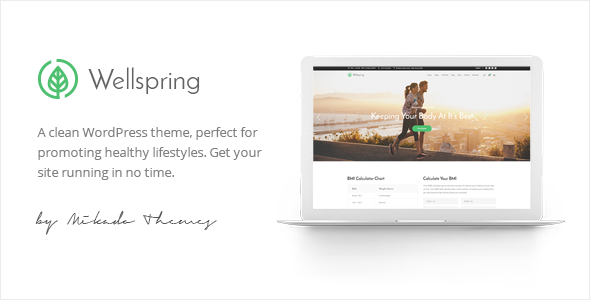
Stuck on your Wellspring WordPress theme? Let's fix it.
No endless back-and-forth. Just send us the details and we'll get it done.
No obligation · Replies within 1 hour · Quote within 1 day
Setup · Customization · Bug fixes · WooCommerce integration
About Wellspring WP Theme
Wellspring is a WordPress theme by Mikado-Themes built for wellness, spa, yoga, and health-focused businesses. It ships with a collection of pre-built demos tailored to different wellness niches, making it straightforward to get a polished site live without building from scratch.
The theme runs on Mikado’s in-house page builder and bundles WPBakery, giving you layout control without touching code. It includes custom post types for services, team members, and testimonials, plus booking-ready sections that pair well with third-party appointment plugins.
Typography and colour options are handled through a dedicated theme panel, and the responsive framework holds up across screen sizes without much adjustment. It’s a focused theme for a specific market, which keeps the feature set relevant rather than bloated.
Get matched with a Wellspring developer in under one day
Tell us about your Wellspring project. Small fixes, Wellspring theme customization, or a full website build, whatever you need, we've got it covered.
We'll connect you to the right Wellspring developers, define the scope, and get everything 100% clear.
You'll get one estimate, hire your preferred developer, and start collaborating.
Wellspring is built for a specific niche and it shows, but niche themes still need custom work when your business doesn’t fit neatly into a demo. Mikado builds solid foundations, not finished sites.
Finding a vetted Wellspring developer used to take time. Through Codeable, you post your project and get matched with specialists who have worked with Mikado themes before. No guesswork, no junior developers learning on your project. You get an estimate before committing to anything.
Pros
- Pre-built wellness demos cover yoga, spa, massage, and nutrition niches with minimal setup
- Custom post types for services, staff, and testimonials are built in, not bolted on
- Theme panel gives non-developers real control over colours, fonts, and header layouts
- WPBakery integration means most layout changes can be made visually
- Responsive framework is reliable across mobile and tablet without extra plugin dependencies
Cons
- WPBakery shortcode lock-in makes switching page builders or themes later messy
- Demo content import can be slow and occasionally fails on lower-tier hosting
- Mikado's custom page builder layer adds complexity when troubleshooting layout conflicts
- Theme updates can break customizations made directly to template files without a child theme
- Third-party booking plugin integration requires manual styling work to match the theme design
Who is Wellspring for?
Spa and Beauty Salons
Wellspring’s spa demos come with service listing layouts, team profiles, and gallery sections that match what salon clients look for. A Wellspring developer can connect an appointment plugin, set up location pages for multi-branch businesses, and configure WooCommerce for gift card or product sales alongside treatment bookings.
Yoga and Pilates Studios
Class schedules, instructor profiles, and pricing tables are common requirements for studios. Wellspring handles the visual side, but a Wellspring specialist can integrate a class scheduling plugin, set up membership access, and build a timetable that updates without manual edits every week.
Nutritionists and Health Coaches
Health coaches need lead capture, content authority, and clear service pages. Wellspring’s clean layouts support blog-heavy content strategies well. A Wellspring expert can set up opt-in landing pages, connect email marketing tools, and structure service pages for SEO without the design falling apart.
Wellness Retreats and Centers
Retreats need strong visual storytelling, event or program listings, and booking flows for multi-day stays. Wellspring’s full-width image sections and testimonial layouts support that. A developer can integrate WooCommerce or a booking plugin configured for retreat packages and accommodation options.
Physical Therapists and Clinics
Clinics need trust signals, service clarity, and easy appointment access. Wellspring’s team and service post types cover the structure. A Wellspring developer can add insurance information sections, HIPAA-aware contact forms, and local SEO schema markup to help individual practitioners rank for location-based searches.

Customizing Wellspring
Wellspring customization goes deeper than the theme panel once you start adjusting layouts for specific service structures, multilingual setups, or custom booking flows. The built-in options handle colours, fonts, header styles, and footer layouts well enough for standard builds, but anything outside that scope needs developer intervention.
A Wellspring expert can restructure demo content to match your actual service list, wire up booking plugins like Amelia or Bookly to the existing design, and create custom templates for individual therapists or locations. Child theme development keeps your changes safe through updates.
If your site needs membership areas, course listings, or WooCommerce integration for product sales alongside services, a Wellspring specialist can build those in cleanly without breaking the visual consistency the theme provides.
Recommended plugins for Wellspring
Wellspring works with several plugins that expand what the theme does out of the box. WooCommerce adds product and gift card sales. Amelia or Bookly handles appointment scheduling. WPML or Polylang covers multilingual needs for spas with international clients.
For SEO, pairing Wellspring with Yoast or Rank Math is standard, but schema markup for services and local business requires configuration. Our WordPress SEO service handles that properly. Image-heavy wellness sites also benefit from caching and CDN setup covered under our WordPress performance service.
Not sure which plugins to use? This WordPress plugins directory covers the most popular options with reviews and setup guides.
Wellspring common issues
Wellspring demo import not working
Demo import failures in Wellspring usually come down to PHP memory limits, execution time limits, or missing required plugins. Start by checking that all required plugins listed in the theme documentation are active before importing. Increase memory_limit to at least 256MB and max_execution_time to 300 in your php.ini or wp-config.php. If the import still fails partway through, try importing content, widgets, and theme settings separately. If you’re stuck, our WordPress bug fixing service can resolve this quickly.
Wellspring header menu not showing on mobile
A mobile menu that won’t display in Wellspring is usually a JavaScript conflict or a misconfigured header option in the theme panel. Go to Mikado Options, find the Mobile Header section, and confirm the mobile menu style is selected. Clear your caching plugin and test in a private browser window. If a third-party plugin is causing a JS error that breaks the menu toggle, deactivate plugins one by one to isolate it. A Wellspring developer can trace the conflict precisely.
Wellspring page builder content not displaying correctly
When WPBakery content renders as raw shortcode or blank sections in Wellspring, it usually means the WPBakery plugin is deactivated or the licence is expired. Reactivate WPBakery under Appearance > Plugins and check for updates. If content disappears after a theme update, the shortcode mapping between Mikado’s custom elements and WPBakery may have changed. Restore from a backup and update plugins in sequence rather than all at once to identify what triggered it.
Wellspring booking plugin not matching theme style
Booking plugins like Amelia or Bookly use their own CSS that often clashes with Wellspring’s styles. The fastest fix is to add custom CSS targeting the booking plugin’s form elements to match Wellspring’s colour variables and font stack. In Mikado Options, locate your primary and secondary colour values and apply them via the plugin’s custom CSS field or a child theme stylesheet. A Wellspring specialist can make this pixel-perfect without touching core plugin files.
Wellspring theme update broke my layout
Layout breaks after a Wellspring update almost always mean customizations were made in the parent theme files rather than a child theme. If you have a recent backup, restore it and migrate your changes into a child theme before updating again. Going forward, any custom PHP template overrides or CSS changes should live in the child theme only. Our WordPress bug fixing service can help recover a broken layout and set up a child theme properly.
Wellspring site loading slowly on mobile
Slow mobile load times on Wellspring sites are typically caused by unoptimized images, Slider Revolution scripts loading on every page, or Google Fonts making multiple external requests. Start by running the site through PageSpeed Insights and addressing the largest image files. Disable Slider Revolution on pages where it’s not used. Consider switching from Google Fonts to locally hosted fonts. A full performance audit will surface the biggest gains specific to your setup.
Wellspring contact form not sending emails
Contact form emails not arriving from a Wellspring site is a hosting issue, not a theme issue. Most shared hosts block or filter PHP mail by default. Install the WP Mail SMTP plugin and connect it to a transactional email service like Mailgun, SendGrid, or your Google Workspace account. Test the connection from within the plugin’s settings. Also check your spam folder, as misconfigured SPF records cause legitimate mail to be filtered.
Wellspring custom fonts not applying
Custom fonts not applying in Wellspring usually means the font isn’t properly enqueued or the CSS selector specificity is too low. In Mikado Options, check the Typography section and confirm the font is selected for the correct element. If you’ve added a custom font via a child theme, make sure it’s enqueued in functions.php and that the CSS rule references the exact font-family name as declared. Browser dev tools show which font is actually rendering versus what’s specified.
Wellspring slider not working after plugin update
Slider Revolution breaking in Wellspring after an update points to a version mismatch between the bundled plugin version and the standalone plugin if you have both active. Deactivate the standalone version and use only the one bundled with Wellspring, or vice versa. Avoid running duplicate plugin instances. If the slider throws JavaScript errors, open your browser console, note the specific error, and search the Slider Revolution changelog for breaking changes in that version.
Wellspring WooCommerce pages look unstyled
Unstyled WooCommerce pages in Wellspring mean the theme’s WooCommerce template files aren’t loading. Confirm WooCommerce is active and check whether Wellspring has a woocommerce folder with template overrides. If the folder is missing, the theme may need an update that adds WooCommerce support. You can also create a child theme and add a woocommerce.php file or copy template files from WooCommerce into the child theme’s woocommerce directory. Our WordPress bug fixing service handles this reliably.
Wellspring FAQ
Yes. Wellspring is specifically designed for wellness businesses. It includes spa-appropriate demo layouts, service listing templates, team profile pages, and gallery sections. It handles the visual requirements of a spa site well out of the box, though custom booking flows and multi-location setups will need developer work to configure properly.
Wellspring supports WooCommerce, but the integration quality depends on your version of both the theme and WooCommerce. Basic shop, product, and cart pages render with theme styling. More complex setups, like product variations, subscriptions, or custom checkout flows, usually need a Wellspring developer to style and configure correctly.
Yes, Wellspring works alongside booking plugins like Amelia, Bookly, and Simply Schedule Appointments. The theme doesn’t include native booking functionality, so a plugin is required. The main task for a Wellspring specialist is styling the plugin’s forms and calendar to match the theme’s design without using plugin-specific CSS that overrides your branding.
After activating Wellspring and its required plugins, go to Mikado Options and find the Import section. Select the demo you want and run the import. Make sure required plugins are active first and that your hosting environment has sufficient PHP memory and execution time. Import on a staging site before touching a live environment to avoid data loss.
Wellspring produces clean HTML output and is compatible with Yoast SEO and Rank Math. It doesn’t generate excessive render-blocking scripts compared to heavier Mikado themes. That said, SEO performance depends heavily on image optimization, page speed, and structured data configuration, none of which the theme handles automatically.
Wellspring is listed as WPML-compatible by Mikado. You’ll need WPML installed and configured, plus the String Translation and WooCommerce Multilingual add-ons if applicable. Translating Mikado Options panel strings requires WPML’s theme and plugin localization component. A Wellspring developer familiar with WPML can complete this setup without breaking the layout.
Technically you can build pages without WPBakery by using native WordPress blocks, but the demo content and most Wellspring templates are built around WPBakery shortcodes. Removing it means rebuilding layouts from scratch. If you want to move to Gutenberg or Elementor, that’s a migration project, not a plugin swap.
Create a new folder in wp-content/themes/ named wellspring-child. Add a style.css with a header that declares the parent theme as Wellspring. Add a functions.php that enqueues the parent stylesheet using wp_enqueue_style. Activate the child theme from the WordPress dashboard. Any custom CSS, template overrides, or PHP modifications go in the child theme only.
Mikado-Themes actively maintains Wellspring with updates that address WordPress core compatibility and WooCommerce changes. Check the ThemeForest changelog for the release history. If a major WordPress release has just shipped and you’re not seeing a Wellspring update within a few weeks, hold off on updating WordPress until the theme catches up, or test on staging first.
Wellspring developer rates vary by project scope. Simple fixes cost less than a full custom build. Through Codeable, you post your project and receive a fixed-price estimate before any work begins. Rates reflect the developer’s experience level and your project complexity. There’s no obligation to proceed after receiving an estimate, and no bidding process to manage.
Hire a Wellspring Developer
Whether you need a full Wellspring build from a demo, custom booking integration, or fixes to an existing site, the right developer makes the difference. Through Codeable, you’re matched with vetted WordPress specialists who know Mikado themes inside out. No bidding wars, no unvetted freelancers.
Get a Free Estimate and describe what you need. You’ll hear back within 24 hours.
You'll need a free Codeable account so developers can ask questions and send their quotes.