Wesper WordPress Theme
by jellywp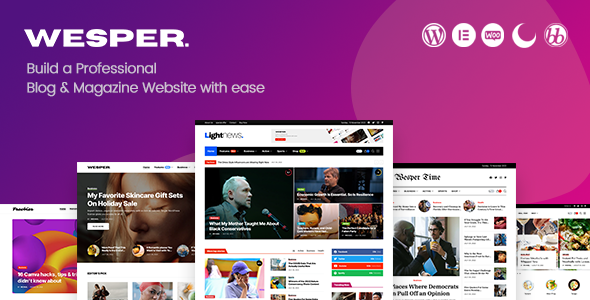
Stuck on your Wesper WordPress theme? Let's fix it.
No endless back-and-forth. Just send us the details and we'll get it done.
No obligation · Replies within 1 hour · Quote within 1 day
Setup · Customization · Bug fixes · WooCommerce integration
About Wesper WP Theme
Wesper is a WordPress theme by JellyWP built for podcasters and audio content creators. It ships with a persistent audio player that keeps playing across page navigation, which is the feature most podcast sites actually need. The design is clean and content-forward, keeping listeners focused on episodes rather than clutter.
JellyWP built Wesper specifically for podcast-first sites, so the structure assumes you are publishing episodes regularly, organising them by season or category, and want subscribers to find and play content without friction. It integrates with popular podcast plugins and supports standard RSS feed setups. If you run a podcast and want a dedicated WordPress theme rather than bolting features onto a generic layout, Wesper is a solid starting point.
Get matched with a Wesper developer in under one day
Tell us about your Wesper project. Small fixes, Wesper theme customization, or a full website build, whatever you need, we've got it covered.
We'll connect you to the right Wesper developers, define the scope, and get everything 100% clear.
You'll get one estimate, hire your preferred developer, and start collaborating.
Wesper has a specific architecture built around audio playback and episode management. Tweaking it without understanding how the persistent player interacts with navigation can break the core experience. The developers on Codeable who work with Wesper have built and modified podcast sites on this theme before. They can customise it, fix conflicts, or extend functionality without guesswork. You get a precise scope, a fixed estimate, and someone who has done this work already.
Pros
- Persistent audio player keeps playing across page navigation without interruption
- Built specifically for podcasters, so the default structure suits episode-heavy sites
- Block editor compatible, making basic style changes accessible without code
- Integrates cleanly with major podcast plugins like Seriously Simple Podcasting
- Clean typography-focused design that keeps listener attention on episode content
Cons
- Limited layout variety outside the podcast-focused templates included by default
- Player customisation beyond basic colour changes requires CSS knowledge
- Smaller community compared to multipurpose themes, so fewer third-party tutorials
- Not ideal if your site needs to serve multiple content types beyond audio and blog
- Some advanced episode display options require a compatible podcast plugin to be active
Who is Wesper for?
Independent Podcasters
Solo podcasters and small shows benefit most from Wesper’s focused structure. The episode archive, player, and subscription prompts are already in place. You publish, and the site handles the presentation. No need to piece together a generic theme with audio plugins and hope they cooperate.
Media and Broadcasting Companies
Radio stations and media companies publishing multiple shows can organise content by programme using Wesper’s category structure. The persistent player means visitors browse across shows without losing their place. With some custom development, you can build a full multi-show directory on top of the base theme.
Educational Audio Content
Course creators and educators publishing audio lessons get a clean, distraction-free layout that keeps learners focused. Wesper’s episode structure maps naturally to a lesson-by-lesson format. Pair it with a membership plugin to gate content for enrolled students and you have a simple audio course platform.
Interview and Talk Show Sites
Interview shows and talk formats work well because the episode pages support show notes, guest information, and embedded audio cleanly. The design does not compete with the content. Hosts who publish detailed episode pages with transcripts or links will find the layout accommodates long-form content without looking cluttered.
Membership Podcast Communities
Podcasters building paid communities can use Wesper as the front end for a membership site. Premium episodes stay gated, free episodes drive discovery, and the player keeps the experience consistent for both. A developer can wire this up with MemberPress or a similar plugin without replacing the theme’s core functionality.

Customizing Wesper
Wesper works with the WordPress block editor, so most layout and style changes happen through the site editor without touching code. You can adjust typography, colour schemes, header layout, and episode archive structure directly in the dashboard.
That said, some customisations take more effort. Matching the player colours precisely to a brand, restructuring the episode layout, or adding a custom homepage section outside the default templates usually requires CSS or template overrides. A Wesper expert knows the theme’s structure well enough to make those changes cleanly without breaking the player functionality or update compatibility. If you want a site that looks built for your show rather than a modified default, working with a Wesper developer is worth it.
Recommended plugins for Wesper
Wesper pairs well with Seriously Simple Podcasting or Podlove for episode management and RSS feed control. For monetisation, adding a membership layer through MemberPress or Paid Memberships Pro works without major conflicts. Yoast or Rank Math handle podcast SEO structured data alongside the theme. Learn more about WordPress SEO optimisation for content sites. If load time matters, and it does for audio sites with large episode archives, review your hosting and caching setup. See our WordPress performance guide for specifics.
Not sure which plugins to use? This WordPress plugins directory covers the most popular options with reviews and setup guides.
Wesper common issues
Wesper audio player not loading on mobile
Mobile player loading issues in Wesper are usually caused by a JavaScript conflict with another plugin or a theme script loading out of order. Start by deactivating plugins one at a time to isolate the conflict. Also check that your hosting environment is not blocking or minifying the player scripts. If you are using a security plugin that restricts JS execution, whitelist the Wesper player script. Still stuck? A WordPress bug fixing service can trace the conflict quickly.
Wesper theme persistent player stops between pages
Wesper’s persistent player relies on a specific navigation method to maintain playback across pages. If the player stops between pages, the most common cause is a plugin or customisation that changes how WordPress handles page transitions. Full-page caching tools can also break this. Check whether any performance or caching plugins are interfering with AJAX navigation. Disabling them one by one will usually identify the problem. A developer familiar with Wesper can patch this without removing your caching setup entirely.
Wesper episode archive showing wrong order
Episode order in Wesper archives is controlled by your podcast plugin settings and WordPress post date, not just the theme. If episodes appear out of order, check the published date on each post and confirm your podcast plugin is not overriding the sort order with its own episode number field. Also verify the archive template in Wesper is not set to a custom query that ignores date sorting. Resetting the archive query parameters in the site editor or through a child theme fix usually resolves this.
Wesper player conflicts with caching plugin
Wesper’s persistent player breaks when a caching plugin serves a fully cached page without the JavaScript state the player needs. WP Rocket, W3 Total Cache, and similar tools can cause this. Exclude the player-related scripts from minification and concatenation in your cache plugin settings. Also disable page caching for logged-in users if you have a membership setup. If the issue persists, check our WordPress maintenance service for ongoing performance and conflict management.
Wesper FAQ
Yes. Wesper is built specifically for podcasters, not adapted from a general-purpose theme. It includes a persistent audio player, episode archive templates, and a layout designed around audio content. If your primary content type is podcast episodes, Wesper covers the core requirements without requiring heavy plugin additions or workarounds.
Wesper works alongside Seriously Simple Podcasting. The plugin manages your RSS feed, episode metadata, and distribution while Wesper handles the front-end display and player. You will want to configure which player you use, either the plugin’s own player or Wesper’s built-in one, to avoid conflicts. Most users stick with Wesper’s player for design consistency.
Technically yes, but the theme is optimised for podcast content. Using it for a blog, portfolio, or business site means you are working around a structure built for episodes and audio. You would spend more time removing or hiding podcast-specific elements than benefiting from the theme. A general WordPress theme would serve those use cases better.
Basic player colour changes are available through the WordPress Customizer or site editor depending on your version of Wesper. For precise brand colour matching or changes to specific player elements like the progress bar or button states, you will need custom CSS. Add it through the Additional CSS section in the Customizer or via a child theme to keep changes update-safe.
Wesper does not officially list WooCommerce as a supported integration. You can install WooCommerce on a Wesper site, but the shop pages will use WooCommerce’s default styling, which will likely clash with Wesper’s design. Getting a consistent look requires custom CSS work. If e-commerce is a significant part of your site, factor in development time for that integration.
Hire a Wesper Developer
If you need a Wesper developer to customise your podcast site, fix a layout issue, or add functionality the theme does not cover out of the box, FoxyConcept can match you with the right person. Work is delivered through Codeable, so you get a vetted developer, a clear estimate, and no obligation to proceed until you are happy with the scope. Get a free estimate and have a developer review your project within 24 hours.
You'll need a free Codeable account so developers can ask questions and send their quotes.