Whistle WordPress Theme
by designthemes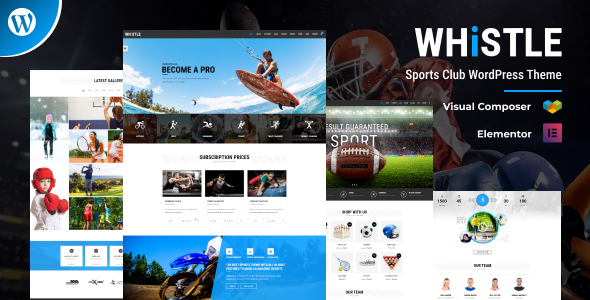
Stuck on your Whistle WordPress theme? Let's fix it.
No endless back-and-forth. Just send us the details and we'll get it done.
No obligation · Replies within 1 hour · Quote within 1 day
Setup · Customization · Bug fixes · WooCommerce integration
About Whistle WP Theme
Whistle is a multipurpose WordPress theme built by DesignThemes. It ships with a drag-and-drop page builder, multiple header layouts, and a library of pre-built demo sites covering business, portfolio, and agency use cases.
The theme leans on a custom Visual Composer integration and includes WooCommerce support, WPML compatibility, and a dedicated options panel built on Redux Framework. It targets agencies, freelancers, and small businesses that want a flexible starting point without writing code from scratch.
Out of the box, Whistle gives you Google Fonts integration, custom widget areas, shortcode support, and retina-ready icons. Performance depends heavily on which demo you start from and how many bundled plugins you activate, so setup decisions made early will affect the long-term health of the site.
Get matched with a Whistle developer in under one day
Tell us about your Whistle project. Small fixes, Whistle theme customization, or a full website build, whatever you need, we've got it covered.
We'll connect you to the right Whistle developers, define the scope, and get everything 100% clear.
You'll get one estimate, hire your preferred developer, and start collaborating.
Whistle has enough moving parts that small configuration mistakes create problems that compound over time. A developer who knows the theme can set it up correctly from the start, build on top of the child theme safely, and make sure the bundled plugins are not slowing the site down.
All developers on Codeable are vetted. You post your project, get a scoped estimate, and only proceed if the terms work for you. There is no obligation and no guesswork about who you are hiring.
Pros
- Ships with multiple pre-built demo sites that cover common business niches
- WooCommerce support is baked in, including shop and product page templates
- WPML compatible out of the box for multilingual site builds
- Redux Framework options panel gives fine-grained control over layout and typography
- Retina-ready icons and Google Fonts integration included without extra plugins
Cons
- Bundles Visual Composer and Slider Revolution, which add significant page weight if not configured carefully
- Demo import does not always complete cleanly, leaving placeholder images or missing widgets
- Child theme is not included in the package, so updates can overwrite custom CSS added to the parent
- Support response times from DesignThemes can be slow for complex technical questions
- Redux options panel has a steep learning curve for users unfamiliar with theme frameworks
Who is Whistle for?
Creative Agency Website
Whistle’s agency-oriented demo includes full-width hero sections, service grids, and a team member layout. Agencies can use these as a foundation and swap in brand colors and fonts through the options panel. A developer can extend this with custom post types for case studies or client testimonials.
Freelance Portfolio
The portfolio post type and filterable grid make Whistle a practical base for freelancers. You get category filtering, lightbox support, and detail page templates. The setup works for photographers, designers, and developers who want a clean presentation without building from scratch.
WooCommerce Online Store
WooCommerce templates in Whistle cover the standard shop, category, and product detail pages. For stores that need custom product filters, a modified checkout, or a specific cart experience, those require additional development work on top of what the theme provides.
Corporate Business Site
The corporate demo includes a multi-column services section, stats counters, and a blog layout. It works for professional services firms, consultancies, and B2B companies. Pairing it with a contact form plugin and a CRM integration makes lead capture straightforward.
Event or Conference Site
Whistle’s countdown elements, speaker grid layouts, and schedule shortcodes make it usable for event and conference sites. The theme handles single-event pages well. For recurring events or ticketing integration, additional plugin work is required beyond the base theme setup.

Customizing Whistle
Whistle gives you a lot of toggle-based options, but connecting those options to a specific business goal takes time. Changing the default color scheme, building a custom header layout, or wiring up a custom post type usually means navigating the Redux panel, editing templates, or writing child theme CSS.
A Whistle expert can cut through that learning curve fast. Common customization requests include replacing the demo homepage with a brand-specific layout, adjusting the WooCommerce product grid, fixing mobile breakpoints that shipped incorrectly from the demo import, and integrating third-party forms or booking plugins.
If you need Whistle customized to match a specific design or workflow, working with someone who already knows the theme internals saves days of trial and error.
Recommended plugins for Whistle
Whistle bundles Visual Composer, Slider Revolution, and WooCommerce support. Beyond the included plugins, common extensions include contact form plugins, SEO plugins, and caching tools.
For WooCommerce stores built on Whistle, adding a persistent cart, wishlists, or a custom checkout flow requires additional plugin work. Site speed is worth addressing early. A WordPress performance audit will identify render-blocking assets from bundled plugins. If you’re planning to grow organic traffic, pairing Whistle with a proper WordPress SEO setup is worth doing before the site launches.
Not sure which plugins to use? This WordPress plugins directory covers the most popular options with reviews and setup guides.
Whistle common issues
Whistle theme demo import not working correctly
Demo import failures in Whistle usually come from PHP memory limits, execution timeouts, or missing required plugins. Check that Visual Composer and Slider Revolution are both activated before running the importer. Increase max_execution_time and memory_limit in your php.ini or wp-config.php. If the import still stalls, try importing the XML file manually through the WordPress importer tool and setting up widgets and theme settings separately.
Whistle theme Visual Composer not loading or showing errors
Visual Composer conflicts in Whistle usually appear after a plugin update or when the bundled version falls out of sync with the standalone plugin. First, confirm you are using the bundled version included with the theme, not a separately purchased copy. Deactivate other page builder plugins that may conflict. If the editor shows a blank screen, check the browser console for JavaScript errors pointing to a conflicting plugin or script.
Whistle theme slow loading after demo import
Whistle demo sites load slowly by default because Slider Revolution and Visual Composer both add front-end assets on every page load regardless of use. Start by disabling Slider Revolution scripts on pages that do not use a slider. Then audit enqueued scripts and styles using a plugin like Query Monitor. A performance review can identify which bundled assets are safe to remove or defer.
Whistle theme not displaying correctly on mobile
Mobile display problems in Whistle often come from custom column layouts built in Visual Composer that do not collapse correctly on small screens. Check the Visual Composer row and column settings for custom responsive visibility settings that may be hiding or misaligning content. Custom CSS targeting mobile breakpoints can patch most issues, but structural fixes may require editing the Visual Composer layout or adjusting the theme’s responsive CSS in a child theme.
Whistle FAQ
DesignThemes continues to sell and update Whistle through ThemeForest. Update frequency has slowed compared to earlier releases. Before starting a new project on Whistle, check the changelog on the ThemeForest listing to see when the last update was released and whether it addressed compatibility with the current WordPress version.
Whistle was built around Visual Composer (now WPBakery Page Builder). It does not have native Elementor support. You can install Elementor on a Whistle site, but the theme templates and demo layouts are designed for WPBakery. Mixing both page builders on one site is not recommended and creates maintenance problems.
Yes. Whistle includes WooCommerce-compatible templates for shop, category, and product pages. It handles standard store setups well. More specific requirements like custom product options, subscriptions, or modified checkout flows need additional plugin configuration or custom development beyond what the theme provides.
Always use a child theme for any CSS or template changes. If you have been editing the parent theme files directly, those changes will be overwritten on the next update. Move your custom styles and template overrides to a child theme before updating. Back up the site first. Changes made through the Redux options panel are stored in the database and will survive a theme file update.
Migrating content to a Whistle site is possible, but the page layouts from your existing theme will not carry over automatically. Content, images, and posts can be moved. Page layouts built in another theme or page builder need to be rebuilt in WPBakery. A WordPress migration handled by a developer will cover both the content transfer and the layout rebuild.
Hire a Whistle WordPress Developer
Whether you need a full Whistle build from a demo import, a specific layout customized, or a bug tracked down, a vetted developer can handle it. Work is scoped before it starts, so you know what you are paying for. Get a free estimate and have a Whistle developer review your project within 24 hours. No obligation to hire.
You'll need a free Codeable account so developers can ask questions and send their quotes.