Wikilogy WordPress Theme
by GloriaThemes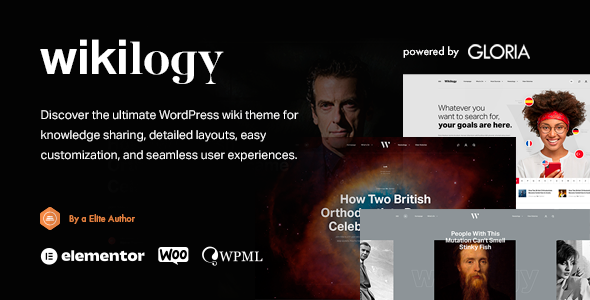
Stuck on your Wikilogy WordPress theme? Let's fix it.
No endless back-and-forth. Just send us the details and we'll get it done.
No obligation · Replies within 1 hour · Quote within 1 day
Setup · Customization · Bug fixes · WooCommerce integration
About Wikilogy WP Theme
Wikilogy is a WordPress theme by GloriaThemes built specifically for knowledge bases, wikis, and documentation sites. It ships with a clean, structured layout that makes it easy for visitors to find information fast. The theme includes a built-in search bar, category-based navigation, and a table of contents feature that works without extra plugins.
Wikilogy is compatible with popular page builders and works well with BuddyPress for community-driven wikis. It supports both front-end article submission and user roles, which makes it a practical choice for teams managing large volumes of documentation. The theme is regularly updated by GloriaThemes and follows WordPress coding standards, so it stays compatible with current WordPress versions without breaking on minor updates.
Get matched with a Wikilogy developer in under one day
Tell us about your Wikilogy project. Small fixes, Wikilogy theme customization, or a full website build, whatever you need, we've got it covered.
We'll connect you to the right Wikilogy developers, define the scope, and get everything 100% clear.
You'll get one estimate, hire your preferred developer, and start collaborating.
Wikilogy is well-structured out of the box, but most serious knowledge base projects need custom work — whether that’s a unique submission workflow, access control by user role, or a design that matches a brand exactly. The developers on Codeable who work with Wikilogy understand both the GloriaThemes codebase and the broader WordPress ecosystem. They can scope your project accurately, give you a clear timeline, and build without cutting corners. No guesswork, no back-and-forth with an unknown freelancer.
Pros
- Purpose-built for wikis and documentation, so the structure is already optimized for that use case
- Built-in table of contents and article navigation reduces the need for extra plugins
- Supports front-end article submission, useful for community or team-managed wikis
- BuddyPress compatible, making it practical for community knowledge bases with user profiles
- Clean, readable typography and layout that keeps focus on content rather than decoration
Cons
- Limited design flexibility compared to general-purpose themes — heavy styling changes require custom CSS
- No native WooCommerce support, so adding any paid access or product layer needs extra work
- The built-in search is basic and struggles with large article libraries without a third-party search plugin
- Not ideal for non-wiki sites — the post structure and navigation are tightly tied to the knowledge base format
- GloriaThemes has a smaller support community than major theme marketplaces, so troubleshooting resources are limited
Who is Wikilogy for?
Software Documentation Site
Wikilogy works well for SaaS products and developer tools that need structured, searchable documentation. The category hierarchy maps cleanly to product modules or feature sets. Front-end submission lets technical writers update content without needing admin access, and the table of contents keeps long articles scannable for users troubleshooting in real time.
Internal Company Knowledge Base
Teams that need a private wiki for onboarding, processes, or internal policies can use Wikilogy with a membership or user-role plugin to restrict access. Articles can be organized by department, and the submission workflow lets team members contribute content without full WordPress access. It keeps everything centralized and searchable in one place.
Gaming Wiki
Gaming communities that need item databases, character guides, or strategy wikis benefit from Wikilogy’s category-based structure. BuddyPress integration allows registered users to contribute and discuss articles. The theme handles large numbers of entries well, and the clean layout keeps the focus on the actual game information rather than site chrome.
Educational Resource Library
Schools, online course creators, and educational publishers can use Wikilogy to build searchable libraries of study materials, glossaries, or subject guides. Articles can be organized by topic or grade level. The readable layout suits long-form educational content, and the built-in navigation helps students move through related material without losing their place.
Legal or Compliance Reference Portal
Law firms, compliance teams, and regulated industries can use Wikilogy to publish internal or client-facing reference documents. Access control plugins restrict sensitive content to authorized users. The structured article format works well for policies, procedures, and definitions that need to be easy to find and clearly formatted for quick reference.

Customizing Wikilogy
Wikilogy gives you a decent set of customization options through the WordPress Customizer. You can adjust typography, colors, header layout, and sidebar positioning without touching code. Article templates, category page layouts, and the homepage search block are all configurable from the admin panel.
That said, deeper changes — like restructuring the navigation hierarchy, adding custom post types alongside the wiki entries, or integrating third-party membership plugins — usually require custom PHP and CSS work. A Wikilogy expert can handle those modifications cleanly, without creating conflicts with future theme updates. If you need the theme to behave in a way that goes beyond the settings panel, working with someone who knows the GloriaThemes codebase saves a lot of trial and error.
Recommended plugins for Wikilogy
Wikilogy pairs well with plugins that extend knowledge base functionality. Popular additions include WPForo for community discussion threads, BuddyPress for user profiles, and advanced search plugins like SearchWP for more accurate results across large article libraries.
For sites where traffic matters, pairing Wikilogy with proper caching, image optimization, and a CDN makes a real difference — see our WordPress performance services for that. If your wiki needs to rank well in search, structured content and internal linking strategies help significantly — our WordPress SEO optimisation service covers both technical and on-page needs.
Not sure which plugins to use? This WordPress plugins directory covers the most popular options with reviews and setup guides.
Wikilogy common issues
Wikilogy search not returning correct results
Wikilogy’s built-in search indexes only basic post content. If results are missing or irrelevant, the likely cause is that the index hasn’t picked up custom fields or taxonomy terms. Installing a plugin like SearchWP gives you full control over what gets indexed. Alternatively, check that your articles are assigned to the correct post type and aren’t accidentally set to draft. Our WordPress bug fixing service can diagnose search issues quickly.
Wikilogy table of contents not showing on articles
The table of contents in Wikilogy generates from heading tags (H2, H3) within the article body. If it’s not appearing, check that your content actually uses those heading levels and that the feature is enabled in the theme settings for that post type. Conflicts with page builder output that wraps headings in extra divs can also break detection. Disabling other TOC plugins that might be running simultaneously usually resolves the conflict.
Wikilogy front-end submission form not working after WordPress update
Front-end submission forms in Wikilogy often break after major WordPress updates due to nonce handling changes or JavaScript conflicts introduced by updated plugins. First, check the browser console for JS errors. Then test with all plugins disabled except Wikilogy’s dependencies. If the form works in that state, re-enable plugins one at a time to find the conflict. If the issue persists, a developer can patch the submission handler directly.
Wikilogy category pages showing wrong layout or missing articles
Category page layout issues in Wikilogy usually come from a template hierarchy conflict — either a plugin is overriding the category template, or a custom template file in a child theme is outdated. Check the child theme folder for any category.php or taxonomy.php files that might be out of sync with the parent theme. Also verify that articles are assigned to the correct Wikilogy-specific taxonomy rather than standard WordPress categories.
Wikilogy FAQ
Wikilogy is a premium theme sold by GloriaThemes. There is no free version available on the official WordPress theme directory. GloriaThemes offers it directly through their website. The license covers one site, and extended licenses are available if you’re building on behalf of a client. Always purchase from the official source to ensure you receive update access and support.
Wikilogy has partial compatibility with Elementor, but its core wiki features — article templates, category pages, submission forms — are controlled by the theme itself, not the page builder. You can use Elementor on standard pages like the homepage or about page. For the actual wiki content and structure, you’ll be working within Wikilogy’s own template system rather than a drag-and-drop builder.
Yes. Wikilogy supports user role restrictions, and combined with a plugin like Members or a membership tool, you can lock the entire site or specific article categories to logged-in users only. This makes it a workable option for internal team documentation. For more advanced access control — like department-level permissions — a developer can set that up cleanly without hacking the theme files.
Migrating existing wiki content to Wikilogy depends on where it’s coming from. Content in standard WordPress posts can often be reassigned to the Wikilogy post type with a script. Content from external platforms like MediaWiki or Confluence needs a custom import process. Our WordPress migration service handles content mapping, taxonomy setup, and post type migration without data loss.
GloriaThemes does release updates for Wikilogy, though the release schedule is less frequent than large marketplace themes. Updates typically address WordPress version compatibility and reported bugs. It’s worth keeping the theme updated and running a child theme for any custom modifications, so your changes aren’t overwritten. If you’re unsure about update safety, a WordPress maintenance plan can handle that for you.
Hire a Wikilogy Expert Developer
Need custom changes to your Wikilogy site? Whether it’s layout modifications, plugin integration, or a full knowledge base build from scratch, a vetted Wikilogy developer can get it done properly. Post your project on Codeable, get a free estimate within 24 hours, and only move forward if you’re happy with the plan. Get your free estimate here — no obligation, completely risk-free.
You'll need a free Codeable account so developers can ask questions and send their quotes.