Wizor’s WordPress Theme
by AncoraThemes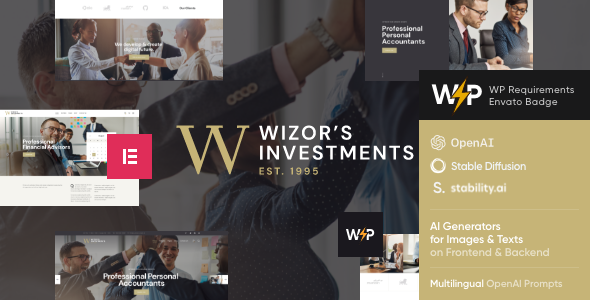
Stuck on your Wizor’s WordPress theme? Let's fix it.
No endless back-and-forth. Just send us the details and we'll get it done.
No obligation · Replies within 1 hour · Quote within 1 day
Setup · Customization · Bug fixes · WooCommerce integration
About Wizor’s WP Theme
Wizor’s is a WordPress theme by AncoraThemes built for consulting, business, and professional services websites. It ships with a clean layout, structured sections for showcasing services and team members, and a homepage design that pushes visitors toward a clear call to action.
AncoraThemes has a solid track record of building well-coded, lightweight themes. Wizor’s follows that pattern. It integrates with Elementor, supports WooCommerce for simple product or service sales, and includes demo content you can import with one click. The design is professional without being generic, which makes it a strong starting point for agencies, consultants, and freelancers who want to get online quickly without hiring a designer from scratch.
Get matched with a Wizor’s developer in under one day
Tell us about your Wizor’s project. Small fixes, Wizor’s theme customization, or a full website build, whatever you need, we've got it covered.
We'll connect you to the right Wizor’s developers, define the scope, and get everything 100% clear.
You'll get one estimate, hire your preferred developer, and start collaborating.
FoxyConcept works exclusively through Codeable, a vetted network where every developer is screened before taking client projects. That means when you post a project, you are not guessing about quality. A Wizor’s developer reviews your brief, sends a free estimate, and you decide whether to move forward. No commitment required. If you have a specific customization in mind or a timeline pressure, that context helps us scope the work accurately from the start. See our WordPress development services for a full picture of what we handle.
Pros
- Clean, professional design suited to consulting and business service sites
- Built-in Elementor compatibility means flexible page layout without custom code
- One-click demo import gets you to a working starting point quickly
- WooCommerce support allows simple service or product sales without a separate theme
- AncoraThemes maintains the theme with regular updates and documented support
Cons
- Demo content requires significant editing to remove generic placeholder text and images
- Heavy reliance on Elementor means the theme is difficult to use with other page builders
- Limited out-of-box blog or content-heavy layout options for sites that prioritize publishing
- Some advanced customizations require child theme work rather than just theme options
- Support from AncoraThemes is ticket-based and response times vary outside business hours
Who is Wizor’s for?
Business Consulting Firms
Wizor’s structured layout works well for consulting firms that need a clear services section, team profiles, and a strong contact funnel. The homepage pulls visitors toward a single action, which is exactly what a consulting site needs. A developer can tailor the color scheme and typography to match an existing brand identity without rebuilding the layout from scratch.
Freelance Professionals
Freelancers in design, writing, or strategy can use Wizor’s as a portfolio and lead generation site. The theme supports a services section, testimonials, and contact forms. With some Elementor work, the layout adapts easily to a one-person business rather than a large firm. It avoids the bloat that comes with themes built for enterprises.
Marketing Agencies
Marketing agencies need a site that communicates results and builds trust quickly. Wizor’s case study and team sections support that. Adding a blog for content marketing fits the theme without major modifications. An agency developer can connect the site to CRM tools or lead tracking scripts to make the site an active part of the sales process.
Financial Advisors
Financial advisors and planners need a site that signals professionalism and compliance awareness. Wizor’s restrained design avoids visual clutter. Custom pages for services, credentials, and disclosures are straightforward to build with Elementor. A developer can add appointment booking integrations to reduce the friction between a site visit and an initial consultation.
IT and Tech Service Providers
IT service companies and managed service providers can use Wizor’s to list service packages, highlight certifications, and drive contact form submissions. The WooCommerce integration supports one-time or recurring service purchases. A developer can add custom pricing tables and feature comparison blocks that the default theme does not include out of the box.

Customizing Wizor’s
Out of the box, Wizor’s covers the basics. But most clients need more than a demo import. Custom color schemes, unique header layouts, tailored service pages, and performance tuning all require hands-on work inside the theme options and Elementor editor.
A Wizor’s expert at FoxyConcept can handle the full customization process. That includes matching your brand, restructuring page templates, setting up custom post types if needed, and making sure the result looks intentional rather than like a modified demo. Changes made without a clear plan often break spacing or responsiveness on mobile. Having someone who knows the theme’s structure saves time and avoids those problems.
Recommended plugins for Wizor’s
Wizor’s pairs well with several additions that extend what the theme does on its own. Contact Form 7 or WPForms handle lead capture. WooCommerce works if you need to sell services or digital products. For SEO, a dedicated plugin like Yoast or Rank Math is essential since themes alone do not handle on-page optimization. If your site needs speed improvements beyond what Wizor’s provides natively, caching and image optimization plugins make a real difference. Check our WordPress performance service and WordPress SEO service for more detail on what that work involves.
Not sure which plugins to use? This WordPress plugins directory covers the most popular options with reviews and setup guides.
Wizor’s common issues
Wizor's theme mobile menu not working
Mobile menu issues in Wizor’s usually come down to a JavaScript conflict with another plugin or a caching layer serving outdated scripts. Start by clearing your cache and testing in an incognito window. If the problem persists, deactivate plugins one at a time to identify the conflict. If you are not comfortable debugging scripts, our WordPress bug fixing service can isolate and resolve the issue without touching the rest of your setup.
Wizor's Elementor layout broken after update
Elementor layout breaks after a Wizor’s update are usually caused by version mismatches between the theme, Elementor, and Elementor Pro. Check the AncoraThemes changelog to see if a compatibility note was published. Rolling back either the theme or Elementor to the previous version buys time. Always test updates on a staging site first. If the layout is already broken on a live site, a developer can restore it and set up a proper staging environment going forward.
Wizor's theme slow loading on mobile
Slow mobile performance on Wizor’s often comes from unoptimized images, unminified scripts loaded by Elementor, and no caching configured. Start with an image compression pass using a plugin like ShortPixel. Enable CSS and JS minification in a caching plugin. If the theme is loading full-size desktop assets on mobile, that requires template-level changes. Our WordPress performance service covers the full audit and fix process.
Wizor's contact form not sending emails
Contact form email failures in Wizor’s are almost never caused by the theme itself. The issue is almost always the hosting server’s mail configuration. WordPress uses PHP mail by default, which many hosts block or throttle. Install an SMTP plugin like WP Mail SMTP and connect it to a transactional email service like SendGrid or Mailgun. Test the connection using the plugin’s built-in send test. If you are still not receiving emails after that, check spam folders and review server mail logs.
Wizor’s FAQ
Yes. Wizor’s is specifically designed for consulting and professional services sites. It includes the sections those sites typically need: services, team members, testimonials, and a contact funnel. The design is clean and avoids the visual noise that comes with multipurpose themes. It works best when a developer tailors it to your specific offer rather than leaving the demo content in place.
Wizor’s is built to work with Elementor and functions with the free version for basic page editing. Some demo layouts may use Elementor Pro widgets like the flip box, pricing table, or form widget. If you want to replicate the full demo accurately, Elementor Pro helps. A developer can also rebuild those sections using free alternatives if you do not want the Pro subscription.
You can build from scratch without importing demo content, but it takes longer. The demo import gives you a working structure to modify rather than starting from blank pages. If your brand direction is very different from the demo, starting fresh with Elementor and the base theme templates is sometimes cleaner. A developer can advise on which approach saves more time for your specific project.
Create a child theme by making a new folder in your themes directory, adding a style.css with the correct template header pointing to Wizor’s, and a functions.php that enqueues the parent stylesheet. Activate the child theme from the WordPress dashboard. All your custom CSS and template overrides go in the child theme so they survive parent theme updates without being overwritten.
Yes, migrating an existing site to Wizor’s is possible but involves rebuilding your current pages inside Elementor to match the new theme structure. Content like posts and pages transfers automatically; the layout does not. Our WordPress migration service handles the technical move, and a Wizor’s developer can rebuild the front end to match or improve your existing design during the process.
Hire a Wizor's WordPress Developer
Whether you need a full site build, a specific customization, or fixes to an existing Wizor’s setup, FoxyConcept can help. Projects are scoped and delivered through Codeable, so the process is transparent and risk-free. Get a free estimate and describe what you need. You will hear back within 24 hours with a clear scope and price. No obligation to proceed.
You'll need a free Codeable account so developers can ask questions and send their quotes.