WorkScout WordPress Theme
by purethemes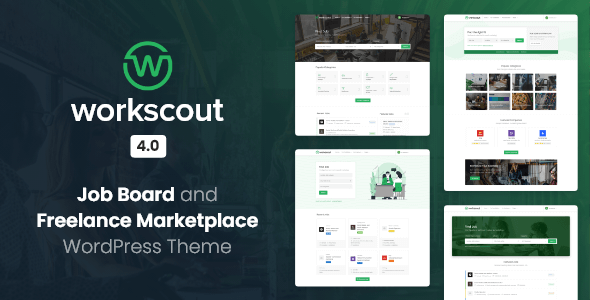
Stuck on your WorkScout WordPress theme? Let's fix it.
No endless back-and-forth. Just send us the details and we'll get it done.
No obligation · Replies within 1 hour · Quote within 1 day
Setup · Customization · Bug fixes · WooCommerce integration
About WorkScout WP Theme
WorkScout is a job board WordPress theme built by PureThemes. It’s designed specifically for recruitment sites, employment portals, and freelance marketplaces. The theme integrates tightly with the WP Job Manager plugin and its extensions, giving you a full-featured job listing setup without building from scratch.
Out of the box, WorkScout handles employer profiles, candidate resumes, job applications, and location-based search. It ships with a clean, filterable job listing layout and supports both free and paid job submissions. The design is mobile-responsive and built on a solid codebase that holds up under real traffic. If you’re launching a niche job board or a regional employment site, WorkScout gives you a functional starting point that doesn’t require heavy customization just to look professional.
Get matched with a WorkScout developer in under one day
Tell us about your WorkScout project. Small fixes, WorkScout theme customization, or a full website build, whatever you need, we've got it covered.
We'll connect you to the right WorkScout developers, define the scope, and get everything 100% clear.
You'll get one estimate, hire your preferred developer, and start collaborating.
WorkScout is a capable theme, but job boards have moving parts that go wrong in specific ways. Application logic, employer permissions, resume visibility, and payment flows all need to work together cleanly. Finding a developer who has actually built job boards with WorkScout makes a real difference.
Through Codeable, you get matched with vetted WordPress developers who know this theme and WP Job Manager in depth. No generalist guesswork. Post your project and get a scoped estimate within 24 hours, with no obligation to hire.
Pros
- Purpose-built for job boards, not adapted from a generic theme
- Deep integration with WP Job Manager and its official extensions
- Supports employer profiles, candidate resumes, and job applications out of the box
- Location-based job search works well with Google Maps integration
- Actively maintained by PureThemes with regular compatibility updates
Cons
- Heavily dependent on WP Job Manager — switching plugins later is painful
- Extension costs add up quickly if you need paid listings, resumes, and alerts
- Default styling looks dated without customization compared to newer job board themes
- Large job databases can cause slow load times without query optimization
- Limited built-in payment gateway options without additional plugins or custom code
Who is WorkScout for?
Regional Job Boards
WorkScout handles location-based filtering well, making it a solid choice for city or region-specific job boards. A WorkScout developer can configure radius search, map-based listings, and location landing pages to help job seekers find work in their area. Pairing this with local SEO structuring gives the board real organic reach.
Industry-Specific Recruitment Sites
Healthcare, tech, legal, and trades recruitment sites benefit from WorkScout’s custom field support. A WorkScout specialist can add industry-specific filters, required qualifications fields, and category-based job alerts. Employers in niche sectors get a cleaner submission form that collects the right data from the start.
Freelance Marketplaces
WorkScout supports project-style listings and contractor profiles alongside traditional job postings. A WorkScout expert can configure the theme for fixed-price or hourly project posts, client ratings, and portfolio sections on candidate profiles. This gives you a lightweight freelance marketplace without building custom infrastructure.
Staffing Agency Portals
Staffing agencies can use WorkScout to manage multiple employer clients and candidate pipelines in one place. A WorkScout developer can restrict employer accounts, control which listings go public, and build internal dashboards for agency staff to manage placements. Role-based access makes the workflow cleaner for agency teams.
University Career Centers
Universities and colleges can run student and alumni job boards on WorkScout with employer verification and campus-specific filters. A WorkScout specialist can set up employer approval workflows, restrict listings to specific degree fields, and integrate with student login systems. It keeps career services manageable without custom software costs.

Customizing WorkScout
WorkScout ships with a decent set of theme options, but most serious job board projects need more than the defaults. A WorkScout expert can customize the candidate and employer dashboards, adjust application workflows, add custom job fields, and restructure the homepage layout to match your hiring model.
Common customization work includes integrating payment gateways for job posting fees, building custom search filters for specific industries, adding multilingual support, and connecting the site to external HR or ATS systems. Color schemes, typography, and layout adjustments are straightforward, but backend logic changes around job submission and visibility rules often need a developer who knows WP Job Manager inside out. If your site needs to behave differently from a standard job board, a WorkScout specialist can wire that up without breaking existing functionality.
Recommended plugins for WorkScout
WorkScout works best when paired with the right WP Job Manager extensions. Paid Listings, Resume Manager, and Job Alerts are the most commonly used add-ons. Each one adds complexity to your site’s codebase, so performance tuning becomes important as you stack them up.
Plugin conflicts, slow query times on large job databases, and unoptimized listing pages are common issues as your board scales. Getting your WordPress site’s performance properly configured ensures job searches stay fast and employer dashboards load without delay. If you’re targeting specific regional or industry keywords, structured WordPress SEO optimisation for job listing pages can significantly improve organic traffic from job seekers.
Not sure which plugins to use? This WordPress plugins directory covers the most popular options with reviews and setup guides.
WorkScout common issues
WorkScout job search not returning results
This is usually caused by a mismatch between WorkScout’s search widget settings and WP Job Manager’s query configuration. Check that the job search widget is placed in the correct sidebar and that the listings page is set correctly in WP Job Manager settings. Also verify that jobs are set to published status and that keyword search is enabled in the plugin options. If the issue persists after checking those, it may be a caching conflict stripping AJAX search parameters.
WorkScout employer dashboard showing blank page
A blank employer dashboard usually points to a PHP error being suppressed, a plugin conflict, or a permission issue with user roles. Start by enabling WP_DEBUG to surface any hidden errors. Check that the employer role has correct capabilities assigned and that no security plugin is blocking dashboard page access. If a recent update preceded the issue, try disabling recently updated plugins one by one. For persistent or complex cases, WordPress bug fixing support can diagnose the root cause quickly.
WorkScout Google Maps not loading on job listings
Google Maps failures in WorkScout are almost always caused by an invalid or restricted API key. Open the WorkScout theme settings and verify the Google Maps API key is entered correctly. In Google Cloud Console, confirm the key has Maps JavaScript API and Geocoding API enabled. Also check that billing is active on the Google account, since Maps API requires it. If the key is valid but maps still fail, a domain restriction on the key may be blocking your site’s domain.
WorkScout resume upload not working
Resume upload failures typically come from server-side file size limits or incorrect file type permissions. Check your server’s upload_max_filesize and post_max_size values in php.ini and increase them if needed. Also verify that WP Job Manager’s Resume Manager extension has the correct allowed file types configured. If uploads fail silently, check folder write permissions on wp-content/uploads. Hosting environments with restrictive mod_security rules can also block resume file uploads without clear error messages.
WorkScout paid listings not redirecting to payment
When paid listings don’t redirect to payment, the issue is usually a misconfigured WooCommerce integration or a job package that isn’t linked to a product correctly. In WP Job Manager Paid Listings settings, confirm that WooCommerce is selected as the payment method and that job packages are saved with a valid WooCommerce product assigned. Also check that your WooCommerce checkout page is set and accessible. If the redirect loop returns to the listing form, a permalink flush often resolves it.
WorkScout job application email notifications not sending
Missing application email notifications usually come from a server mail delivery issue rather than a WorkScout configuration problem. First, confirm the notification email address in WP Job Manager settings is correct. Then install an SMTP plugin like WP Mail SMTP and connect it to a transactional mail service. WorkScout relies on WordPress’s wp_mail function, which shared hosting often blocks or throttles. Testing with a mail logging plugin will confirm whether emails are sent but bounced, or never triggered at all. Get help diagnosing email issues if the problem continues.
WorkScout homepage layout broken after update
Layout breaks after a WorkScout update are commonly caused by cached CSS files serving outdated styles. Clear all caching layers including server cache, CDN cache, and browser cache before investigating further. If the layout is still broken, open browser dev tools and check for 404 errors on CSS or JS files. A child theme conflict is another common cause — if you’re running a child theme, check whether your custom CSS is overriding new structural styles added in the update.
WorkScout candidate registration form not submitting
Candidate registration form failures are often caused by a nonce verification error, a JavaScript conflict, or a security plugin blocking the form submission endpoint. Open your browser console and look for JS errors when submitting the form. Disable any firewall or form protection rules temporarily to test. Also confirm that the registration page URL in WorkScout settings matches the actual page URL. If reCAPTCHA is enabled, verify the site and secret keys are valid and the domain is authorized in Google’s reCAPTCHA console.
WorkScout job listings not showing on category pages
When job listings don’t appear on category pages, the most common fix is a permalink reset. Go to Settings > Permalinks and save without changing anything. This forces WordPress to rebuild rewrite rules for WP Job Manager’s custom post types. If that doesn’t work, check that the job_listing post type is set to show in the taxonomy archive. Plugin conflicts with custom permalink or SEO plugins can also override WorkScout’s taxonomy URL structure and break category page queries.
WorkScout AJAX filters not working
AJAX filter failures in WorkScout usually trace back to a JavaScript conflict with another plugin or a misconfigured admin-ajax.php path. Open browser dev tools, go to the Network tab, and trigger a filter to see if the AJAX request returns a 200 or an error. If the request fails, check whether a security plugin is blocking requests to admin-ajax.php. Also verify that jQuery is loading correctly and that no plugin is deferring it in a way that breaks WorkScout’s filter scripts. WordPress bug fixing support can resolve persistent AJAX issues fast.
WorkScout FAQ
No. WorkScout is built around WP Job Manager and depends on it for all core job listing, application, and employer functionality. Running WorkScout without WP Job Manager active will leave most of the theme’s features non-functional. The two are designed to work as a unit, and separating them isn’t practical.
Yes, with some customization. WorkScout supports project-style listings and contractor profiles alongside traditional job posts. A WorkScout developer can configure project-based submission forms, client and contractor dashboards, and application workflows suited to a freelance model. It won’t match a dedicated marketplace platform out of the box, but it can get close.
Yes. WorkScout supports paid job submissions through the WP Job Manager Paid Listings extension, which integrates with WooCommerce. Employers can purchase job packages that control listing quantity, duration, and featured status. Configuration requires both plugins active and WooCommerce products set up correctly to match each listing package.
WorkScout has limited native Elementor support. The theme uses its own page builder options and is not built as an Elementor-first theme. Some pages can be edited with Elementor, but the job listing templates and dashboard pages are controlled by WP Job Manager templates, not Elementor. Deep visual customization still requires PHP template work.
WorkScout is translation-ready and compatible with WPML and Polylang. You can run it as a multilingual job board, though some WP Job Manager extensions have their own translation requirements. A WorkScout specialist can configure language switchers, translated job categories, and language-filtered search for multi-region job boards.
Resume functionality requires the WP Job Manager Resume Manager extension, which is a separate plugin. WorkScout is designed to work alongside it and displays candidate profiles and uploaded resumes within the theme’s layout. The extension handles file uploads, privacy controls, and employer search access for candidate profiles.
Custom job fields in WorkScout are added through the WP Job Manager custom fields settings or via the Field Editor extension. Basic fields can be added without code. More complex conditional fields or fields that affect search filters typically require a WorkScout developer to modify templates and query logic to surface the data correctly.
WorkScout’s default SEO setup is functional but not optimized. Job listing pages benefit from structured data markup, fast load times, and clean URL structures. Pairing WorkScout with a dedicated SEO plugin and proper schema configuration improves how job postings appear in Google search results, including eligibility for Google for Jobs rich results.
Migrating an existing job board to WorkScout is possible but depends on your current platform. WP Job Manager has import tools for standard formats, and a WorkScout developer can handle data mapping for employers, candidates, and listings. The complexity scales with how much custom data your existing board stores. WordPress migration support can help scope the work accurately.
WorkScout developer rates through Codeable typically range from $70 to $120 per hour depending on the scope and complexity of your project. Fixed-price project quotes are also available for clearly defined work. Post your project to get a scoped estimate with no obligation to hire. Rates reflect vetted, senior-level WordPress developers with real job board experience.
Hire a WorkScout Developer or Expert
Whether you need a WorkScout developer to build a job board from scratch, fix a broken feature, or customize the candidate and employer experience, FoxyConcept connects you with the right person through Codeable’s vetted network. Work is scoped upfront, no surprises. Get a Free Estimate and describe what you need. You’ll hear back within 24 hours with a clear plan and price.
You'll need a free Codeable account so developers can ask questions and send their quotes.