Wpcast WordPress Theme
by QantumThemes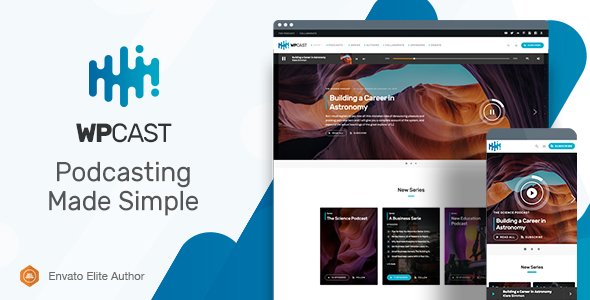
Stuck on your Wpcast WordPress theme? Let's fix it.
No endless back-and-forth. Just send us the details and we'll get it done.
No obligation · Replies within 1 hour · Quote within 1 day
Setup · Customization · Bug fixes · WooCommerce integration
About Wpcast WP Theme
Wpcast is a WordPress theme built by QantumThemes specifically for podcasters. It is designed around audio content, giving podcasters a clean, focused layout that puts episodes front and center. The theme integrates with popular podcast plugins and supports custom audio players, episode archives, and show notes formatting out of the box.
QantumThemes built Wpcast with a minimal footprint in mind. It loads fast, avoids unnecessary bloat, and works well with standard WordPress tools. If you run a single podcast or manage multiple shows, the theme gives you a solid starting point without forcing you into a page builder workflow. It suits independent podcasters, media companies, and content creators who want a purpose-built site rather than adapting a generic blog theme.
Get matched with a Wpcast developer in under one day
Tell us about your Wpcast project. Small fixes, Wpcast theme customization, or a full website build, whatever you need, we've got it covered.
We'll connect you to the right Wpcast developers, define the scope, and get everything 100% clear.
You'll get one estimate, hire your preferred developer, and start collaborating.
Wpcast is straightforward for basic setups, but podcast sites often grow quickly. You end up needing custom player behavior, membership gates, sponsorship ad slots, or dynamic episode feeds. Those changes require someone who knows WordPress theme architecture and PHP templates, not just the customizer. Our vetted developers on Codeable have worked with audio and media themes and can scope your project accurately. You get a fixed estimate before any work starts, with no obligation to proceed.
Pros
- Built specifically for podcasters, not adapted from a generic blog theme
- Includes a sticky audio player that keeps playback active while users browse
- Compatible with major podcast plugins like Seriously Simple Podcasting
- Clean episode archive layout with metadata support for show notes and guests
- Lightweight codebase that performs well without heavy page builder dependencies
Cons
- Customizer options are limited compared to multi-purpose themes with visual builders
- Multi-show or podcast network layouts require custom development work
- Plugin compatibility can break after major WordPress or theme updates
- Documentation from QantumThemes is minimal, making troubleshooting harder for non-developers
- Membership and paid content features require third-party plugins with additional configuration
Who is Wpcast for?
Independent Podcasters
Solo podcasters get a clean, focused site without needing to customize a bloated multipurpose theme. Wpcast handles episode archives, show notes, and audio playback without extra setup. It works well for someone publishing weekly episodes who wants a professional-looking site on a small budget.
Podcast Networks
Studios or creators managing several shows can use Wpcast as the base, though a developer will need to build out multi-show taxonomy and separate feeds. The theme’s structure supports this with some custom work. It is a more practical starting point than building from scratch or buying a theme that does too much.
Interview and Talk Shows
Talk shows and interview formats benefit from Wpcast’s guest metadata support and structured episode pages. You can display guest bios, episode topics, and links alongside the player. This format maps well to the theme’s default templates without needing significant customization beyond branding.
Educational Audio Content
Online educators delivering course content through audio or lesson recordings can use Wpcast to organize content by series or module. Pairing it with a plugin like LearnDash or MemberPress adds access control. The episode archive doubles as a course library with minor template adjustments from a developer.
Media and Press Companies
News outlets and media brands running audio alongside written editorial content can use Wpcast to separate their podcast presence. The theme keeps audio content distinct from blog posts, which helps with audience navigation and feed clarity. Custom post types and category structures keep the content organized at scale.

Customizing Wpcast
Wpcast comes with a set of customizer options covering colors, typography, and layout choices for episode pages and the homepage. You can adjust the header, configure a sticky audio player, and control how show notes and episode metadata display. That covers the basics for most podcasters.
More specific work requires code. Custom episode layouts, unique subscription flows, Patreon or membership integration, and third-party API connections all sit outside what the customizer handles. A Wpcast expert can modify templates directly, add custom post type fields, or rebuild sections of the theme without breaking future updates. If your podcast site needs to do more than the defaults allow, working with a developer is the practical route rather than fighting the theme yourself.
Recommended plugins for Wpcast
Wpcast pairs well with podcast-specific plugins like Seriously Simple Podcasting or Podlove Podcast Publisher for feed management and episode tracking. For membership or paid content, you can layer in MemberPress or Restrict Content Pro. Adding WooCommerce opens options for selling merchandise or episode downloads.
Site speed matters for audio sites since visitors often have the player running while browsing. Optimizing caching, image delivery, and script loading keeps things smooth. Our WordPress performance service covers that. If you want your podcast episodes ranking in search, structured data and feed optimization help — covered under our WordPress SEO service.
Not sure which plugins to use? This WordPress plugins directory covers the most popular options with reviews and setup guides.
Wpcast common issues
Wpcast audio player not showing on episode pages
This usually happens when the episode post type is not recognized by the active player template. Check that your podcast plugin is active and that the post type matches what Wpcast expects. If you switched plugins recently, the shortcode or block format may have changed. Clearing your cache and checking for JavaScript conflicts in the browser console are good first steps. Our WordPress bug fixing service can diagnose this quickly if you’re stuck.
Wpcast theme not displaying episodes in the correct order
Episode ordering in Wpcast is typically controlled by publish date or a custom field set by your podcast plugin. If episodes appear out of order, check whether your plugin uses a custom date field that overrides the WordPress publish date. A query order conflict between the theme and plugin is the most common cause. Adjusting the WP_Query arguments in the archive template fixes this, but it requires editing theme files safely using a child theme.
Wpcast sticky player disappearing after WordPress update
WordPress core or plugin updates can conflict with JavaScript that powers the sticky player. After an update, open your browser console and look for JS errors pointing to the player script. Plugin conflicts with caching or script optimization tools are another common cause. Temporarily disabling optimization plugins helps isolate the issue. If the player was working before the update, a theme file may have been overwritten. Check with ongoing maintenance support to prevent this recurring.
Wpcast RSS feed not working with podcast directories
Wpcast does not generate a podcast RSS feed on its own. Feed management comes from your podcast plugin, such as Seriously Simple Podcasting or Podlove. If your feed is failing validation in Apple Podcasts or Spotify, the issue is usually in the feed settings of that plugin, not the theme. Check required fields like author, category, and artwork. Run your feed URL through a validator like Podbase or Cast Feed Validator to identify missing tags.
Wpcast FAQ
Wpcast is a premium theme sold by QantumThemes. It is not available for free on the WordPress theme directory. You purchase it directly from QantumThemes, which includes support and updates for the license period. Pricing and license terms are listed on their website. A free trial or demo is not typically offered, but you can preview the demo before buying.
Yes, Wpcast is designed to work alongside podcast plugins including Seriously Simple Podcasting. The theme handles display and layout while the plugin manages your RSS feed, episode post type, and directory submissions. You install both and configure the plugin settings separately. Some template adjustments may be needed depending on which SSP features you use, but basic compatibility works out of the box.
Wpcast is built around a single podcast setup. Running multiple shows on one installation is possible but requires custom taxonomy structures, separate archive pages, and potentially custom queries. This is not something the theme handles automatically. A developer familiar with Wpcast can build this out, but expect it to be a custom project rather than a settings toggle.
Go to Appearance, then Customize, then Site Identity. Upload your logo file there. Wpcast respects the WordPress standard logo field, so no custom code is needed for basic logo placement. If you want to adjust the logo size, position, or add a separate logo for the sticky player header, that requires CSS edits, which are best added through a child theme or the Additional CSS panel.
QantumThemes has a mixed update history with Wpcast. The theme has gone through periods without active updates, which is worth checking before purchasing. Look at the changelog on their site and check the last update date. If the theme has not been updated in over a year, compatibility with the current WordPress version and popular plugins may become an issue over time.
Hire a Wpcast Developer
Whether you need a Wpcast setup done right the first time or you have specific customizations that go beyond the theme defaults, our developers can help. Work is matched through Codeable, so you get a vetted WordPress professional, not a generalist freelancer. Post your project, get an estimate within 24 hours, and only pay if you decide to move forward. Get a free estimate now and describe what your podcast site needs.
You'll need a free Codeable account so developers can ask questions and send their quotes.