Xtra WordPress Theme
by Codevz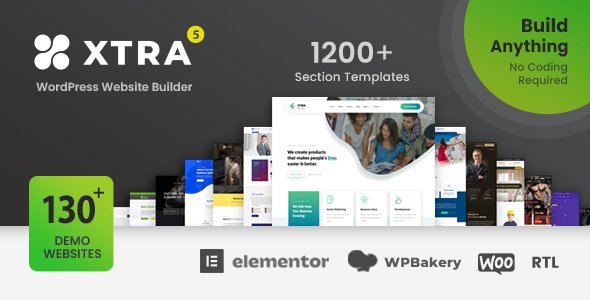
Stuck on your Xtra WordPress theme? Let's fix it.
No endless back-and-forth. Just send us the details and we'll get it done.
No obligation · Replies within 1 hour · Quote within 1 day
Setup · Customization · Bug fixes · WooCommerce integration
About Xtra WP Theme
Xtra is a multipurpose WordPress theme built by Codevz. It ships with a drag-and-drop page builder, over 300 pre-built demo sections, and tight integration with both Elementor and WPBakery. The theme targets agencies, freelancers, and businesses that want full design control without writing code.
Xtra uses a custom options panel called XtraSettings, which sits alongside the standard WordPress Customizer. It supports RTL languages, WPML for multilingual sites, and WooCommerce out of the box. Page load speed is a priority in the design, with lazy loading and minification options built into the theme itself.
The demo importer is one click and covers over 100 full site templates. Codevz maintains regular updates and the theme has a solid track record on ThemeForest with thousands of active installs and strong user ratings.
Get matched with a Xtra developer in under one day
Tell us about your Xtra project. Small fixes, Xtra theme customization, or a full website build, whatever you need, we've got it covered.
We'll connect you to the right Xtra developers, define the scope, and get everything 100% clear.
You'll get one estimate, hire your preferred developer, and start collaborating.
Xtra is feature-rich, which means configuration decisions have real consequences for performance and maintainability. A vetted Xtra developer on Codeable can set up the theme correctly from the start, customize it to your exact requirements, and fix issues without breaking existing functionality. Codeable only works with developers who pass a rigorous vetting process, so you are not rolling the dice on quality. Post your project, get a free estimate, and talk to a specialist before you commit to anything.
Pros
- Over 100 one-click demo imports covering a wide range of industries
- Built-in header and footer builder with sticky, transparent, and split header options
- Works with both Elementor and WPBakery, giving teams flexibility in page builder choice
- RTL support and WPML compatibility make it viable for multilingual and Arabic/Hebrew sites
- Active development and update history with good ThemeForest support ratings
Cons
- XtraSettings panel adds a learning curve on top of the standard WordPress Customizer
- Full feature set depends heavily on bundled plugins, increasing plugin dependency
- Some demo sections require Revolution Slider, which is a paid plugin sold separately after license expiry
- Performance tuning is needed out of the box; default setups can load too many assets
- Documentation is thorough but not always up to date with the latest version changes
Who is Xtra for?
Creative Agency
Xtra’s animated section options, mega menus, and portfolio post types make it a practical choice for digital and creative agencies. An Xtra developer can build out service pages with scroll-triggered animations, custom case study layouts, and team member sections that match the agency’s brand without relying on third-party plugins for every element.
WooCommerce Store
WooCommerce support in Xtra is deep, covering product archive layouts, single product page templates, and cart and checkout styling. An Xtra specialist can configure shop filters, custom category pages, and upsell sections. The theme also supports sticky add-to-cart bars and quick view without extra plugins.
Freelance Portfolio
Xtra’s portfolio custom post type and filterable grid layouts work well for freelancers showing case studies or creative work. A skilled Xtra developer can build a minimal, fast-loading portfolio with custom project detail pages, a contact section, and animated transitions that load quickly on mobile.
Corporate Business Site
For corporate sites, Xtra provides clean multi-column layouts, icon boxes, counters, team sections, and testimonial sliders. An Xtra expert can wire these up alongside a forms plugin and CRM integration, producing a professional site that handles both lead generation and brand presentation without looking templated.
Restaurant or Hospitality
Xtra includes demo templates suited for restaurants and hospitality businesses, with full-width hero sections, reservation form areas, and menu layout options. An Xtra developer can configure OpenTable or Reservation plugins, build out a food menu using custom post types, and set up location pages for multi-site restaurant chains.

Customizing Xtra
Xtra gives you a lot of control at the theme level, but production-ready customization usually requires a developer who knows the XtraSettings panel, its custom CSS architecture, and how it interacts with your chosen page builder.
Common customization work includes building custom header and footer layouts using Xtra’s header builder, modifying WooCommerce templates, setting up off-canvas menus, and adjusting the global color and typography system. An Xtra expert can also create reusable section templates and configure the theme’s sticky header, mega menu, and scroll animations without plugin conflicts.
If you are importing a demo and adjusting it for a client, an experienced Xtra developer will save you hours of trial and error in the options panel and ensure the final output is clean and maintainable.
Recommended plugins for Xtra
Xtra integrates with a wide range of plugins. WooCommerce, Contact Form 7, WPML, Revolution Slider, and The Events Calendar all work without extra configuration. For performance, the theme’s built-in lazy load and asset optimization options work well alongside dedicated caching plugins. If you want deeper speed gains, a WordPress performance specialist can tune your Xtra site beyond what the theme panel offers.
On the SEO side, Xtra outputs clean semantic HTML and supports Yoast SEO and Rank Math without conflicts. For structured data, schema markup, and technical SEO, working with a WordPress SEO specialist will get you further than the theme alone.
Not sure which plugins to use? This WordPress plugins directory covers the most popular options with reviews and setup guides.
Xtra common issues
Xtra theme header not showing on mobile
Mobile header issues in Xtra usually come from the header builder configuration. Open XtraSettings, go to the Header section, and check whether a separate mobile header is assigned. If the mobile header is set to none, no header renders on smaller screens. Also verify that the breakpoint value matches your target device width. If the issue started after an update, check for a JavaScript conflict in the browser console.
Xtra page builder content not displaying after update
After a theme or plugin update, Xtra page builder content can disappear or render as raw shortcode. This usually means a bundled plugin like WPBakery or a Codevz extension was not updated alongside the theme. Go to Plugins and update all bundled plugins. If the content is still broken, check for a PHP version mismatch. If you cannot resolve it quickly, a WordPress bug fixing specialist can diagnose and restore your content safely.
Xtra demo import fails or gets stuck
Failed Xtra demo imports are commonly caused by PHP memory limits or execution time limits being too low. Increase memory_limit to at least 256MB and max_execution_time to 300 in your php.ini or wp-config.php. Also confirm that all required plugins are installed and activated before running the importer. If it still fails mid-import, try importing content, widgets, and settings separately using the manual import files included in the theme package.
Xtra theme slowing down WordPress site
Xtra loads several scripts and stylesheets by default, including page builder assets, slider scripts, and icon libraries. Start by enabling the theme’s built-in asset optimization under XtraSettings. Then audit which page builder elements are used and disable unused element scripts. Use a caching plugin and a CDN for static assets. For deeper optimisation work, a WordPress performance specialist can reduce time-to-first-byte and improve Core Web Vitals scores significantly.
Xtra mega menu not working
Xtra mega menus are configured inside the WordPress menu editor combined with the XtraSettings header builder. If the mega menu is not appearing, first confirm that the header builder is set to use the correct menu location. Then open the menu item settings in Appearance > Menus and check that the mega menu option is enabled for the top-level item. JavaScript errors from conflicting plugins are a common cause of mega menus not opening on click.
Xtra WooCommerce shop layout broken
WooCommerce layout breaks in Xtra after updates often result from an outdated WooCommerce template override inside the theme. Xtra ships with custom WooCommerce templates, and when WooCommerce updates its core templates, the theme versions fall out of sync. Check for outdated templates under WooCommerce > Status > System Info. Update the theme to the latest version or contact a WordPress bug fixing service to manually reconcile the template differences.
Xtra custom CSS not applying
Custom CSS added in the WordPress Customizer or XtraSettings may not apply if another stylesheet is loading with higher specificity. Open browser DevTools, inspect the element, and identify which rule is overriding yours. Increase the specificity of your selector or use the correct XtraSettings custom CSS field, which loads after theme styles. Avoid using !important everywhere as it creates cascade problems that are hard to debug later.
Xtra sticky header overlapping content
When Xtra’s sticky header overlaps page content, the offset value in the header builder needs adjusting. Go to XtraSettings, find the sticky header settings, and set a top offset value that accounts for the header height. If you have an admin bar showing, add 32px to the offset. For anchor link navigation, you will also need to set a scroll offset in your page builder or add a small CSS rule to adjust anchor target positioning.
Xtra theme white screen after update
A white screen after updating Xtra is almost always a PHP fatal error. Enable WP_DEBUG in wp-config.php to see the error message. Common causes include an incompatible PHP version, a conflict with a bundled plugin that was not updated, or a custom child theme function that breaks against the new theme code. Deactivate all plugins temporarily to isolate the cause. If you cannot access wp-admin, connect via FTP and rename the theme folder to switch to a default theme.
Xtra WPML language switcher not showing
If the WPML language switcher is not displaying in Xtra, check that WPML String Translation and WPML Media plugins are both active alongside the main WPML plugin. In Xtra, the language switcher is usually added as a header element inside the header builder. Drag the WPML language switcher widget into your header layout and save. Also verify that more than one active language is configured in WPML settings, as the switcher hides itself when only one language is enabled.
Xtra FAQ
Yes. Xtra has native Elementor support and ships with Elementor-compatible demo sections. You can build pages entirely with Elementor while using Xtra’s header builder, footer builder, and global theme settings. Most Xtra demos work with Elementor, though some were originally built with WPBakery and may require adjustment when switching builders.
Xtra includes WooCommerce support out of the box. It provides custom shop, archive, single product, cart, and checkout templates. The theme also includes options for shop layout columns, product card styling, and quick view. For advanced WooCommerce customization, an Xtra specialist can build out custom templates beyond what the theme settings allow.
After installing Xtra, go to Appearance > Xtra Demo Import. Choose a demo, click Install, and the importer will install required plugins and import content, widgets, and settings. A reliable server environment with at least 256MB PHP memory is required. If the import stalls, try the manual import method using the XML and JSON files in the theme package.
Yes. Xtra works with Elementor as a standalone page builder. WPBakery is bundled but not required. If you prefer Elementor, simply activate it and use the Elementor-based demo templates. Some premium Xtra shortcodes use their own renderer independent of both builders, so you have options beyond either builder for specific elements.
Xtra outputs semantic HTML and works cleanly with Yoast SEO and Rank Math. It does not add unnecessary markup or inject spammy schema by default. Page titles, meta descriptions, and Open Graph tags are handled by your SEO plugin. For technical SEO beyond the theme, a WordPress SEO specialist can handle structured data and crawlability improvements.
Create a new folder in wp-content/themes/ named something like xtra-child. Add a style.css with the required header including Template: xtra, then add a functions.php that enqueues the parent theme’s stylesheet. Activate the child theme in Appearance > Themes. All customizations go into the child theme to survive Xtra updates safely.
Xtra is WPML compatible. It works with WPML for translating pages, posts, and custom post types. The header builder supports adding a WPML language switcher as a header element. String translations for theme text are handled through WPML String Translation. For complex multilingual setups, an Xtra developer can configure language-specific headers and page templates.
Rates for an Xtra developer vary based on the scope of work. Simple customizations or bug fixes typically run between $50 and $200. Full site builds on Xtra start higher depending on complexity. On Codeable, you post your project for free, receive a clear estimate, and decide whether to proceed. There is no obligation to hire after getting a quote.
Xtra officially supports Elementor and WPBakery. The theme’s own shortcode system also functions independently of both builders. Gutenberg can be used for basic content editing, but Xtra’s demo templates and advanced layout options are primarily designed around Elementor and WPBakery workflows.
Start with Xtra’s built-in performance options under XtraSettings, enable lazy loading, and limit loaded page builder element scripts to only what each page uses. Add a caching plugin, optimize images, and use a CDN. For measurable Core Web Vitals improvements, a WordPress performance specialist can audit and optimize beyond what theme settings provide.
Hire an Xtra Expert Developer
Whether you need a full site build on Xtra, a specific customization, or a bug fixed fast, a vetted Xtra developer can help. Work is scoped before any commitment, and you only pay when you are ready to proceed. Get a Free Estimate and describe your project. You will hear back within 24 hours with a clear plan and price.
You'll need a free Codeable account so developers can ask questions and send their quotes.