Yoga Fit WordPress Theme
by cmsmasters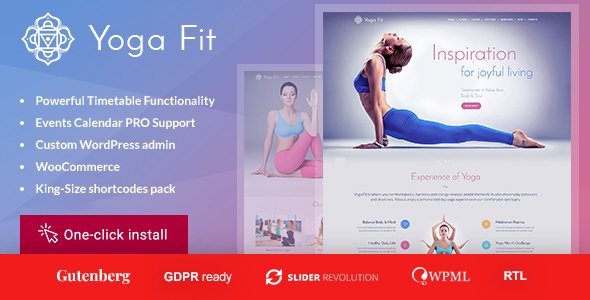
Stuck on your Yoga Fit WordPress theme? Let's fix it.
No endless back-and-forth. Just send us the details and we'll get it done.
No obligation · Replies within 1 hour · Quote within 1 day
Setup · Customization · Bug fixes · WooCommerce integration
About Yoga Fit WP Theme
Yoga Fit is a WordPress theme by cmsmasters built for yoga studios, fitness instructors, and wellness businesses. It ships with a purpose-built layout that covers class schedules, instructor profiles, pricing tables, and booking sections out of the box. The visual style leans clean and minimal, with enough white space to feel calm without looking sparse.
Built on the cmsmasters framework, Yoga Fit supports a drag-and-drop page builder, multiple header layouts, and pre-built demo content you can import in a few clicks. It plays well with WooCommerce for selling memberships or merchandise. Overall, it gives a yoga or fitness brand a solid starting point without needing to build everything from scratch.
Get matched with a Yoga Fit developer in under one day
Tell us about your Yoga Fit project. Small fixes, Yoga Fit theme customization, or a full website build, whatever you need, we've got it covered.
We'll connect you to the right Yoga Fit developers, define the scope, and get everything 100% clear.
You'll get one estimate, hire your preferred developer, and start collaborating.
Yoga Fit has enough flexibility to build a polished fitness site, but the cmsmasters framework has its own logic that takes time to learn. Mistakes in the options panel can break layouts in ways that are not immediately obvious. Working with a vetted Yoga Fit developer through Codeable means you get someone who has worked inside themes like this before and knows where the friction points are. No guesswork, no learning curve billed to you.
Pros
- Pre-built demo content covers yoga studio layout needs well, including schedules, pricing, and instructor sections
- cmsmasters framework options panel gives fine-grained control over headers, footers, and layout widths without code
- WooCommerce compatibility allows selling memberships, class packs, or branded merchandise directly from the site
- Multiple header styles including sticky and transparent options suit different homepage design directions
- One-click demo import gets a working site structure up quickly for faster client previews or prototyping
Cons
- cmsmasters framework is proprietary, so customizations outside its options panel require familiarity with its specific structure
- No native booking system built in, meaning class scheduling requires a third-party plugin and careful integration
- Demo content import can overwrite existing settings, making it risky to use on a site already in progress
- Page builder markup can add extra HTML layers that affect load time if not cleaned up properly
- Theme updates depend on cmsmasters release schedule, which has historically been slower than some competing theme shops
Who is Yoga Fit for?
Yoga Studio with Group Classes
Yoga Fit suits studios running multiple weekly classes with rotating instructors. The schedule layout and instructor profile sections handle this without custom development. A Yoga Fit expert can connect a booking plugin so clients reserve spots directly from the class listing page, reducing admin overhead.
Personal Fitness Trainer
Independent trainers need a simple site that covers services, credentials, and a contact or booking form. Yoga Fit’s single-instructor layout works for this. A Yoga Fit specialist can strip the multi-instructor sections and build a focused one-page or two-page structure that converts better for solo practitioners.
Pilates and Mindfulness Center
Pilates studios and mindfulness centers often need a calmer visual feel with strong written content sections. Yoga Fit’s minimal design translates well here. A developer can adjust color palettes, font choices, and section spacing to shift the aesthetic from fitness-focused to a softer wellness tone.
Online Yoga Course Creator
Yoga Fit pairs with WooCommerce and LMS plugins like LearnDash to support digital course sales. A Yoga Fit developer can build a members-only content area, connect payment processing, and set up course access rules so online students get exactly what they paid for without extra admin steps.
Wellness Retreat Business
Retreat businesses need pages covering accommodation, itineraries, pricing tiers, and inquiry forms. Yoga Fit’s flexible section builder handles multi-column layouts for this. A Yoga Fit expert can add a Gravity Forms inquiry flow or integrate a CRM so retreat leads are captured and followed up automatically.

Customizing Yoga Fit
Yoga Fit customization goes beyond color pickers. The cmsmasters framework gives you control over typography pairs, section backgrounds, button styles, and layout widths through a panel-based options system. You can adjust the header to be sticky, transparent, or split, and swap between different footer column layouts without touching code.
For deeper work, a Yoga Fit expert can build out custom class booking flows, integrate third-party scheduling tools like Amelia or Bookly, or create instructor-specific profile pages that pull from a custom post type. If the demo content does not match your brand direction, a Yoga Fit specialist can rebuild page templates to fit your exact structure while keeping the theme intact underneath.
Recommended plugins for Yoga Fit
Yoga Fit works well with several plugin categories that extend what the theme does on its own. WooCommerce handles membership sales and class packages. Amelia or Simply Schedule Appointments add real booking logic. Contact Form 7 or Gravity Forms cover lead capture.
On the technical side, pairing Yoga Fit with a caching layer and image optimization plugin makes a noticeable difference in load speed. See our WordPress performance services for how we approach that. For studios trying to rank locally, proper schema markup and on-page structure matter. Our WordPress SEO service covers both.
Not sure which plugins to use? This WordPress plugins directory covers the most popular options with reviews and setup guides.
Yoga Fit common issues
Yoga Fit theme not displaying schedule section correctly
Schedule section display problems in Yoga Fit usually come down to a widget or shortcode conflict, or a custom CSS override that stopped applying after a theme update. Check whether the section is using a cmsmasters shortcode that requires a specific parent wrapper. If the layout has shifted, inspect the element in browser dev tools to identify what CSS rule is overriding the expected display. For persistent issues, our WordPress bug fixing service can trace the exact conflict and resolve it cleanly.
Yoga Fit page builder layout broken after WordPress update
WordPress core updates occasionally break page builder rendering when the builder relies on older JavaScript or meta field structures. In Yoga Fit, this often shows as missing columns or unstyled content blocks. Start by checking the browser console for JS errors. A plugin or theme file conflict is usually the cause. If clearing the cache and deactivating plugins does not restore the layout, a Yoga Fit developer can rebuild the affected pages using updated builder blocks. See our bug fixing service for fast turnaround.
Yoga Fit mobile menu not opening on iPhone
Mobile menu failures in Yoga Fit on iOS are commonly caused by a JavaScript conflict with another plugin or a cached version of the theme’s script files. Start by clearing server and browser cache, then test with plugins deactivated one by one. If the issue persists, check whether the theme’s mobile breakpoint setting matches what iOS Safari is interpreting. A theme script that uses click events sometimes needs a touchstart fallback added for iOS compatibility.
Yoga Fit demo import fails or shows blank page
Yoga Fit demo import failures usually mean a PHP memory limit or execution time limit is being hit during import. Increase memory_limit to at least 256M and max_execution_time to 300 in your php.ini or wp-config.php. A blank page after import often points to a missing required plugin like cmsmasters core. Install all required plugins first, then re-run the import. If the issue continues, import the XML manually through the WordPress importer tool.
Yoga Fit FAQ
Yoga Fit is built on the cmsmasters framework and generally keeps up with WordPress core releases, but compatibility depends on which version of the theme you are running. Always check the theme changelog before updating WordPress on a live site. Running a staging copy first is the safest way to confirm nothing breaks before the update goes live.
Technically possible, but not ideal. Yoga Fit’s demo pages and pre-built sections are designed around cmsmasters shortcodes and the framework’s builder. Using Gutenberg or another builder alongside it can cause layout conflicts. A Yoga Fit specialist can help you transition specific pages to Gutenberg blocks if needed while keeping the theme’s styling intact.
Yes. Yoga Fit is compatible with WooCommerce. You can sell class packages, memberships, or physical products. The theme includes basic WooCommerce styling, though some layout adjustments are usually needed to make shop pages feel consistent with the rest of the site design. A Yoga Fit developer can handle that styling work.
Yoga Fit does not include a booking system by default. The most common approach is to install a plugin like Amelia, Bookly, or Simply Schedule Appointments and embed it into the relevant pages. Each plugin has its own configuration. A Yoga Fit expert can integrate the booking flow so it matches the site design and connects to your calendar or email system.
Yes, migrating an existing yoga site to Yoga Fit is doable but involves more than a theme swap. Content, menus, widgets, and any custom functionality need to be mapped to Yoga Fit’s structure. Our WordPress migration service handles this end to end, including redirects and post-migration testing to make sure nothing is lost.
Hire a Yoga Fit Developer for Your WordPress Site
Whether you need a full site build, a booking integration, or fixes to an existing Yoga Fit setup, a specialist can get it done without the back-and-forth of trial and error. Projects are scoped clearly before any work begins. Get a free estimate and describe what you need. You will hear back within 24 hours with a clear plan and price, no obligation to proceed.
You'll need a free Codeable account so developers can ask questions and send their quotes.