Zermatt WordPress Theme
by Select-Themes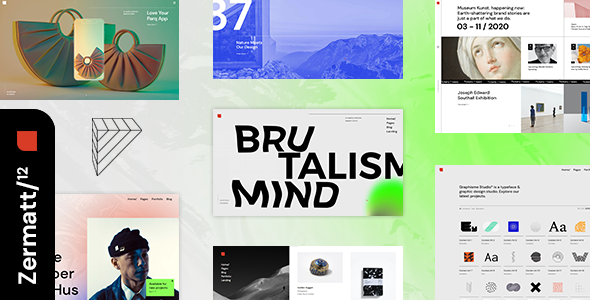
Stuck on your Zermatt WordPress theme? Let's fix it.
No endless back-and-forth. Just send us the details and we'll get it done.
No obligation · Replies within 1 hour · Quote within 1 day
Setup · Customization · Bug fixes · WooCommerce integration
About Zermatt WP Theme
Zermatt is a WordPress theme by Select-Themes built for boutique hotels, mountain resorts, and hospitality businesses. It ships with a clean visual design, full-width imagery support, and a layout structure that puts rooms, amenities, and booking information front and center.
The theme includes a room listing system, availability search integration, pricing tables, and testimonials sections out of the box. It works with most major hotel booking plugins and is built on a solid page builder foundation, making it practical for property owners who need control over their content without touching code.
Select-Themes has a reputation for well-documented, regularly updated products. Zermatt follows that pattern, offering good browser compatibility, responsive layouts, and starter demo content that cuts down setup time considerably.
Get matched with a Zermatt developer in under one day
Tell us about your Zermatt project. Small fixes, Zermatt theme customization, or a full website build, whatever you need, we've got it covered.
We'll connect you to the right Zermatt developers, define the scope, and get everything 100% clear.
You'll get one estimate, hire your preferred developer, and start collaborating.
Zermatt is well-built, but hospitality sites have specific requirements that go beyond what any theme handles out of the box. Booking logic, availability sync, room filtering, and payment flows all need careful implementation. Finding a developer who understands both WordPress and the hospitality use case makes a difference.
Through Codeable, you get matched with vetted WordPress developers who have hands-on theme experience. Post your project, get a free estimate within 24 hours, and only move forward if it makes sense for you.
Pros
- Purpose-built for hotel and resort sites with room listings and pricing sections included
- Full-width imagery support designed for high-quality hospitality photography
- Compatible with major hotel booking plugins including MotoPress and HBook
- Select-Themes provides solid documentation and regular theme updates
- Demo content available to speed up initial setup considerably
Cons
- Availability search requires a separate booking plugin, not included with the theme
- Customizer options are limited for teams that need deep layout control
- No built-in structured data markup for hotel or accommodation schema
- Can be slow on shared hosting when loaded with high-resolution room photography
- Child theme is necessary for safe customization, which adds initial setup time
Who is Zermatt for?
Boutique Hotels
Zermatt’s clean layout and room listing system work well for small boutique hotels that need to showcase individual room types, amenities, and pricing clearly. The visual design supports premium photography and positions the property professionally without requiring a large marketing budget or custom-built site.
Mountain Ski Chalets
The alpine aesthetic and full-width imagery support make Zermatt a natural fit for ski chalets and mountain lodges. Seasonal pricing sections, activity listings, and location information all fit the existing layout structure. Adding a booking plugin completes the setup for guests searching and reserving direct.
Bed and Breakfast Properties
Bed and breakfast operators benefit from Zermatt’s straightforward room listings and testimonials sections. The theme is manageable for non-technical owners once configured properly. A one-time setup with a developer leaves you with a site that’s easy to update with new availability, photos, and pricing independently.
Holiday Rental Villas
Holiday rental villas need clear property presentation with strong photography, feature lists, and a direct booking option. Zermatt handles the visual side well and connects to booking plugins that manage availability calendars and payment collection. It reduces reliance on third-party listing platforms that charge commission on every booking.
Wellness Retreats and Spas
Wellness retreats and spa resorts can use Zermatt’s section-based layout to present treatments, packages, and accommodation in a single coherent site. The calm, visual-first design suits the category. Service listings and pricing tables are already part of the theme structure, reducing the amount of custom work needed at launch.

Customizing Zermatt
Zermatt gives you a reasonable set of options through the WordPress Customizer, covering fonts, colors, header styles, and layout choices. That covers most surface-level changes without issue.
Beyond that, customization gets more involved. Custom post types for rooms and services, modifying the booking flow, adjusting the availability widget, or integrating a third-party property management system all require developer input. Matching the theme to a specific brand identity, beyond swapping colors, usually means editing templates or adding custom CSS and PHP.
A Zermatt expert can handle these changes cleanly without breaking core theme functionality. Whether you need a child theme built, a custom room filter, or a full redesign of the booking section, working with someone who knows the theme saves significant time and avoids regressions down the line.
Recommended plugins for Zermatt
Zermatt pairs well with hotel booking plugins like MotoPress Hotel Booking or HBook. WooCommerce can be added for deposit payments or gift vouchers. For better search visibility, structured data markup for hospitality is worth adding separately since the theme does not include it by default.
Page speed is a genuine concern for image-heavy hotel sites. Optimizing Zermatt for performance through proper caching, image compression, and script management makes a real difference to both user experience and rankings. You can explore options through our WordPress performance service and SEO optimisation service.
Not sure which plugins to use? This WordPress plugins directory covers the most popular options with reviews and setup guides.
Zermatt common issues
Zermatt theme booking plugin not showing availability correctly
Availability display issues are usually a conflict between Zermatt’s template files and the booking plugin you are using. MotoPress and HBook each use shortcodes or blocks that need to be placed in the correct template location. Check that the plugin is active, that room IDs are mapped correctly, and that no caching plugin is serving stale availability data. If the conflict persists, a developer can audit the template files and resolve it cleanly. See our WordPress bug fixing service for help.
Zermatt WordPress theme slow loading on mobile
Slow mobile performance on Zermatt is almost always caused by unoptimized high-resolution images in room listings and full-width header sections. Start by running images through compression and switching to WebP format. Defer non-critical JavaScript and enable lazy loading for below-the-fold images. A caching plugin with mobile-specific rules helps significantly. If scores are still poor after these steps, a developer can audit the full asset load and identify remaining bottlenecks.
Zermatt theme header not displaying correctly after update
Header display issues after a theme update usually mean a custom CSS rule or child theme override is conflicting with new markup in the updated files. First check your child theme’s style.css and any custom CSS in the Customizer for selectors that may have broken. If you are not using a child theme and modified the parent theme directly, those changes will have been overwritten by the update. A developer can restore the intended appearance and move customizations into a child theme properly.
Zermatt room post type not showing on front end
If Zermatt’s room custom post type is not appearing on the front end, the most likely cause is that post type permalinks need to be flushed. Go to Settings, then Permalinks, and save without changing anything. If rooms still do not appear, check that the post status is set to published and that the template assigned to the rooms archive page is correct. Plugin conflicts can also suppress custom post types in certain cases. Our bug fixing service can diagnose this quickly.
Zermatt FAQ
Zermatt is not built specifically for Elementor and Select-Themes does not officially list it as an Elementor-compatible theme. Basic page editing with Elementor is possible, but the room post types and custom template sections may not integrate cleanly. Using the theme as designed, with its native template system, gives more predictable results. A developer can advise on whether Elementor fits your specific project requirements.
WooCommerce can be added to a Zermatt site for collecting payments, such as deposits or gift vouchers. It is not a native booking system on its own and would need to be paired with a WooCommerce-compatible hotel booking plugin to manage room availability and reservations properly. The combination works but requires configuration to avoid checkout and styling conflicts between WooCommerce and the theme.
You can use Zermatt as a brochure site without a booking plugin. The theme will display rooms, pricing, and amenities, but guests would need to contact you by phone or email to reserve. If you want to take direct bookings online, a separate plugin like MotoPress Hotel Booking or HBook is necessary. Most hospitality businesses benefit from at least basic online availability and booking functionality.
Zermatt’s demo content can be imported using the one-click demo importer included with the theme. After installing and activating the theme, go to the demo import section in your WordPress dashboard, select the Zermatt demo, and follow the on-screen steps. The process imports pages, sample rooms, images, and widget settings. Review Select-Themes documentation for the exact steps as the process can vary slightly between versions.
Select-Themes has maintained Zermatt and continued releasing updates. Before purchasing or building on the theme, check the ThemeForest changelog for the date of the most recent update and read recent buyer reviews for any reported compatibility issues. Themes that have not been updated within the past six to twelve months can develop compatibility problems with newer WordPress and PHP versions.
Hire a Zermatt Developer
Need help setting up Zermatt, customizing layouts, connecting a booking plugin, or fixing something that broke? Our WordPress developers have worked with hospitality themes and understand what hotel and resort sites actually need.
Post your project and get a free estimate with no obligation. Work is handled through Codeable, so every developer is vetted and the process is straightforward. Get your free estimate here and have a developer matched to your project within 24 hours.
You'll need a free Codeable account so developers can ask questions and send their quotes.